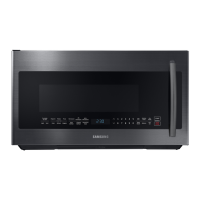
EasyManua.ls Logo

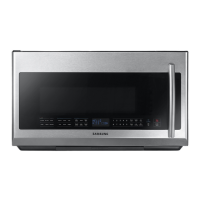
Samsung ME21M706BA*/AA - User Manual

Samsung ME21M706BA*/AA
132 pages
Print Icon
To Next Page IconTo Next Page
Loading...
Microwave Oven
User manual
ME21M706BA*

Table of Contents

Questions and Answers

  • M
    Michelle FordSep 23, 2025
    Why is the turntable in my Samsung ME21M706BA*/AA Microwave Oven so noisy?
    • M
      Melissa NormanSep 23, 2025
      If the turntable rattles and is noisy while turning in your Samsung Microwave Oven, it's likely due to food residue stuck to the bottom of the oven. Remove any food residue to resolve the issue.
  • J
    James BlankenshipAug 23, 2025
    Why is the time not displayed on my Samsung ME21M706BA*/AA?
    • S
      Susan GrantAug 23, 2025
      If the time isn't displayed on your Samsung Microwave Oven, ensure that the microwave is receiving power by checking the power cord, fuses, and circuit breakers. Also, check to see if the Eco (power-saving) function is activated and turn it off if it is.
  • A
    Amanda FloresAug 25, 2025
    What to do if the door of my Samsung Microwave Oven won't open?
    • L
      lbrownAug 26, 2025
      If the door of your Samsung Microwave Oven cannot be opened properly, it's likely due to food residue stuck between the door and the oven interior. Clean the door and the surrounding area to resolve this issue.
  • E
    esharpAug 27, 2025
    Why is there no power to my Samsung ME21M706BA*/AA Microwave Oven?
    • K
      Kathy MurphyAug 27, 2025
      If your Samsung Microwave Oven has no power, ensure that it's properly plugged into a functioning power outlet and that the fuses or circuit breakers are in working order.
  • C
    cmillerAug 27, 2025
    Why does the power turn off during Samsung ME21M706BA*/AA operation?
    • V
      Veronica PerryAug 28, 2025
      If the power to your Samsung Microwave Oven turns off during operation, there might be several reasons. It could be due to extended cooking time, in which case you should let the oven cool down. Ensure the cooling fan is working, and that you are operating the oven with food inside. Check that there is enough ventilation space around the oven according to the installation guide. Also, make sure the microwave is the only appliance plugged into the outlet.
  • D
    David MillsSep 18, 2025
    Why does the turntable drag in my Samsung ME21M706BA*/AA?
    • R
      Richard WebbSep 18, 2025
      If the turntable drags while turning in your Samsung Microwave Oven, ensure the roller ring is properly in place. Also, adjust the amount of food and avoid using containers that are too large, as they might be touching the inside of the microwave.
  • Z
    zcaldwellSep 15, 2025
    Why does the cooling fan keep running on my Samsung ME21M706BA*/AA Microwave Oven after cooking?
    • B
      Brian BergSep 15, 2025
      If the cooling fan continues to run in your Samsung Microwave Oven after cooking is finished, it's normal. The fan runs for about 3 minutes to ventilate the oven and is not a malfunction.
  • C
    carlos06Sep 16, 2025
    Why does the turntable in my Samsung ME21M706BA*/AA keep stopping?
    • C
      Caleb LeeSep 16, 2025
      If the turntable in your Samsung Microwave Oven comes out of place or stops turning, check if the roller ring is missing or not properly installed. Install the roller ring properly and try again.
  • H
    henryjessicaSep 6, 2025
    Why does my Samsung ME21M706BA*/AA Microwave Oven start automatically?
    • R
      Richard FisherSep 6, 2025
      If your Samsung Microwave Oven starts working immediately when power is connected, it indicates that the door is not properly closed. Ensure the door is fully closed and check again.
  • Y
    ypattonSep 3, 2025
    Why isn't the thaw function working on my Samsung ME21M706BA*/AA Microwave Oven?
    • A
      Alexandria HerreraSep 3, 2025
      If the thaw function on your Samsung Microwave Oven isn't working, it could be because you're trying to thaw too much food or using incorrect cookware. To test, put one cup of water in a microwave-safe container, place it in the oven, and run the microwave for 1-2 minutes. If the water heats up, reduce the amount of food and ensure you're using a cooking container with a flat bottom.

Summary

Important Safety Instructions

Understanding Safety Information

General guidance on safety warnings, symbols, and precautions for safe operation.

Microwave Energy Exposure Precautions

Steps to avoid potential exposure to excessive microwave energy.

Safety Symbols and Precautions

Explains symbols and basic safety precautions for appliance use.

California Proposition 65 Warning

Proposition 65 Warning

Warning about chemicals known to cause cancer and reproductive harm in California.

Grounding and Extension Cords

Grounding Instructions

Instructions for proper grounding of the microwave oven.

Extension Cord Usage

Guidelines and cautions for using extension cords with the appliance.

Critical Installation Warnings

Installation Warnings

Essential safety warnings and precautions for installing the microwave.

Installation and Usage Cautions

Installation Cautions

Specific cautions to observe during the installation process.

Critical Usage Warnings

Crucial warnings related to the safe operation and use of the microwave.

General Usage Cautions

Usage Cautions

Cautions to follow during microwave operation, including handling hot items.

Critical Cleaning Instructions

Cleaning Instructions

Essential instructions and warnings for safe and effective cleaning of the appliance.

Setting Up Your Microwave

Checking the Parts

Verifying all components are present after unpacking the microwave oven.

Control Panel Overview

Familiarization with the buttons and functions on the microwave's control panel.

Installing the Metal Shelf

Proper placement of the metal shelf inside the oven to prevent damage.

Setting the Time

Instructions for setting the built-in clock on the microwave oven.

Using My Setting Feature

Customizing microwave oven preferences using the 'My Setting' feature.

Using Your Microwave Oven

Stop;Clear Button Functionality

How to use the STOP/CLEAR button to pause, stop, or cancel operations.

Child Lock Activation

Enabling or disabling the child lock feature to prevent accidental operation.

Kitchen Timer Usage

Utilizing the built-in kitchen timer for up to 99 minutes and 99 seconds.

+30 Sec. Feature

Adding 30-second increments to cooking time for convenience.

More;Less Feature Adjustment

Adjusting pre-set cooking times up or down by 10-second increments.

Eco Mode Operation

Activating Eco Mode to reduce standby power consumption.

Turntable On;Off Feature

Controlling the rotation of the turntable for different cooking needs.

Vent Fan Operation

Managing the vent fan speed for removing steam and odors.

Cooktop Light Control

Turning the cooktop lamp on or off at different brightness levels.

Keep Warm Feature

Maintaining food temperature for an extended period after cooking.

Auto Defrost Function

Thawing frozen foods by automatically setting defrost time and power.

1 Pound Defrost Button

Quick defrosting for 1.0 lb of frozen food with automatic settings.

Sensor Cooking Buttons

Cooking favorite foods using preset power levels and times for specific items.

Microwave Cooking Times & Power Levels

Setting cooking stages, times, and choosing from 10 power levels.

One-Stage Cooking

Simple cooking with time and optional power level settings.

Multi-Stage Cooking

Setting two different cooking stages with their own time and power levels.

Fit Choice Button

Cooking specific food items using predefined settings based on food type and amount.

Kids Meals Button

Cooking popular kid-friendly meals using preset options.

Snacks Button

Cooking various snack items using automated settings.

Soften;Melt Button

Softening butter, cream cheese, or melting chocolate with precise timing.

Cookware Guide

Recommended Utensils

Lists suitable cookware for microwave use and their proper application.

Limited Use Items

Identifies cookware that can be used with caution and specific instructions.

Not Recommended Cookware

Lists cookware types that should not be used in the microwave oven.

Testing Utensils for Safety

Method to test if a dish is microwave-safe before use.

Cooking Guide

Cooking Techniques Explained

Details on stirring, arrangement, shielding, and turning food for optimal cooking.

General Cooking Recommendations

Tips for cooking various foods, including texture, piercing, and avoiding fat.

Cooking Eggs Safely

Precautions and methods for cooking eggs in the microwave without bursting.

Cooking Vegetables Guide

Instructions for washing, preparing, and cooking different types of vegetables.

Cleaning and Maintenance

Exterior and Control Panel Cleaning

Procedures for cleaning the oven's exterior, undercarriage, and control panel.

Interior and Door Seal Cleaning

Guidelines for cleaning the interior, turntable, roller rings, door, and seals.

Storing and Repairing the Oven

Advice on storing the microwave and when to seek professional repair.

Replacing Cooktop;Night Light

Step-by-step instructions for replacing the cooktop or night light bulb.

Replacing the Oven Light

Detailed steps for replacing the internal oven light bulb.

Cleaning the Grease Filter

Instructions for removing and cleaning the reusable grease filter.

Replacing the Charcoal Filter

Steps for replacing the charcoal filter, which cannot be cleaned.

Troubleshooting

Check Points for Common Problems

A guide to diagnose and resolve common issues with the microwave oven.

Appendix

Information Codes and Actions

Explains error codes displayed on the oven and recommended actions.

Product Specifications

Technical details and dimensions of the microwave oven models.

Warranty Information

USA Limited Warranty

Details of the limited warranty coverage for parts and labor in the USA.

Canada Limited Warranty

Details of the limited warranty coverage for parts and labor in Canada.

Samsung ME21M706BA*/AA Specifications

General IconGeneral
Capacity2.1 cu. ft.
Power Level10
Control TypeDigital
VentilationYes
TurntableYes
Sensor CookYes
Ventilation Power300 CFM
Power Levels10
ColorBlack Stainless Steel
Preset ProgramsYes
Child LockYes
Auto CookYes
Auto DefrostYes
Warranty1 Year Parts and Labor
TypeOver-the-Range
Power1000 Watts
Cooking ModesMicrowave, Grill, Convection

Related product manuals