EasyManua.ls Logo

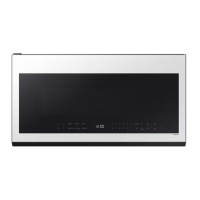
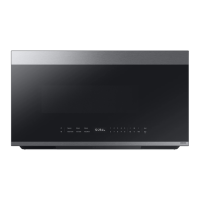
Samsung ME21DG6700SR - User Manual

Samsung ME21DG6700SR
44 pages
Print Icon
To Next Page IconTo Next Page
Loading...
Microwave Oven
User manual
ME21D*6700****

Table of Contents

Questions and Answers

  • A
    Autumn AlvaradoAug 20, 2025
    Why does my Samsung ME21DG6700SR Microwave Oven beep during cooking?
    • K
      Katelyn BowersAug 20, 2025
      If you're using the Auto Cook function, the beeping sound indicates it's time to turn over the food. After turning the food, press the Start button again to continue operation.
  • J
    Jeremy LarsonAug 22, 2025
    Why are there sparks in my Samsung Microwave Oven when cooking?
    • D
      Darlene LindseyAug 22, 2025
      Sparks during cooking usually mean that metal containers are being used. You should not use metal containers in your microwave.
  • C
    carolynsmithAug 25, 2025
    Why is the light inside my Samsung Microwave Oven dim or not working?
    • S
      Sally AdamsAug 25, 2025
      The interior light may be dim or off because the door has been left open for a long time, activating the Eco function. Try closing and reopening the door or pressing the Stop button. Also, the interior light may be covered by foreign matter. In this case, clean the inside of the oven.
  • R
    Rodney CooperAug 27, 2025
    Why is there water in my Samsung ME21DG6700SR after cooking?
    • J
      Jason AllenAug 27, 2025
      Water or steam may be generated during the cooking or defrosting process, depending on the food. This is not a malfunction. Let the oven cool, and then wipe it with a dry dish towel.
  • R
    Raymond KennedyAug 28, 2025
    Why is steam coming from my Samsung ME21DG6700SR door?
    • P
      petervaughanAug 28, 2025
      Steam may be generated during cooking or defrosting, depending on the food. This is not an oven malfunction. Let the oven cool down and then wipe it with a dry dish towel.
  • B
    Breanna DaughertyAug 29, 2025
    What to do if my Samsung ME21DG6700SR is not level?
    • D
      Darin WalterAug 30, 2025
      If your oven is not level, it might be installed on an uneven surface. Make sure the oven is on a flat, stable surface.
  • A
    Amy DavenportAug 31, 2025
    Why does my Samsung ME21DG6700SR start working as soon as I plug it in?
    • H
      Holly AdamsAug 31, 2025
      If your microwave starts working immediately when you plug it in, the door may not be properly closed. Close the door and check again.
  • T
    Tammy WhitakerSep 2, 2025
    Why does the turntable drag in my Samsung ME21DG6700SR?
    • K
      kevin12Sep 2, 2025
      The turntable might drag because the roller ring is not properly in place, there is too much food, or the container is too large and touches the inside of the microwave. Make sure the roller ring is correctly installed. Adjust the amount of food. Do not use containers that are too large.
  • W
    William ThompsonSep 4, 2025
    Why is my Samsung Microwave Oven dripping water?
    • J
      jamie74Sep 4, 2025
      Water or steam may be produced during cooking or defrosting, depending on the food. This is not a malfunction. Allow the oven to cool, then wipe with a dry dish towel.
  • M
    Mrs. Madeline Vargas DDSSep 6, 2025
    What to do if the turntable in my Samsung ME21DG6700SR Microwave Oven comes out of place or stops?
    • S
      Samantha KnightSep 6, 2025
      The turntable may come out of place or stop turning if the roller ring is missing or not correctly installed. Install the roller ring properly and try again.

Summary

Important Safety Instructions

General Safety Precautions

Covers exposure hazards, safety symbols, and general warnings for microwave use.

Regulatory Compliance Notices

Details FCC and IC notices regarding radio frequency interference and compliance.

Installation and Usage Safety Guidelines

Covers CA Prop 65, grounding, extension cords, installation, and usage safety.

Cleaning Safety Procedures

Focuses on safe practices for cleaning the microwave oven to prevent damage or injury.

Setting Up Your New Microwave Oven

Unpacking and Parts Identification

Guide to unpacking the microwave and verifying all included parts.

Control Panel and Basic Functions

Explains the control panel layout and fundamental operations like setting time and turntable.

Operational Features

Details features like Child Lock, Stop button, Eco Mode, +30 sec, and Cooktop Lamp.

System Settings and Connectivity

Covers vent fan, settings customization, and smart connectivity options.

Using Your Microwave Oven

Microwave Operation Basics

Explains power levels and one-stage cooking for basic microwave use.

Preset Cooking Programs

Covers Popcorn, Reheat, Defrost, Sensor Cook, Auto Cook, and Keep Warm functions.

Detailed Cooking Guides

Provides specific instructions for Reheat, Defrost, and Sensor Cook.

Cookware Guide

Recommended Cookware Usage

Lists suitable, limited use, and not recommended cookware for microwave use.

Testing Cookware Safety

Explains how to test if cookware is microwave-safe using a simple procedure.

Cooking Guide

Essential Cooking Techniques

Covers techniques like stirring, arrangement, shielding, standing, and venting.

General Cooking Recommendations

Offers advice on food types, altitude, heat transfer, and candy making.

Specific Food Preparation Guides

Provides guidance for cooking eggs and vegetables in the microwave.

Cleaning and Maintaining Your Microwave Oven

Exterior and Interior Cleaning

Instructions for cleaning the oven's outer surfaces, interior, and control panel.

Door and Seal Maintenance

Focuses on cleaning door seals and the glass door to ensure proper closure.

Storage, Repair, and Part Replacement

Covers storing the oven, repair warnings, and replacing oven and cooktop lights.

Filter Cleaning and Replacement

Details cleaning the grease filter and replacing the charcoal filter.

Troubleshooting

Common Problems and Solutions

Addresses issues like unresponsive buttons, time display, power loss, and oven operation.

Information Codes and Turntable Issues

Explains error codes and common turntable-related problems and their solutions.

Appendix

Product Specifications

Lists technical details like dimensions, power output, and model numbers.

Warranty Information (USA)

Outlines the terms and conditions of the US limited warranty for the product.

Warranty (CANADA)

Warranty Information (CANADA)

Details the warranty terms and conditions applicable to products sold in Canada.

Memo

Samsung ME21DG6700SR Specifications

General IconGeneral
Capacity2.1 cu. ft.
Power1000 Watts
Ventilation300 CFM
ColorStainless Steel
TurntableYes
Sensor CookYes
Ventilation Power300 CFM
Wattage1000 Watts
Power Output1000 Watts
Cooking PresetsYes
Convection CookingNo
Grill FunctionNo
Control TypeTouch
Turntable Diameter14.2 inch
TypeOver-the-Range Microwave

Related product manuals