EasyManua.ls Logo

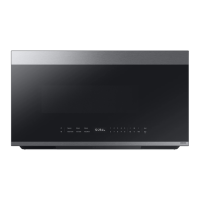
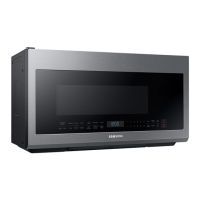
Samsung ME21D 6500 Series - User Manual

Samsung ME21D 6500 Series
44 pages
Print Icon
To Next Page IconTo Next Page
Loading...
Microwave Oven
User manual
ME21D*6500****

Table of Contents

Questions and Answers

  • D
    dmedinaSep 16, 2025
    Why is there water dripping from my Samsung ME21D 6500 Microwave Oven?
    • C
      coltonguerraSep 16, 2025
      Water or steam may be generated by the cooking or defrosting process in your Samsung Microwave Oven, depending on the food. This is not an oven malfunction. Let the oven cool and then wipe with a dry dish towel.
  • S
    sbennettAug 25, 2025
    Why Samsung ME21D 6500 is not working?
    • E
      emily62Aug 25, 2025
      If your Samsung Microwave Oven isn't working, first, ensure that it's properly plugged in and that power is supplied to the outlet. Check your fuses or circuit breakers. Second, make sure the door is fully closed. Third, check for any foreign matter covering the door open safety mechanisms and remove it.
  • X
    xreyesAug 25, 2025
    What to do if the buttons on my Samsung ME21D 6500 Microwave Oven cannot be pressed properly?
    • H
      Heather RobinsonAug 26, 2025
      If the buttons on your Samsung Microwave Oven cannot be pressed properly, first check for any foreign matter caught between the buttons and remove it. If it's a touch model, wipe any moisture from the exterior. Lastly, make sure the Child Lock is deactivated.
  • J
    jhuntAug 26, 2025
    What to do if my Samsung Microwave Oven does not work?
    • C
      castroashleyAug 27, 2025
      If your Samsung Microwave Oven isn't working, start by ensuring it's properly plugged in and that power is supplied. Check your fuses or circuit breakers. Also, make sure the door is completely closed. If the door safety mechanisms are covered by foreign matter, remove it and try again.
  • K
    Keith PaulSep 18, 2025
    Why is the cooling fan still running after cooking in my Samsung ME21D 6500 Microwave Oven?
    • L
      Lori HerringSep 18, 2025
      The cooling fan in your Samsung Microwave Oven continues to run for about 3 minutes after cooking is complete to ventilate the oven. This is not a malfunction.
  • K
    Katherine LeeSep 23, 2025
    What does error code C-d0 mean on my Samsung Microwave Oven?
    • S
      Sandra HillSep 23, 2025
      If your Samsung Microwave Oven displays error code C-d0, it means the control buttons have been touched for over 10 seconds. Clean the keys and check for water on the surface around them. If it reappears, turn off the microwave, let it sit for more than 30 seconds, and then try setting it again.
  • M
    Miranda OsbornSep 8, 2025
    Why is there no power to my Samsung ME21D 6500 Microwave Oven?
    • A
      Amanda JonesSep 9, 2025
      If there is no power to your Samsung Microwave Oven, ensure that the microwave is plugged in and that power is supplied to the outlet. Check your fuses or circuit breakers.
  • M
    Michelle WheelerSep 9, 2025
    Why does the exterior of my Samsung ME21D 6500 get too hot?
    • S
      Stephen GuerreroSep 9, 2025
      If the exterior of your Samsung Microwave Oven gets too hot during operation, ensure there is enough ventilation space around the oven, referencing the installation guide for proper placement. Also, remove any objects placed on top of the oven.
  • H
    hughesgeraldSep 2, 2025
    Why doesn't the thaw function work on my Samsung Microwave Oven?
    • K
      kevin50Sep 3, 2025
      If the thaw function on your Samsung Microwave Oven isn't working, it could be due to thawing too much food at once or using improper cookware. To test, put one cup of water in a microwave-safe container, place it in the oven, and run it for 1-2 minutes to see if the water heats up. If it does, reduce the amount of food and try again, using a cooking container with a flat bottom.
  • D
    Diana DuncanSep 1, 2025
    Why does my Samsung ME21D 6500 power turn off during operation?
    • K
      kimberly52Sep 1, 2025
      If your Samsung Microwave Oven turns off during operation, it could be due to several reasons. The oven may have been cooking for too long, in which case you should let it cool down. Check if the cooling fan is working properly by listening for its sound. Ensure you're operating the oven with food inside. Insufficient ventilation can also cause this issue, so ensure there's enough space around the oven, referring to the installation guide for proper placement. Finally, too many appliances plugged into the same outlet can cause power issues, so unplug other devices from the outlet.

Summary

Microwave Safety Instructions

General Safety Precautions

Covers essential safety knowledge, exposure precautions, and symbols.

Regulatory and Specific Warnings

Addresses FCC, IC compliance, exposure statements, and Proposition 65.

Installation, Usage, and Cleaning Safety

Safety guidelines for setup, operation, and maintenance procedures.

Setting Up Your Microwave

Checking Parts and Control Panel

Verifying components and understanding the control interface.

Basic Functions and Settings

Operating time, timer, turntable, locks, modes, and system preferences.

Connectivity and Smart Features

Wi-Fi setup, voice control, and smart device integration.

Using Your Microwave Oven

Cooking Modes and Techniques

Detailed explanation of cooking functions, modes, and best practices.

Cookware Guide

Recommendations for microwave-safe cookware and testing methods.

Cleaning and Maintaining Your Oven

Cleaning Procedures

Instructions for cleaning exterior, interior, door, filters, and replacing parts.

Troubleshooting Common Issues

Problem Diagnosis and Solutions

Guidance on identifying and resolving operational, performance, and physical issues.

Information Codes and Errors

Explanation of error codes and suggested actions for display messages.

Specifications and Warranty

Product Specifications

Technical details and dimensions of the microwave oven model.

Warranty Information

Terms and conditions of the manufacturer's warranty for different regions.

Samsung ME21D 6500 Series Specifications

General IconGeneral
Capacity2.1 cu. ft.
Control TypeTouch
ColorStainless Steel
TurntableYes
Cooking PresetsYes
Child LockYes
Defrost FunctionYes
Power Levels10
Power1000 Watts
Power Output1000 Watts

Related product manuals