
 To Next Page
A
Angela HillSep 23, 2025
How to replace the charcoal filter in my Samsung ME21H9900AS Microwave Oven?
- CCody PerkinsSep 23, 2025
Please refer to the instructions for replacing the charcoal filter in the user’s manual.

How to replace the charcoal filter in my Samsung ME21H9900AS Microwave Oven?
Please refer to the instructions for replacing the charcoal filter in the user’s manual.
What to do if the display is working, but the power won’t come on in my Samsung Microwave Oven?
If the display is working but the power won’t come on, ensure the door is closed securely. Check for any packaging material or obstructions in the door seal and inspect the door for damage. Touch Cancel twice and re-enter all the cooking instructions.
How to fix a Samsung ME21H9900AS turntable that makes noise?
If the turntable is making noise or getting stuck, clean the turntable, roller ring, and the oven floor. Also, make sure that the turntable and roller ring are positioned correctly.
Why is the turntable rotating improperly in my Samsung Microwave Oven?
If the food is too large or too heavy, the turntable may operate improperly. Make sure you have not put too much food on the turntable.
How to fix a Samsung ME21H9900AS Microwave Oven turntable that makes noise or becomes stuck?
If the turntable in your Samsung Microwave Oven is making noise or getting stuck, clean the turntable, roller ring, and oven floor. Also, ensure that the turntable and roller ring are positioned correctly.
What does it mean when the message “Close Door” appears on the display of my Samsung ME21H9900AS Microwave Oven?
The “Close Door” message appears because you pressed the Enter/Start button while the door was not closed. Make sure to close the door and press the Enter/Start button again. If the message persists, contact us for technical assistance.
Why is the operating noise of my Samsung ME21H9900AS Microwave Oven too loud?
The Samsung Microwave Oven makes noise during operation, which is normal. However, if you hear an abnormal sound continuously, please contact the Samsung Call Center (1-800-726- 7864).
Why is the vent motor suction force too weak in my Samsung ME21H9900AS Microwave Oven?
If the vent motor suction force is too weak in your Samsung Microwave Oven, set the vent mode to high. Note that the Vent Fan will only operate in low speed mode while the microwave is working.
What does “Close Door” mean on my Samsung ME21H9900AS Microwave Oven display?
The “Close Door” message appears because the Enter/Start button was pressed while the door was not fully closed. Make sure to close the door completely and press the Enter/Start button again. If the message persists, contact us for technical assistance.
What to do if my Samsung ME21H9900AS turned off before the set time?
If there was a power outage, the display will show 88:88. If no power outage occurred, remove the plug from the outlet, wait ten seconds, and plug it back in. Reset the clock and any cooking instructions. Also, check the circuit breaker or fuses.
Provides essential safety instructions and general guidance for safe microwave use.
Details specific measures to prevent harmful exposure to microwave energy.
Details mandatory grounding procedures for electrical safety and preventing shocks.
Provides guidelines and precautions for using extension cords with the microwave oven.
Provides cautions related to the proper positioning and accessibility of the microwave oven.
Lists critical warnings for safe operation, including handling hot items and potential hazards.
Outlines cautions for safe usage, including handling hot dishes, cookware, and avoiding damage.
Details sensor cooking buttons, utensils, tables, and the sensor reheat button.
Guides on using the auto defrost function, including its table and operation.
Explains how to set cooking times and power levels for optimal microwave cooking.
Provides solutions for common problems encountered with the microwave oven's operation.
Outlines the terms and conditions of the limited warranty for the original purchaser.
 General
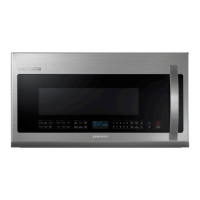
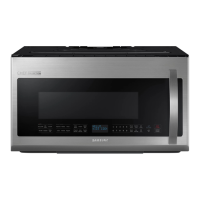
| Style | over-the-range |
|---|---|
| Color | stainless steel |
| Total Capacity | 2.1 cubic feet |
| Sensor Cooking | yes |
| Child Lock | yes |
| Timer | yes |
| Microwave Power | 1000 watts |
| Voltage | 120 volts |
| Current | 14.5 amperes |
 Weight and Dimensions
| Depth | 18.13 inches |
|---|---|
| Height | 16.94 inches |
| Width | 29.81 inches |
| Net Weight | 58 pounds |