© 2007 Oasis Imaging Products, Inc. Page 3
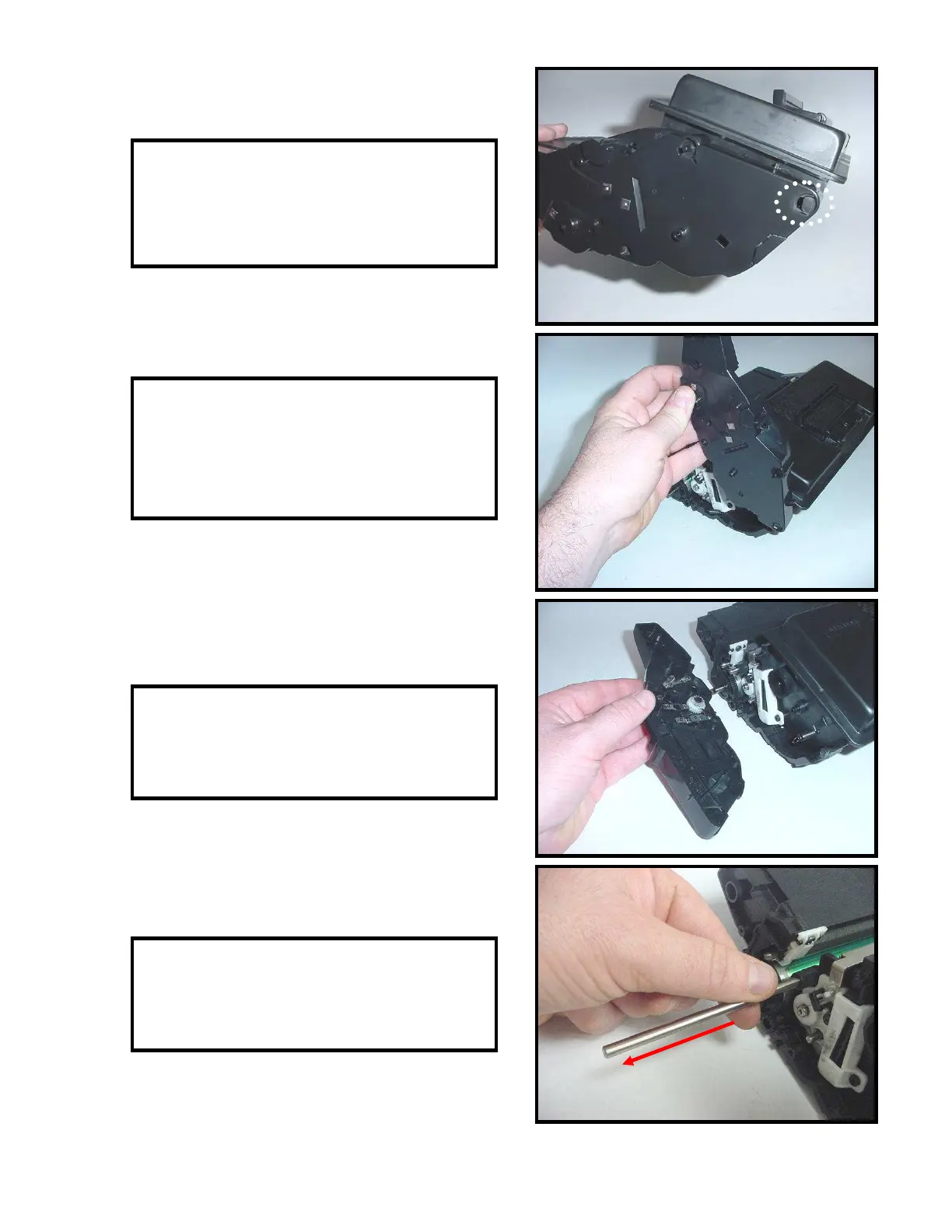
7. The contact side end cap has a locking tab
that secures the end cap to the frame of the
cartridge (Fig. 7).
8. Gently pry the end cap from the top of the
cartridge body and rotate clock wise to
release the end cap from the tab on the
cartridge frame (Fig. 8).
9. Remove the end cap (Fig. 9). Locate the
tension spring and set aside.
10. Remove the metal rod (Fig. 10). The rod
secures the toner hopper to the end caps.
Fig. 7
Fig. 8
Fig. 9
Fig. 10



 To Next Page