© 2007 Oasis Imaging Products, Inc. Page 4
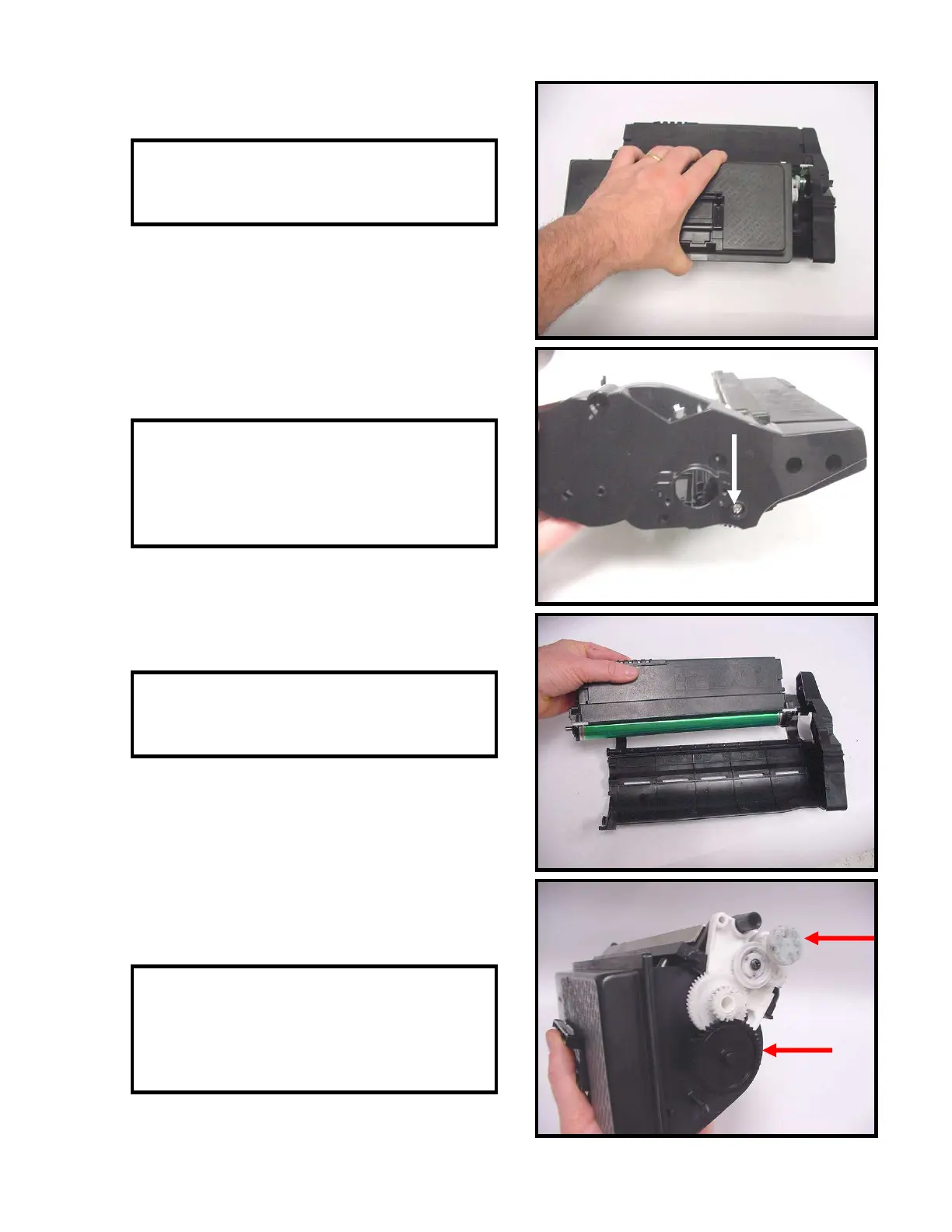
11. Remove the toner hopper (Fig. 11).
Fig. 11
12. Remove the screw that secures the drum
axle to the end cap (Fig. 12).
13. Remove the drum unit (Fig. 13).
14. On the toner hopper section, make a note
of the gear orientation. Remove the large
black gear and the white drive gear (Fig. 14).
Fig. 12
Fig. 13
Fig. 14



 To Next Page