© 2007 Oasis Imaging Products, Inc. Page 5
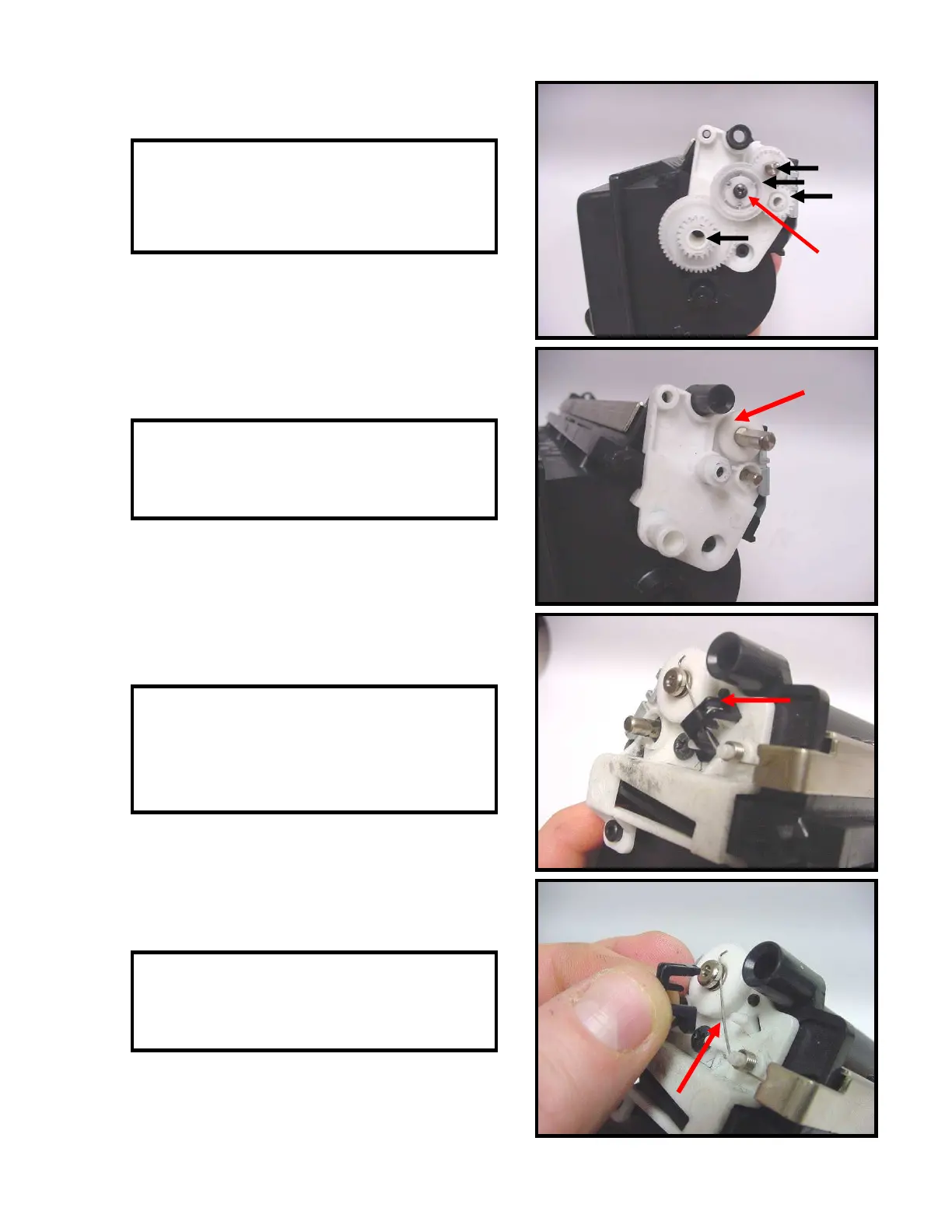
15. Remove the screwfrom the gear in the
center (Fig. 15). Remove the remaining four
gears.
16. Remove the white bearing from the
developer roller shaft (Fig. 16).
17. On the opposite side of the hopper,
release the locking tab that holds the black
spring housing in place (Fig. 17).
18. Remove the black housing and spring
contact (Fig. 18).
Fig. 15
Fig. 16
Fig. 17
Fig. 18



 To Next Page