© 2007 Oasis Imaging Products, Inc. Page 6
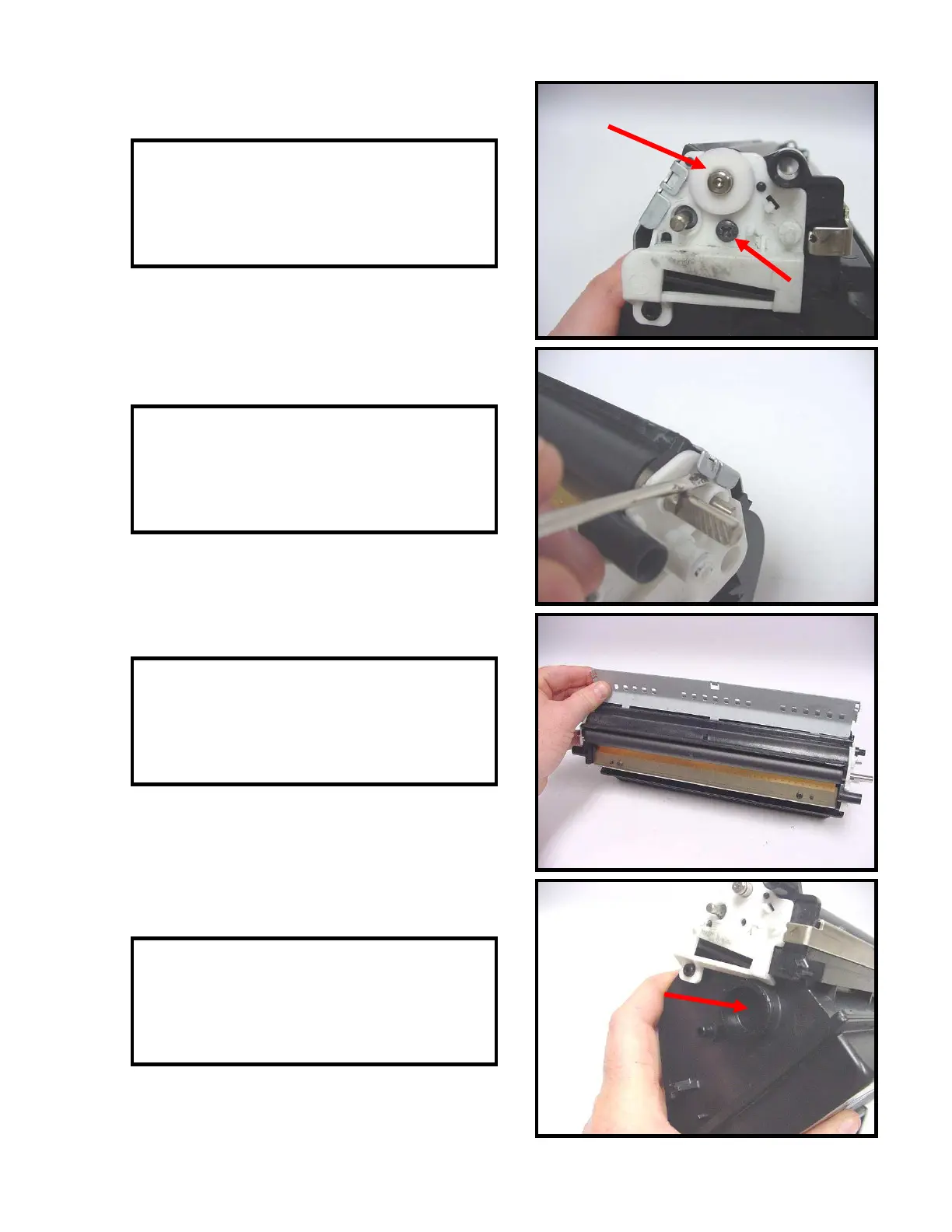
19. Remove the developer roller bearing and
the screw that secures the end plate (Fig. 19).
Fig. 19
20. Pry up on the metal plate on each end of
the toner hopper to release the locking tabs
(Fig. 20).
21. Remove the plate from the toner hopper
(Fig. 21).
22. Remove the fill plug and dump all
remaining toner from the hopper (Fig. 22).
Fig. 20
Fig. 21
Fig. 22



 To Next Page