EasyManua.ls Logo

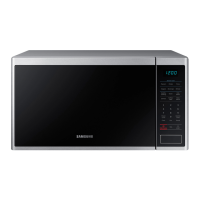
Samsung MS14K6000 series - User Manual

Samsung MS14K6000 series
128 pages
Print Icon
To Next Page IconTo Next Page
Loading...
Microwave oven
User manual
MS14K6000**
MS14K6000AS_AA_DE68-04345Q-00_EN.indd 1 6/1/2016 3:52:55 PM

Table of Contents

Questions and Answers

  • M
    Maria RichardsonSep 23, 2025
    Why is there no power to my Samsung Microwave Oven?
    • U
      ublackSep 23, 2025
      If your Samsung Microwave Oven has no power, ensure it's properly plugged in and that power is supplied to the outlet. Check your fuses or circuit breakers.
  • G
    Grace PhamAug 25, 2025
    Why is the heating weak or slow in my Samsung MS14K6000 Microwave Oven?
    • A
      angelasmithAug 25, 2025
      If your Samsung Microwave Oven isn't heating properly, start by testing it. Place one cup of water in a microwave-safe container inside the oven and run it for 1-2 minutes. If the water heats up, the issue might be due to cooking too much food at once or using improper cookware. Reduce the amount of food and ensure you're using a flat-bottomed cooking container.
  • A
    Amy PowellAug 25, 2025
    How to fix Samsung MS14K6000 buttons that cannot be pressed properly?
    • J
      Jacqueline BradshawAug 26, 2025
      If the buttons on your Samsung Microwave Oven aren't working correctly, check for foreign matter stuck between the buttons and remove it. For touch models, wipe any moisture from the exterior. Also, ensure that the child lock feature is deactivated.
  • M
    Morgan LawsonAug 27, 2025
    What to do if the door of my Samsung MS14K6000 Microwave Oven cannot be opened properly?
    • O
      ortizjanetAug 27, 2025
      If your Samsung Microwave Oven door is difficult to open, food residue might be stuck between the door and the oven interior. Clean the oven thoroughly before attempting to open the door again.
  • A
    arielcarrollAug 27, 2025
    What to do if my Samsung Microwave Oven does not work?
    • G
      Grant VillaAug 27, 2025
      If your Samsung Microwave Oven isn't operating, first ensure that it's properly connected to a power source. Check that the microwave is plugged in and inspect your fuses or circuit breakers. Also, make sure the door is fully closed. If the door's safety mechanisms are obstructed by foreign matter, remove it and try again.
  • K
    kendra55Sep 14, 2025
    Why does steam leak from the door of my Samsung MS14K6000?
    • H
      Heather BakerSep 14, 2025
      Steam leaking from the door of your Samsung Microwave Oven during cooking or defrosting is normal and not a malfunction. Allow the oven to cool, then wipe it with a dry dish towel.
  • A
    alanburtonSep 12, 2025
    Why is there water left in my Samsung MS14K6000?
    • J
      James BartlettSep 12, 2025
      Water or steam generated during cooking or defrosting in your Samsung Microwave Oven is normal and not a malfunction. Allow the oven to cool, then wipe it with a dry dish towel.
  • A
    Allison MartinSep 13, 2025
    Why is there water dripping from my Samsung MS14K6000?
    • C
      Chad Hicks MDSep 13, 2025
      Water or steam generated during cooking or defrosting in your Samsung Microwave Oven is normal and not a malfunction. Allow the oven to cool, then wipe it with a dry dish towel.
  • D
    Derek LawrenceSep 4, 2025
    Why does the turn table rattle while turning and is noisy in my Samsung MS14K6000?
    • N
      Nicole ChapmanSep 5, 2025
      To address a rattling and noisy turntable in your Samsung Microwave Oven, remove any food residue stuck to the bottom of the oven.
  • E
    Emily HallSep 2, 2025
    Why is there a popping sound during operation, and my Samsung Microwave Oven doesn't work?
    • M
      Mary HammondSep 2, 2025
      If you hear popping sounds and your Samsung Microwave Oven isn't working, it could be due to cooking sealed food or using a container with a lid. Avoid using sealed containers, as they may burst during cooking due to the expansion of their contents.

Summary

Important Safety Instructions

Microwave Energy Exposure Precautions

Avoid excessive microwave energy exposure through safe operating practices.

Safety Symbols and Grounding

Understand safety icons and ensure proper electrical grounding for safe operation.

Installation and Usage Warnings

Critical warnings for safe installation, usage, and handling of the microwave oven.

Cleaning and Storage Guidelines

Safe cleaning methods and proper storage procedures to maintain the appliance.

Installation

Whats Included and Oven Overview

Identify included accessories and understand the basic parts of the oven.

Accessory Setup and Ventilation

Proper installation of turntable, roller ring, and ensuring adequate ventilation space.

Maintenance

Cleaning Procedures

Regular cleaning methods for the oven interior, door, and exterior.

Repair and Extended Storage

Guidelines for repairs, servicing, and storing the oven during periods of disuse.

Before You Start

Initial Setup: Clock and Power Saving

Setting the current time and configuring power saving features for efficiency.

Safety Features: Child Lock and Sound

Activating child lock for safety and managing sound alerts or melodies.

Cookware Selection Guide

Choosing appropriate cookware materials for safe and effective microwave cooking.

Operations

Feature Panel and Basic Controls

Familiarize with the control panel layout and primary function buttons.

Manual Cooking and Time Settings

Learn to set cooking time, use manual mode, and add extra time increments.

Power Levels and Cooking Modes

Adjusting power levels and utilizing sensor or auto cooking programs for various foods.

Defrosting Functionality

Using the defrost function for frozen meats, poultry, fish, or bread.

Cooking Smart

Microwave Cooking Guides

General tips for even cooking, covering food, and using microwave-safe cookware.

Vegetable and Reheating Instructions

Specific guides for cooking fresh vegetables and reheating various food items.

Defrosting and Quick Meal Guides

Detailed defrosting procedures and quick preparation tips for snacks and desserts.

Troubleshooting

General Problem Checks

Initial checks for common issues like unresponsive buttons or lack of power.

Operational Issues and Solutions

Addressing problems like oven stopping, overheating, door issues, and turntable malfunctions.

Error Codes and Support

Understanding error codes and when to contact customer support for assistance.

Technical Specifications

Product Specifications Overview

Key technical details including model, power, dimensions, and weight.

Warranty

Warranty Coverage and Terms

Details on limited warranty period, coverage, and exclusions for the microwave oven.

Samsung MS14K6000 series Specifications

General IconGeneral
BrandSamsung
ModelMS14K6000 series
CategoryMicrowave Oven
LanguageEnglish

Related product manuals