EasyManua.ls Logo

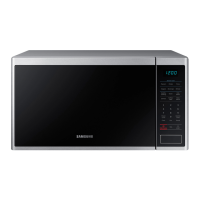
Samsung MS19M8000 Series - User Manual

Samsung MS19M8000 Series
80 pages
Print Icon
To Next Page IconTo Next Page
Loading...
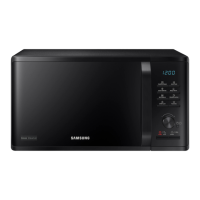
Microwave Oven
User manual
MS19M8000**
MS19M8000AS_AC_DE68-04466B-01_EN+CFR.indb 1 6/22/2018 12:29:03 PM

Table of Contents

Questions and Answers

  • C
    Christopher GreenSep 23, 2025
    What to do if Samsung Microwave Oven control buttons are pressed for more than 10 seconds without working?
    • K
      Kimberly MillerSep 23, 2025
      Clean the keys and check for water on the surface around the keys. If the control buttons on your Samsung Microwave Oven are pressed for more than 10 seconds without working, turn off the microwave oven for more than 30 seconds, and then try setting again. If this occurs again, call your local Samsung service center.
  • R
    Rachel BallAug 25, 2025
    Why Samsung Microwave Oven does not work?
    • D
      Donna GlassAug 25, 2025
      If your Samsung Microwave Oven isn't working, first, make sure it's properly connected to a power source and check your fuses or circuit breakers. Ensure the door is fully closed and that no foreign objects are blocking the door's safety mechanisms. Remove any obstructions and try again.
  • B
    Benjamin CochranAug 25, 2025
    What to do if the Samsung MS19M8000 Microwave Oven door cannot be opened properly?
    • A
      Alison BergAug 26, 2025
      If the door of your Samsung Microwave Oven cannot be opened properly, check for and remove any food residue stuck between the door and the oven interior. Clean the oven, and then try opening the door again.
  • D
    Daniel MooreAug 27, 2025
    Why is the time not displayed on my Samsung MS19M8000?
    • F
      Frank WilsonAug 27, 2025
      If your Samsung Microwave Oven isn't displaying the time, ensure it's receiving power by checking if it's plugged in and that your fuses or circuit breakers are working. Also, check if the Eco (power-saving) function is enabled and turn it off.
  • K
    kevinwilliamsAug 27, 2025
    What to do if Samsung MS19M8000 Microwave Oven stops while in operation?
    • B
      boydjenniferAug 27, 2025
      If your Samsung Microwave Oven stops during operation, it may be because the door was opened to turn the food. After turning the food, press the START button again to resume operation.
  • K
    Kevin NunezSep 15, 2025
    Why is the cooling fan still running after cooking in my Samsung MS19M8000 Microwave Oven?
    • S
      Sean WoodsSep 15, 2025
      The cooling fan in your Samsung Microwave Oven continues to run for about 5 minutes after cooking to ventilate the oven, which is normal and not a malfunction.
  • D
    Daniel CooperSep 12, 2025
    Why is there water left in my Samsung Microwave Oven after cooking?
    • A
      Angela GreerSep 13, 2025
      Water left in your Samsung Microwave Oven after cooking or defrosting is normal and not a malfunction. Let the oven cool, then wipe it with a dry dish towel.
  • J
    John MooreSep 14, 2025
    Why does the brightness inside my Samsung MS19M8000 vary?
    • H
      Heidi IngramSep 14, 2025
      Brightness variations inside your Samsung Microwave Oven during cooking reflect changes in power output, which depend on the functions in use and are not malfunctions.
  • A
    aaron37Sep 5, 2025
    How to level a Samsung MS19M8000?
    • S
      Stacy BradshawSep 5, 2025
      If your Samsung Microwave Oven is not level, ensure it is installed on a flat, stable surface.
  • A
    Aaron MaldonadoSep 2, 2025
    What causes popping sound during Samsung Microwave Oven operation?
    • B
      benjamin39Sep 3, 2025
      If you hear popping sounds and the Samsung Microwave Oven stops working, it might be due to cooking sealed food or using a container with a lid. Avoid using sealed containers, as they may burst during cooking due to expanding contents.

Summary

Important Safety Instructions

What You Need to Know About Safety Instructions

General overview of safety guidelines and precautions in the manual.

Precautions to Avoid Exposure to Microwave Energy

Specific measures to prevent harmful microwave radiation exposure during operation.

Important Safety Symbols and Precautions

Explanation of warning symbols used throughout the manual for hazard identification.

Grounding Instructions

Details on proper grounding to prevent electrical shock and ensure appliance safety.

Critical Installation Warnings

High-priority warnings and advice for safe and correct installation of the microwave.

Installation Cautions

Specific cautions to observe during the installation process to ensure safety.

Critical Usage Warnings

High-priority warnings for safe operation of the microwave oven.

Usage Cautions

General cautions and advice for safe and proper use of the microwave.

Critical Cleaning Instructions

Important warnings and guidelines for safely cleaning the microwave oven.

Installation

Maintenance

Replacement (Repair)

Information on when and how to get the oven repaired or parts replaced.

Operations

To Defrost Frozen Food

Specific guide for using the defrost function for frozen items.

Convenience

Defrost

Instructions and guides for using the defrost function for different food types.

Cooking Smart

Troubleshooting

Warranty

Limited Warranty to Original Purchaser

Details of the warranty provided to the first buyer of the product.

One (1) Year Parts and Labor, Five (5) Years Parts Warranty for Magnetron

Specifics on the warranty coverage duration for parts and labor.

Samsung MS19M8000 Series Specifications

General IconGeneral
BrandSamsung
ModelMS19M8000 Series
CategoryMicrowave Oven
LanguageEnglish

Related product manuals