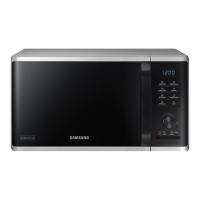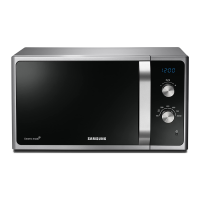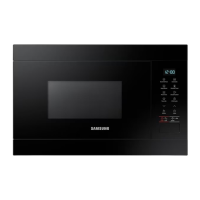
What to do if my Samsung Microwave Oven is not level?
- TThomas CherrySep 9, 2025
If your Samsung Microwave Oven is not level, it is likely installed on an uneven surface. Ensure the oven is placed on a flat, stable surface.
What to do if my Samsung Microwave Oven is not level?
If your Samsung Microwave Oven is not level, it is likely installed on an uneven surface. Ensure the oven is placed on a flat, stable surface.
What to do if my Samsung MS22M8254A Microwave Oven buttons cannot be pressed properly?
If the buttons on your Samsung Microwave Oven aren't pressing correctly, there might be foreign matter stuck between them; remove any debris and try again. For touch models, wipe any moisture from the exterior. Also, check if the Child lock is activated and deactivate it.
What to do if my Samsung MS22M8254A Microwave Oven door cannot be opened properly?
If the door of your Samsung Microwave Oven cannot be opened properly, food residue might be stuck between the door and the oven interior. Clean the oven thoroughly and then try opening the door again.
Why is the time not displayed on my Samsung MS22M8254A Microwave Oven?
If the time is not displayed on your Samsung Microwave Oven, the Eco (power-saving) function might be activated. Turn off the Eco function to display the time.
What to do if my Samsung Microwave Oven heating including the Warm function does not work properly?
If the heating, including the Warm function, isn't working properly, the oven may not work, too much food is being cooked, or improper cookware is being used. Put one cup of water in a microwave-safe container and run the microwave for 1-2 minutes to check whether the water is heated. Reduce the amount of food and start the function again. Use a cooking container with a flat bottom.
Why does my Samsung Microwave Oven cooling fan is still running after cooking is finished?
To ventilate the oven, the cooling fan continues to run for about 3 minutes after cooking is complete.
Why does the brightness inside my Samsung Microwave Oven varies?
The brightness changes depending on power output changes according to function. Power output changes during cooking are not malfunctions.
Why is there electricity coming from my Samsung Microwave Oven?
If there is electricity coming from your Samsung Microwave Oven, it's likely that the power or power socket is not properly grounded. Make sure the power and power socket are properly grounded.
What to do if there are sparks during cooking in my Samsung Microwave Oven?
If you notice sparks during cooking in your Samsung Microwave Oven, it's likely due to using metal containers. Avoid using metal containers during oven or thawing functions.
Why does my Samsung MS22M8254A Microwave Oven power turn off during operation?
Your Samsung Microwave Oven might turn off during operation due to several reasons. It may have been cooking for an extended period; in this case, let the oven cool down. The cooling fan might not be working; listen for the sound of the cooling fan. Ensure there's food inside the oven during operation. Check that there is sufficient ventilation space. Also, make sure that the oven is the only appliance using the power socket.
Crucial warnings and precautions for safe operation and handling of the microwave.
Guidelines for safe installation, operation, and maintenance of the microwave oven.
Specific safety measures during microwave operation to prevent exposure to energy.
Instructions for environmentally responsible disposal of the appliance and its accessories.
Guidance on interpreting microwave symbols and instructions on food packaging.
Details about the included accessories like the roller ring and turntable.
Instructions for installing and checking the turntable for proper rotation.
Procedures for cleaning the oven interior, door, and seals to maintain performance.
Guidance on what parts cannot be user-replaced and when to contact service.
Recommendations for storing the oven when not in use for extended periods.
Diagram identifying various parts of the microwave oven cavity.
Overview and labeling of all buttons and functions on the control panel.
Explanation of the principle behind microwave heating and cooking.
Procedure to verify the microwave oven is working correctly using a water test.
Step-by-step guide on how to cook or reheat food using the microwave function.
Instructions on setting the clock and displaying the correct time on the oven.
Explanation of how to adjust power levels for optimal cooking and time management.
Simple method to start cooking with default settings or add time.
How to stop cooking, pause, and use the energy save mode.
Guide to defrosting various food types using pre-programmed settings.
Instructions for using pre-programmed cooking times for various dishes.
How to use the feature to keep food hot after cooking.
Using the timer for standing times and removing odors or smoke from the oven.
Storing and recalling frequently used cooking settings.
How to use child lock and switch the beeper on/off for user convenience.
Table detailing which cookware is microwave-safe and how to use it.
Explanation of microwave heating, food suitability, covering, and standing times.
Using power levels and times for reheating food and drinks.
Solutions for common problems encountered with the microwave oven.
Important guidelines for safe and proper installation of the oven.
Explains specific error codes and their solutions.
Detailed technical data and dimensions of the microwave oven.
| Type | Microwave Oven |
|---|---|
| Capacity | 2.2 cu. ft. |
| Power Output | 800 W |
| Weight | 46.3 lbs |
| Color | Black |
| Wattage | 800 W |
| Turntable | Yes |
| Display | LED |
| Sensor Cook | Yes |
| Grill | No |
| Convection | No |
| Auto Cook Menu | Yes |
| Child Lock | Yes |
| Display Type | LED |
| Control Type | Digital |