EasyManua.ls Logo

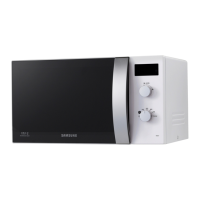
Samsung MW5380W - User Manual

Samsung MW5380W
23 pages
Print Icon
To Next Page IconTo Next Page
Loading...
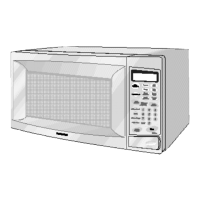
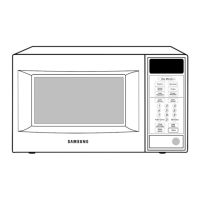
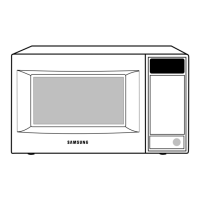
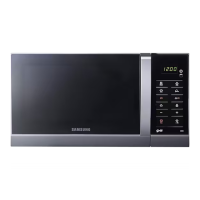
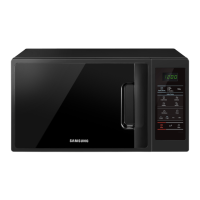
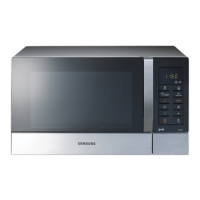
MICROWAVE OVEN
MW5480W / MW5481G
MW5380W / MW5381G
SERVICE
Manual
MICROWAVE OVEN
CONTENTS
1. Precaution
2. Specifications
3. Operating Instructions
4. Disassembly and Reassembly
5. Alignment and Adjustments
6. Troubleshooting
7. Exploded Views and Parts List
8. PCB Diagrams
9. Schematic Diagrams
SEA
Auto
Defrost
Auto
Reheat
Pause
Cancel
Start
Clock
Auto Start
Hold
Timer
One Minute +
Popcorn
Diet Cook
Potato
Frozen
Dinner
Fresh
Vegetable
Frozen
Breakfast
1
2
3
4
5
6
7
8
9
0
More/LessPower Level

Questions and Answers

  • S
    Sarah BaileyAug 20, 2025
    Why does my Samsung MW5380W timer start but there is no heat?
    • J
      johnsonrhondaAug 20, 2025
      If the timer on your Samsung Microwave Oven counts down, but there's no heat, even though the oven lamp and fan motor are running, several factors could be responsible. There might be off-alignment of the latch switches, or an open or loose connection in the high voltage circuit, especially the magnetron filament circuit. Also, defective high voltage components like the H.V.Transformer, H.V.Capacitor, H.V.Diode, or Magnetron could be the reason. Other potential causes include open or loose wiring of the power relay, a defective primary latch switch, or a defective power relay or Ass'y PCB. You should adjust the door and latch switches and check the high voltage components; replace them if defective. Replacing the PCB main may also resolve the problem.
  • T
    Tammy FlynnAug 21, 2025
    What to do if my Samsung Microwave Oven does not accept key input?
    • T
      Taylor LangAug 22, 2025
      If your Samsung Microwave Oven isn't accepting key inputs for programming, it could be due to a few reasons: the key input might not be in the correct sequence, there could be an open or loose connection of the membrane keypad to the Ass'y PCB, the membrane panel could be shorted or open, or the Ass'y PCB could be defective. Refer to the operation procedure and consider replacing the PCB main.
  • J
    Jon LoveAug 25, 2025
    Why can I program my Samsung MW5380W, but the timer won't start?
    • D
      Debbie HallAug 25, 2025
      If your Samsung Microwave Oven can be programmed but the timer doesn't start, it could be due to open or loose wiring of the secondary interlock switch, off-alignment of the primary interlock, or a defective secondary interlock S/W. Adjust the door and interlock switches.
  • A
    Alan RochaAug 26, 2025
    Why is the microwave output low on my Samsung MW5380W?
    • K
      kimjonesAug 27, 2025
      If your Samsung Microwave Oven's output is low and it takes longer to cook food, it could be due to a decrease in the power source voltage, open or loose wiring in the magnetron filament circuit potentially causing intermittent oscillation, or the magnetron aging. It's recommended to consult an electrician.
  • C
    Catherine AndersonAug 28, 2025
    Why does my Samsung Microwave Oven stop during cooking?
    • T
      Theresa LewisAug 28, 2025
      If your Samsung Microwave Oven stops operating during cooking, it might be due to an open or loose wiring of the primary interlock switch or the operation of the thermal cutout(Magnetron). Adjust the door and latch switches.
  • B
    bonniegordonAug 30, 2025
    Why is the turntable not rotating in my Samsung MW5380W Microwave Oven?
    • A
      Andrea McconnellAug 30, 2025
      If the turntable motor in your Samsung Microwave Oven isn't rotating, it could be due to open or loose wiring of the turntable motor, or a defective turntable motor. Check the wire of the turntable motor and replace the turntable motor.
  • W
    Whitney CaseySep 1, 2025
    How to fix uneven cooking in my Samsung Microwave Oven?
    • S
      Steven McconnellSep 1, 2025
      Uneven cooking in your Samsung Microwave Oven may be due to the uneven intensity of microwave because of its characteristics. Wrap thinner parts of the food with aluminum foil. Use plastic wrap or cover with a lid. Stir once or twice while cooking foods such as soup, cocoa, or milk.
  • K
    Karina KennedySep 3, 2025
    What to do if my Samsung MW5380W has no display and the fuse is blown?
    • C
      Cindy WalkerSep 3, 2025
      If your Samsung Microwave Oven has no display and isn't working, and the fuse is blown, the issue could stem from several causes. It might be a shorted lead wire harness, a defective primary latch switch, a defective monitor switch, a shorted high-voltage capacitor, or a shorted high-voltage transformer. You should check the adjustment of the primary, interlock monitor, and door sensing switch.
  • W
    Wendy HawkinsSep 4, 2025
    What to do if my Samsung MW5380W is dead but the fuse is OK?
    • S
      Stephanie JohnsonSep 5, 2025
      If your Samsung Microwave Oven is completely dead, the fuse is fine, there's no display, and it's not operating, it could be due to several reasons: an open or loose lead wire harness, an open thermal cutout (Magnetron), an open low voltage transformer, or a defective Ass'y PCB. Check the fan motor when the thermal cutout is defective, and check the Ass'y PCB when the LVT is defective.
  • B
    Bill MartinezSep 6, 2025
    Why is my Samsung MW5380W Microwave Oven making a loud buzzing noise?
    • A
      Anthony ChambersSep 7, 2025
      If you hear a loud buzzing noise from your Samsung Microwave Oven, it could be due to loose fan and fan motor, loose screws on the H.V.Transformer, or a shorted H.V.Diode. Tighten the screws of the fan motor and the H.V.Transformer. Replace the H.V.Diode.

Summary

Microwave Energy Servicing Precautions

1. Precaution

1-1 Safety precautions

General safety rules for servicing microwave ovens, including checks and precautions.

1-2 Special Servicing Precautions

Further safety precautions for servicing, including checks and handling.

1-3 Special High Voltage Precautions

Specific safety measures and warnings related to high voltage components during servicing.

2. Specifications

2-1 Table of Specifications

Technical specifications of the microwave oven model, including power and dimensions.

2-2 Comparison Chart

Feature comparison chart for different microwave oven models.

3. Operating Instructions

3-1 Control Panel

Detailed explanation of the microwave oven's control panel layout and button functions.

3-2 Features & External Views

Overview of the microwave oven's external features and physical dimensions.

4. Disassembly and Reassembly

4-1 Replacement of Magnetron, Motor Assembly and Lamp

Step-by-step instructions for replacing key internal components like magnetron, motor, and lamp.

4-2 Replacement of High Voltage Transformer

Procedure for safely replacing the high voltage transformer, including capacitor discharge.

4-3 Replacement of Door Assembly

Detailed steps for removing and replacing the microwave oven's door assembly and its parts.

4-4 Replacement of Fuse

Procedure for replacing the internal fuse, including safety checks and part selection.

4-5 Replacement of Drive Motor

Instructions for removing and reinstalling the turntable drive motor and its components.

4-6 Replacement of Control Circuit Board

Steps for removing and replacing the main control circuit board and associated assemblies.

5. Alignment and Adjustments

5-1 High Voltage Transformer

Procedures for checking and measuring the resistance of the high voltage transformer.

5-2 Low Voltage Transformer

Instructions for checking the continuity and resistance of the low voltage transformer.

5-3 Magnetron

Steps for performing continuity checks on the magnetron filament and case.

5-4 High Voltage Capacitor

Methods for checking the continuity and resistance of the high voltage capacitor.

5-5 High Voltage Diode

Procedure for measuring the resistance of the high voltage diode for proper function.

5-6 Main Relay and Power Control Relay

Steps for checking the continuity of main and power control relays on the PCB.

5-7 Adjustment of Primary Switch, Door Sensing Switch and Monitor Switch

Guidelines for adjusting and checking the interlock and door sensing switches for safety.

5-8 Output Power of Magnetron

Procedure for measuring magnetron output power using a water temperature rise test.

5-9 Microwave Heat Distribution - Heat Evenness

Method for checking heat distribution evenness using multiple water beakers.

5-10 Procedure for Measurement of Microwave Energy Leakage

Detailed steps for measuring microwave energy leakage using a survey meter.

6. Troubleshooting

6-1 Electrical Malfunction

Identifies common electrical malfunctions, their causes, and corrective actions.

7. Exploded Views and Parts List

7-1 Exploded Views

Visual diagrams showing the assembly of microwave oven parts with reference numbers.

7-2 Main Parts List

Comprehensive list of main components with part numbers, specifications, and remarks.

7-3 Door Parts List

List of parts specifically related to the microwave oven door assembly.

7-4 Control Parts List

List of parts for the control panel and internal control electronics.

7-5 Body Latch Parts List

List of parts associated with the body latch mechanism and switches.

7-6 Standard Parts List

List of standard hardware and common parts used throughout the microwave assembly.

8. P.C.B Diagrams

8-1 P.C.B Diagrams

Detailed circuit diagrams for the printed circuit boards used in the microwave.

8-2 P.C.B Parts List

List of components and their part numbers as found on the printed circuit boards.

9. Schematic Diagrams

9-1 Schematic Diagrams

Overall schematic showing the electrical connections and components of the microwave.

Samsung MW5380W Specifications

General IconGeneral
TypeMicrowave Oven
Capacity23 L
Power Output800 W
Cavity MaterialCeramic Enamel
Weight37.5 lbs
InstallationCountertop
Microwave Power800 W
TurntableYes
Display TypeLED
ColorWhite

Related product manuals