45
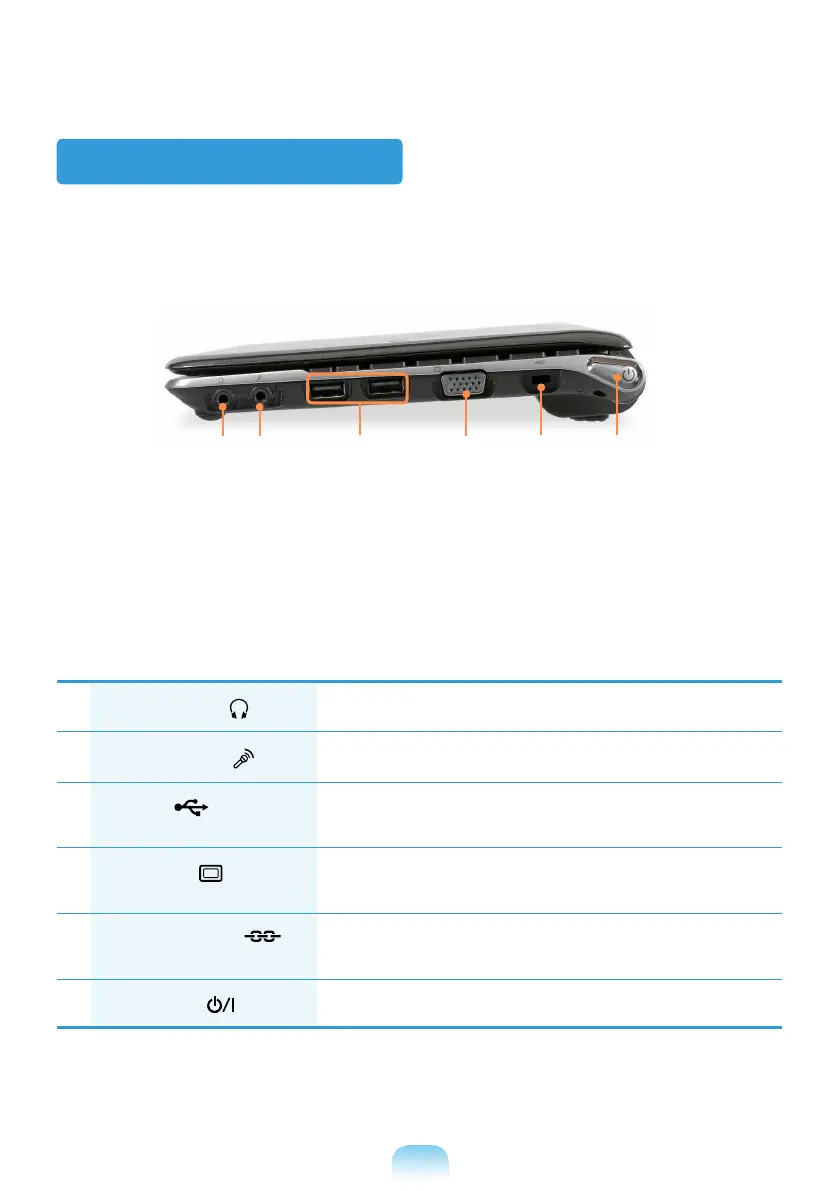
Right View
1
Headphone Jack
A jack used to connect the headphones.
2
Microphone Jack
A jack used to connect the microphone.
3
USB Port
You can connect USB devices to the USB port such as a
keyboard/mouse, digital camera, etc.
4
Monitor Port
A port used to connect a monitor, TV or projector supporting a
15pin D-SUB interface.
5
Security Lock Port
You can connect a Kensington lock to the Security Lock Port
to prevent the computer from being stolen.
6
Power Button
Turns the computer on or off.
3 421 5 6


 To Next Page