46
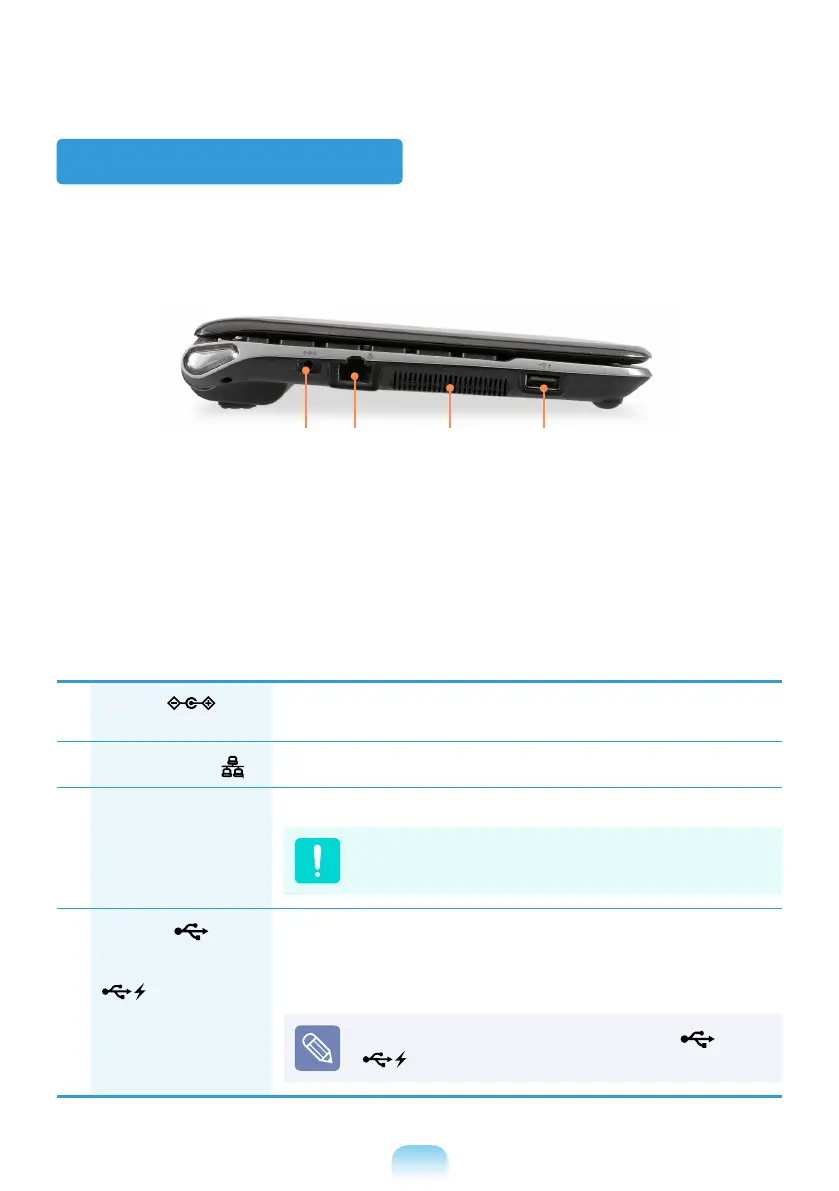
Left View
1
DC Jack
A jack to connect the AC adapter that supplies power to the
computer.
2
Wired LAN Port
Connect the Ethernet cable to this port.
3
Fan Vents
The internal heat of the computer is emitted through these holes.
If the vents are blocked the computer may overheat.
Avoid blocking the vents as this may be dangerous.
4
USB Port
or
Chargeable USB Port
(Optional)
USB ports to which you can connect USB devices as well as a
chargeable USB port are provided.
Using a chargeable USB port, you can access or charge a USB
device.
The port can be distinguished by the gure ( or
) printed on the port of the product.
21 3 4


 To Next Page