To Next Page
G
gloverjorgeSep 23, 2025
Why is there steam from the vent when using the convection feature on my Samsung NE595R0ABWW?
- SShannon BrownSep 23, 2025
This is normal.

Why is there steam from the vent when using the convection feature on my Samsung NE595R0ABWW?
This is normal.
What to do if my Samsung NE595R0ABWW Ranges oven will not turn on?
If your Samsung Ranges oven won't turn on, there are a few potential causes: * Ensure the range is completely plugged into a live, properly grounded electrical outlet. * Check for a blown fuse or tripped circuit breaker in your home and replace the fuse or reset the circuit breaker if necessary. * Make sure the oven controls have been set properly. See the chapter on operating the oven. * If the oven is too hot, allow it to cool down.
What to do if my Samsung Ranges display shows error C-20?
If your Samsung Ranges display shows a C-20 error, it could be due to the oven sensor being open or shorted. If the oven sensor is open: 1. Disconnect the power. Open the back cover and disconnect the sensor harness from the control. 2. Measure the sensor resistance. If there are any issues, replace the oven sensor. 3. If the oven sensor is fine, inspect the harness for damaged terminals or wires. 4. Check the resistance of the oven sensor connector on the main PCB.
What to do if my Samsung Ranges oven control beeps and displays an F error code?
If your Samsung Ranges oven control beeps and displays an F error code, it indicates a function error. First, press the CLEAR/OFF pad and restart the oven. If the problem continues, disconnect all power to the range for at least 30 seconds and then reconnect the power. If this does not solve the problem, call for service because it could be due to: a shorted key (-SE-), oven sensor issues (E-27, E-28), oven heating errors (E-08, E-0A) or door locking error (E-0E).
How to level a Samsung NE595R0ABWW?
To level your Samsung Ranges, place the oven rack in the center of the oven and put a level on the oven rack. Adjust the leveling legs at the base of the range until the oven rack is level. If the floor is sagging or sloping, contact a carpenter to correct the situation. Also, ensure the kitchen cabinets are square and provide sufficient room for installation. If the kitchen cabinets are not square and built too tightly, contact a builder or installer to make the appliance accessible. If carpet is interfering with movement of the range, provide sufficient space so the range can be lifted over the carpet.
Why is there fan noise in my Samsung NE595R0ABWW Ranges?
This is normal.
Why is there excessive condensation in my Samsung NE595R0ABWW drawer?
Excessive condensation in your Samsung Ranges drawer can occur if there is liquid present in the drawer, so remove the liquid. It can also be caused by uncovered foods, so cover food with a lid or aluminum foil. If the temperature is set too high, adjust the temperature to a lower setting.
Why does my Samsung NE595R0ABWW Ranges display flash?
The display flashes on your Samsung Ranges typically indicates there was a power failure. Reset the clock.
Why does food not broil properly in my Samsung NE595R0ABWW oven?
If food does not broil properly in your Samsung Ranges oven, ensure the oven controls are set correctly by pressing the BROIL pad. Check that the rack is properly positioned according to the broiling guide on page 41. Use cookware suitable for broiling. In areas with low power (voltage), preheat the broil element for 10 minutes.
How to fix scratches or abrasions on my Samsung Ranges cooktop surface?
Scratches on your Samsung Ranges cooktop surface are not removable; tiny scratches will become less visible over time with cleaning. To avoid scratches, use recommended cleaning procedures. Ensure cookware bottoms are clean and smooth before use. Avoid sliding cookware across the cooktop surface.
 General
| Type | Freestanding Electric Range |
|---|---|
| Oven Capacity | 5.9 cu. ft. |
| Cooktop Surface | Ceramic Glass |
| Number of Burners | 5 |
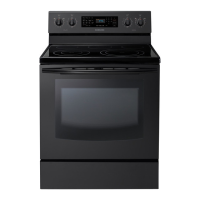
| Color | Black |
| Width | 29.875 inches |