EasyManua.ls Logo

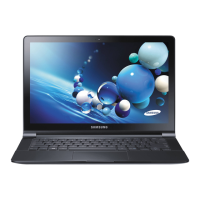
Samsung NP915S3G-K01US - User Manual

Samsung NP915S3G-K01US
145 pages
Print Icon
To Next Page IconTo Next Page
Loading...
User Manual

Other manuals for Samsung NP915S3G-K01US

Question and Answer IconNeed help?

Do you have a question about the Samsung NP915S3G-K01US and is the answer not in the manual?

Summary

Chapter 1. Getting Started

Before You Start

Initial information and checks before using the computer.

Safety Precautions

Essential safety instructions to prevent injury and damage.

Proper Posture During Computer Use

Guidelines for maintaining good posture to prevent physical harm.

Turning the Computer On and Off

Step-by-step guide on powering the computer on and off.

Chapter 2. Using Windows 8

Understanding Windows 8 Basics

Introduction to Windows 8 and its help system.

Navigating the Windows 8 Interface

Explains Start screen, Desktop mode, and Charms.

Using the Charms Menu

Details on activating and using Charms for various functions.

Managing Applications (Apps)

How to start, exit, run, add, and remove apps.

Touch Screen Operations

Instructions and precautions for using the touch screen.

Chapter 3. Using the computer

Keyboard and Touchpad Operations

Usage of keyboard shortcut keys and touchpad gestures.

Connecting External Devices

Connecting CD drives and external displays.

Storage and Media Access

Using multi-card slots and memory card formatting.

Adjusting System Settings

Controlling volume, picture modes, and screen brightness.

Network Connectivity

Setting up wired, wireless, and mobile broadband connections.

System Security and Management

TPM security, software updates, troubleshooting, and security slots.

Chapter 4. Settings and Upgrade

BIOS Setup and Configuration

Accessing and navigating the BIOS setup screen.

Password Security Settings

Setting and deactivating supervisor, user, and HDD passwords.

Boot Priority and Battery Management

Configuring boot order and managing battery usage.

Chapter 5. Troubleshooting

System Recovery and Data Backup

Restoring system to factory defaults or previous backups.

Reinstalling Windows Operating System

Procedures for reinstalling Windows.

Frequently Asked Questions (Q&A)

Common issues and their solutions.

Chapter 6. Appendix

Important Safety Information

Critical safety guidelines for system operation.

Regulatory Compliance and Standards

Compliance information for various regions and standards.

Product Information and Disposal

Disposal, certifications, specifications, and trademarks.

Glossary of Technical Terms

Definitions of common terms used in the manual.

Summary

Chapter 1. Getting Started

Before You Start

Initial information and checks before using the computer.

Safety Precautions

Essential safety instructions to prevent injury and damage.

Proper Posture During Computer Use

Guidelines for maintaining good posture to prevent physical harm.

Turning the Computer On and Off

Step-by-step guide on powering the computer on and off.

Chapter 2. Using Windows 8

Understanding Windows 8 Basics

Introduction to Windows 8 and its help system.

Navigating the Windows 8 Interface

Explains Start screen, Desktop mode, and Charms.

Using the Charms Menu

Details on activating and using Charms for various functions.

Managing Applications (Apps)

How to start, exit, run, add, and remove apps.

Touch Screen Operations

Instructions and precautions for using the touch screen.

Chapter 3. Using the computer

Keyboard and Touchpad Operations

Usage of keyboard shortcut keys and touchpad gestures.

Connecting External Devices

Connecting CD drives and external displays.

Storage and Media Access

Using multi-card slots and memory card formatting.

Adjusting System Settings

Controlling volume, picture modes, and screen brightness.

Network Connectivity

Setting up wired, wireless, and mobile broadband connections.

System Security and Management

TPM security, software updates, troubleshooting, and security slots.

Chapter 4. Settings and Upgrade

BIOS Setup and Configuration

Accessing and navigating the BIOS setup screen.

Password Security Settings

Setting and deactivating supervisor, user, and HDD passwords.

Boot Priority and Battery Management

Configuring boot order and managing battery usage.

Chapter 5. Troubleshooting

System Recovery and Data Backup

Restoring system to factory defaults or previous backups.

Reinstalling Windows Operating System

Procedures for reinstalling Windows.

Frequently Asked Questions (Q&A)

Common issues and their solutions.

Chapter 6. Appendix

Important Safety Information

Critical safety guidelines for system operation.

Regulatory Compliance and Standards

Compliance information for various regions and standards.

Product Information and Disposal

Disposal, certifications, specifications, and trademarks.

Glossary of Technical Terms

Definitions of common terms used in the manual.

Samsung NP915S3G-K01US Specifications

General IconGeneral
ModelNP915S3G-K01US
CategoryLaptop
RAM4 GB
RAM TypeDDR3
Storage128 GB SSD
Display Size13.3 inches
Operating SystemWindows 8
Battery LifeUp to 7 hours
Display Resolution1366 x 768
Weight2.6 pounds

Related product manuals