EasyManua.ls Logo

Samsung NSI6D 95 Series - User Manual

Samsung NSI6D 95 Series
68 pages
Print Icon
To Next Page IconTo Next Page
Loading...
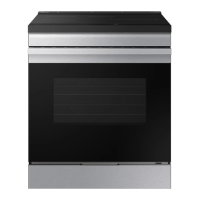
Electric Range
User manual
NSI6D*95****

Questions and Answers

  • K
    Kathleen GreenSep 10, 2025
    Why is food not broiling properly in my Samsung NSI6D 95?
    • C
      Chase WestSep 12, 2025
      If food isn't broiling properly in your Samsung Range, the serving size may not be appropriate. Also, make sure the rack has been properly positioned.
  • J
    Joan WhiteAug 23, 2025
    What to do if my Samsung NSI6D 95 Ranges oven will not turn on?
    • V
      vickie43Aug 23, 2025
      If your Samsung Range oven won't turn on, ensure the range is fully plugged into a properly grounded electrical outlet. Check your home's fuse box or circuit breaker and replace any blown fuses or reset tripped breakers. Also, the oven might be too hot, so allow it to cool down. If these steps don't work, it could be due to incomplete service wiring or a power outage, in which case you should call for service or contact your local electric company.
  • C
    Christopher FoxAug 25, 2025
    How to fix a blank display on Samsung NSI6D 95?
    • T
      Tamara DavisAug 25, 2025
      If the display on your Samsung Range goes blank, it might be due to a blown fuse or a tripped circuit breaker in your home. Try replacing the fuse or resetting the circuit breaker to resolve the issue.
  • R
    richardsricardoAug 27, 2025
    What to do if the display flashes on Samsung NSI6D 95 Ranges?
    • R
      Robin MorganAug 27, 2025
      If the display on your Samsung Range flashes, it indicates that there was a power failure. To resolve this, simply reset the clock.
  • J
    Jane CookAug 27, 2025
    How to remove brown streaks or specks from my Samsung Ranges cooktop?
    • A
      anna37Aug 28, 2025
      If you see brown streaks or specks on your Samsung Range cooktop, it's likely due to boilovers that have been cooked onto the surface. Wait until the surface cools down, then use a single-edge razor-blade scraper at a 45° angle to remove the residue.
  • Z
    Zachary RichardsonAug 29, 2025
    Why does my Samsung NSI6D 95 oven smoke so much when broiling?
    • F
      francisco82Aug 29, 2025
      If the oven smokes excessively during broiling in your Samsung Range, it could be due to several reasons. Make sure the oven controls are properly set. Reposition the rack to ensure enough space between the meat and the element, preheating the broil element for searing. Remove excess fat from the meat and cut away fatty edges. Regular cleaning is necessary to prevent grease buildup on oven surfaces.
  • J
    Jeffrey LongSep 18, 2025
    What causes excessive smoking during self-cleaning cycle on Samsung NSI6D 95?
    • A
      Anthony TurnerSep 18, 2025
      If there is excessive smoking during a self-cleaning cycle on your Samsung Range, it means there is excessive soiling in the oven. Stop the cycle, open the windows to ventilate the room, wait for the cycle to cancel, wipe up the excessive soil, and then restart the self-cleaning cycle.
  • R
    renee12Sep 12, 2025
    Why are there areas of discoloration with metallic sheen on my Samsung NSI6D 95 cooktop?
    • D
      David GonzalezSep 12, 2025
      If you notice areas of discoloration with a metallic sheen on your Samsung Range cooktop, it's likely due to mineral deposits from water and food residue. Remove these deposits using a ceramic-glass cooktop cleaning cream. To prevent this, use cookware with clean, dry bottoms and regularly clean the cooktop with a ceramic cleaning agent every week.
  • D
    Danny BarnettSep 8, 2025
    Why is there a burning smell coming from my new Samsung Ranges?
    • T
      Tracy JonesSep 8, 2025
      If your Samsung Range is producing a burning or oily odor from the vent, this is normal in a new oven and should disappear over time. To speed up the process, you can set a self-cleaning cycle for at least 3 hours.
  • S
    Sandra OnealSep 5, 2025
    Why won't the oven light turn on in my Samsung Ranges?
    • T
      Thomas RodgersSep 5, 2025
      If the oven light in your Samsung Range won't turn on, first check if the light bulb is loose or defective. Try tightening it or replacing it with a new one. If the issue persists, the switch operating the light may be broken, and you should call for service.

Summary

Anti-tip device Safety

Regulatory Notices

FCC Notice and Statement

FCC compliance information, statement, and conditions for Class B digital device.

Radiation Exposure Statements

FCC and IC radiation exposure limits and general safety instructions.

Important Safety Instructions

Key Safety Information

Overview of safety instructions, symbols, and California Proposition 65 warning.

General Safety Precautions

Essential safety precautions for using electrical appliances.

Induction Cooktop Safety

Guidelines for safe operation of induction cooktop elements.

Electrical Safety

Safety measures for electrical installation and usage.

Child and Oven Safety

Safety precautions for children and oven operation.

Critical Warnings

Glass;Ceramic Cooking Surfaces

Safe handling and care of glass/ceramic cooking surfaces.

Critical Installation Warnings

Essential warnings for proper and safe appliance installation.

Critical Usage Warning

Critical warnings for safe operation and usage of the appliance.

Usage Cautions

Important cautions to follow during appliance usage.

Critical Cleaning Warnings

Essential warnings for safe and effective cleaning.

Introducing Your New Range

Overview and Included Accessories

General overview of the appliance and its included accessories.

Getting Started

Before You Begin and Energy Saving

Initial setup and tips for saving energy during operation.

Induction Cooktop Cooking

Introduction to induction cooktop cooking principles and safety.

Surface Cooking Operations

Cooktop Elements and Controls

Location and identification of cooktop elements and controls.

Residual Heat Safety

Safety advice regarding residual heat indicators on the cooktop.

Setting Up Cooktop Cooking

Step-by-step guide for operating the cooktop.

Sync Control and Cookware

Using Sync control and selecting appropriate cookware.

Cookware Guidelines

Recommendations for suitable cookware for induction zones.

Cookware Size and Operation

Guidance on cookware size, pan adaptation, and operating noises.

Pan Selection and Energy Saving

Tips for better pans, energy saving, temperature detection, and power management.

Cooktop Care and Settings

Cooking Specific Foods

Suggested power settings for various cooking methods and foods.

Protecting the Cooktop

Instructions for cleaning, preventing marks, stains, and damage.

Operating the Oven

Control Panel and Lock Feature

Overview of the control panel and how to use the lock feature.

Display Mode and Clock Setting

Information on display modes and setting the clock time.

Oven Cooking Modes

Step-by-step guide for oven cooking and selecting modes.

Oven Rack Usage

Guidance on using oven racks, including placement and removal.

Recipe Guide and Baking

Instructions and tips for using the Bake mode.

Convection Cooking Modes

Explanation of convection cooking and its various modes.

Convection Vegetable Guide

Recommended settings for cooking vegetables using convection.

Broiling Operations

How to use the broiling function and recommended guides.

Air Fry Functionality

How to use Air Fry mode and its recommendation guide.

Air Sous Vide Functionality

How to use Air Sous Vide mode and its recommendation guide.

Specialized Cooking Options

Dehydrate, Bread Proof, Keep Warm, and timed cooking options.

Advanced Functions and Settings

Delay Start, More Functions, Cooktop/Oven Settings.

Smart and Voice Control

Connecting and controlling the oven via smart devices and voice.

Special Features and Sabbath Mode

Information on voice control and the Sabbath feature.

Enabling Sabbath Feature

Step-by-step instructions for enabling the Sabbath feature.

Maintaining Your Appliance

Self-Cleaning Oven

How self-cleaning works and safety precautions.

Running and Managing Self-Cleaning

Steps to run, delay, or turn off the self-cleaning cycle.

Steam-Cleaning Function

How to use the steam-cleaning function for light cleaning.

Oven Cleaning and Maintenance

Cleaning control panel, vents, painted parts, stainless steel, and racks.

Tray, Handle, and Door Cleaning

Cleaning instructions for the Air Fry tray, drawer handle, and oven door.

Glass Cooktop Care

Routine cleaning, residue removal, and scratch prevention for glass cooktop.

Cooktop Seal and Spill Cleaning

Cleaning the cooktop seal and sugary spills.

Oven Door Removal and Installation

Procedures for removing and reinstalling the oven door.

Drawer and Oven Light Maintenance

Procedures for removing/reinstalling drawer and changing oven light.

Troubleshooting Guide

Control Display and Cooktop Issues

Troubleshooting common problems with the control display and cooktop.

Oven Operation Problems

Troubleshooting common issues related to oven operation.

Information and Error Codes

Explanations of various error codes displayed by the appliance.

Warranty Information

U.S.A. Limited Warranty

Details of the limited warranty for original purchasers in the USA.

Warranty Exclusions and Remedies

Information on excluded warranties and available remedies.

Canada Limited Warranty

Details of the limited warranty for original purchasers in Canada.

Appendix

Open Source Software Announcement

Information regarding the open source software included in the product.

Samsung NSI6D 95 Series Specifications

General IconGeneral
BrandSamsung
ModelNSI6D 95 Series
CategoryRanges
LanguageEnglish

Related product manuals