EasyManua.ls Logo

Samsung NSI6DG9500SR - User Manual

Samsung NSI6DG9500SR
70 pages
Print Icon
To Next Page IconTo Next Page
Loading...
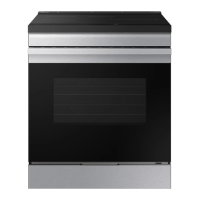
Electric Range
User manual
NSI6D*95******

Questions and Answers

  • R
    Ruth EvansSep 9, 2025
    Why is steam coming out of my Samsung NSI6DG9500SR vent?
    • K
      Karen HendersonSep 9, 2025
      It is normal to see steam coming out of the oven vent when using the convection feature. This is normal operation and not a system failure. Use the range as usual. As the number of racks or amount of food being cooked increases, the amount of visible steam will increase.
  • C
    Colin FreemanAug 23, 2025
    What to do if my Samsung NSI6DG9500SR Ranges oven will not turn on?
    • A
      April GilesAug 23, 2025
      If your oven won't turn on, first ensure the range is completely plugged into a properly grounded electrical outlet. Check if a fuse in your home may be blown or a circuit breaker has tripped; if so, replace the fuse or reset the breaker. Also, allow the oven to cool, as it may be too hot to start. In cases of incomplete service wiring or power outage, call for service or your local electric company.
  • N
    Nicholas PittsAug 25, 2025
    How to fix uneven Samsung NSI6DG9500SR?
    • K
      kperezAug 26, 2025
      To fix an unlevel range: * Place the oven rack in the center of the oven and put a level on the rack. Adjust the leveling legs at the base of the range until the rack is level. * Ensure the floor is level, strong, and stable enough to support the range. * Make sure the kitchen cabinets are properly aligned and provide sufficient room for installation.
  • D
    Diane PowellAug 27, 2025
    Why is my Samsung Ranges oven smoking excessively during broiling?
    • A
      arossAug 27, 2025
      Excessive smoking during broiling can occur if the oven controls haven't been set properly, the meat is too close to the element, the meat hasn't been properly prepared by removing excess fat, or grease has built up on oven surfaces. Reposition the rack to provide proper clearance, prepare the meat by removing excess fat, and ensure regular cleaning of the oven.
  • D
    Daniel HenryAug 27, 2025
    What to do if my Samsung NSI6DG9500SR display goes blank?
    • K
      kristenwrightAug 28, 2025
      If the display goes blank, a fuse in your home may be blown, or the circuit breaker tripped. Replace the fuse or reset the circuit breaker.
  • C
    Charles StaffordAug 29, 2025
    Why is my Samsung Ranges food not baking or roasting properly?
    • J
      Joshua NguyenAug 29, 2025
      Food may not bake or roast properly if the oven controls haven't been set correctly or the oven rack has been positioned incorrectly or is not level.
  • N
    Nicole EnglishSep 18, 2025
    Why is there a burning or oily odor coming from my Samsung NSI6DG9500SR Ranges vent?
    • F
      florescurtisSep 18, 2025
      A burning or oily odor coming from the vent is normal in a new oven and will disappear in time. To speed the process, set a self-cleaning cycle for a minimum of 3 hours.
  • C
    Christopher HooverSep 19, 2025
    Why won't the oven light turn on in my Samsung NSI6DG9500SR?
    • J
      justinmillerSep 22, 2025
      The oven light may not turn on because the light bulb is loose or defective. Tighten or replace the bulb.
  • V
    Vincent CarrSep 8, 2025
    What to do if my Samsung Ranges oven door will not open after a self-cleaning cycle?
    • J
      James GraySep 8, 2025
      If the oven door won't open after a self-cleaning cycle, allow the oven to cool.
  • A
    Amanda ZimmermanSep 4, 2025
    Why do my Samsung NSI6DG9500SR Ranges surface units not maintain a rolling boil?
    • S
      Scott MitchellSep 4, 2025
      The surface units may not maintain a rolling boil, or cook fast enough, if you are using inappropriate cookware or in some areas, the power (voltage) may be low. Use pans that are flat and match the diameter of the surface unit selected. Cover the pan with a lid until the desired heat is obtained.

Summary

Important Safety Instructions

Key Safety Information

Essential information about safety practices.

Safety Symbols and Precautions

Explanation of safety symbols and their meanings.

California Proposition 65 Warning

Warning regarding cancer and reproductive harm.

General Usage Safety

General safety precautions to follow when using the appliance.

Induction Cooktop Elements

Safe operation and characteristics of induction cooktop elements.

Electrical Safety Precautions

Guidelines and warnings related to electrical safety.

Child Safety Guidelines

Precautions to ensure child safety around the appliance.

Oven Safety Guidelines

Safety guidelines specific to oven operation.

Remote Operation Safety

Safety considerations for remote appliance control.

Self-Cleaning Oven Safety

Safety precautions for using the self-cleaning feature.

Ventilating Hood Safety

Safety guidelines for using ventilation hoods.

Glass;Ceramic Cooking Surfaces Safety

Safety precautions for glass/ceramic cooktop surfaces.

Critical Installation Warnings

Important warnings before and during appliance installation.

Critical Usage Warnings

Warnings and precautions for safe appliance usage.

Usage Cautions

Specific advice for careful handling during use.

Critical Cleaning Warnings

Warnings and precautions for cleaning the appliance.

Battery Usage Safety

Safety guidelines for handling and disposing of batteries.

Introducing Your New Range

Appliance Overview

A general introduction to the appliance's design and parts.

Included Accessories

Details of accessories and items provided with the appliance.

Before First Use

Energy Saving Tips

Recommendations for optimizing energy efficiency.

Induction Cooktop Basics

Introduction to induction cooking principles and safety.

Surface Cooking

Cooktop Operation Guide

Step-by-step guide for operating the cooktop.

Sync Control Feature

Feature to link two cooking zones for larger cookware.

Cooktop Preparation

Preparation steps and advice before cooktop use.

Induction Cookware Guide

Information on suitable cookware materials for induction.

Cookware Sizing Guide

Guidance on selecting appropriate cookware sizes.

Normal Operating Noises

Description of normal operational sounds from the appliance.

Cooking Settings Guide

Guidelines for power settings based on food type.

Cooktop Care and Protection

Advice to prevent damage and scratches to the cooktop.

Operating the Oven

Control Panel Overview

Detailed explanation of the oven's control interface.

Control Lock Feature

How to activate and use the control lock feature.

Oven Display Modes

Explanation of the oven's display modes, including sleep mode.

Setting the Oven Clock

Instructions for setting and managing the oven's clock.

Basic Oven Cooking

Step-by-step guide for general oven cooking.

Oven Cooking Modes

Overview and selection of various oven cooking modes.

Oven Rack Placement

Guidelines for rack placement and usage in the oven.

Baking Recipe Guide

General recipe guidance for baking with the oven.

Convection Cooking Explained

Explanation of how convection cooking works and its benefits.

Broiling Guide

Instructions and tips for broiling food in the oven.

Air Fry Function Guide

Guide for using the Air Fry function for crispier food.

Air Sous Vide Function Guide

Instructions for using the low-temperature hot air cooking method.

Dehydrate Function Guide

Guide for using the dehydrate function to dry food.

Bread Proof Function Guide

Information on using the bread proofing function.

Keep Warm Function Guide

Instructions for the keep warm function.

Oven Cooking Options

Details on timed cooking and other cooking functions.

Delay Start Function

How to schedule cooking operations to start later.

Additional Oven Functions

Accessing and adjusting various oven settings.

Oven Settings Management

Overview of customizable oven settings.

Smart Control Setup

Connecting and controlling the oven via a smart device.

Remote Oven Control

Steps to operate the oven using a connected app.

Voice Control Setup

Using voice assistants like Bixby or Alexa to control the oven.

Special Oven Features

Overview of special features available on the oven.

Sabbath Feature Usage

Instructions for using the Sabbath feature for holidays.

Maintaining Your Appliance

Self-Cleaning Oven Cycle

Guide to performing the self-cleaning cycle.

Self-Cleaning Preparation

Preparations required before starting self-cleaning.

Steam-Cleaning Function

Instructions for using the steam-cleaning function.

Oven Interior Cleaning

General advice for cleaning the oven interior.

Oven Rack Maintenance

Cleaning and maintenance of oven racks.

Glass Cooktop Cleaning

Methods for cleaning and maintaining the glass cooktop.

Removing Burned-On Residue

Steps to remove stubborn residue from the cooktop.

Oven Door Removal and Reinstallation

Procedure for removing and reattaching the oven door.

Storage Drawer Removal and Reinstallation

How to remove and reinsert the storage drawer.

Replacing the Oven Light

Guide for replacing the oven light bulb.

Troubleshooting Guide

Troubleshooting Control Display

Solutions for issues with the control panel display.

Troubleshooting Installation Issues

Troubleshooting common problems encountered during installation.

Troubleshooting Cooktop Issues

Solutions for issues related to the cooktop's functionality.

Troubleshooting Oven Issues

Solutions for common oven operational problems.

Troubleshooting Information Codes

Explanations for error codes displayed by the oven.

USA Warranty Information

Canada Warranty Information

Appendix

Open Source Software Information

Information regarding open-source software licenses used.

Samsung NSI6DG9500SR Specifications

General IconGeneral
BrandSamsung
ModelNSI6DG9500SR
CategoryRanges
LanguageEnglish

Related product manuals