
 To Next Page
S
Stacy BrewerSep 9, 2025
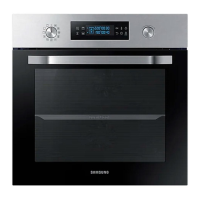
What to do if my Samsung NV68N3372BM/EE stops while in operation?
- PpgibsonSep 9, 2025
If your Samsung Oven stops while in operation, reconnect the power by plugging it back into the power socket.

What to do if my Samsung NV68N3372BM/EE stops while in operation?
If your Samsung Oven stops while in operation, reconnect the power by plugging it back into the power socket.
Why does my Samsung NV68N3372BM/EE Oven power turn off during operation?
If your Samsung Oven turns off during operation, there might be several reasons. If you've been cooking continuously for a long time, allow the oven to cool down. Ensure the cooling fan is working correctly by listening for its sound. Also, make sure the oven has good ventilation according to the product installation guide. Avoid using multiple power plugs in the same socket; use a single plug instead.
Why is my Samsung NV68N3372BM/EE not heating properly?
If your Samsung Oven is not heating, make sure the door is fully closed and restart it. If that doesn't work, refer to the oven operation chapter to correctly set the controls. Also, check if the household fuse has blown or the circuit breaker has operated; replace the fuse or reset the circuit.
What to do if the Samsung NV68N3372BM/EE door cannot be opened properly?
If your Samsung Oven door cannot be opened properly, check for food residue stuck between the door and the interior. Clean the oven thoroughly before attempting to open the door again.
Why is there no power to my Samsung NV68N3372BM/EE Oven?
If there is no power to your Samsung Oven, check whether there is power supplied to the oven.
Why does steam cleaning not work on my Samsung NV68N3372BM/EE?
If steam cleaning does not work on your Samsung Oven, cool the oven down before attempting to use the steam cleaning function.
What does error code C-d1 mean on my Samsung NV68N3372BM/EE?
Turn off the Samsung Oven and then restart it. If the problem continues, turn off all power for 30 seconds or more and then reconnect. If the problem persists, please contact a service centre.
What does error code C-F2 mean on my Samsung Oven?
Turn off the Samsung Oven and then restart it. If the problem continues, turn off all power for 30 seconds or more and then reconnect. If the problem persists, please contact a service centre.
Why is the interior light dim or not turning on in my Samsung Oven?
If the interior light of your Samsung Oven is dim or doesn't turn on, and the lamp turns on and off, it automatically turns off after a certain time to save power. You can turn it on again by pressing the oven light button. If the lamp is covered by foreign matter, clean the inside of the oven.
Why is the Samsung NV68N3372BM/EE Oven exterior too hot during operation?
If the exterior of your Samsung Oven gets too hot during operation, ensure it's installed in a place with good ventilation, maintaining the gaps specified in the product installation guide.
Hazards and warnings for safe use and installation.
Proper disposal of the product and its accessories.
How the oven saves energy during operation and standby.
List of items included in the product package.
Instructions for connecting the oven to the electrical supply.
Guidelines for installing the oven into a cabinet.
Steps to set the initial time on the oven.
How to remove the new oven smell before first use.
Explanation of the oven's safety feature when the door is opened.
Overview of the oven's control panel and its buttons.
How to adjust temperature and cooking time for selected modes.
Steps to set the cooking duration.
Steps to set a delayed end time for cooking.
How to conveniently delay the end time of cooking.
How to manually stop or clear the cooking timer.
How to manually stop or clear the end time setting.
How to stop the cooking process.
How to select and set a cooking mode.
How to use the meat probe for precise cooking.
Overview of different cooking modes and their uses.
Guide to using the oven's automatic cooking programmes.
General guidelines for cleaning the oven interior and exterior.
How to use the oven's timer function.
How to mute or unmute the oven's audible signals.
General advice and tips for manual cooking.
Recommendations for best baking results.
Recommendations for roasting various meats and poultry.
Using optimized heating for energy saving.
Recommendations for using the grill function.
Cooking instructions for frozen ready-made meals.
Using the Pro-Roasting mode for searing and cooking.
Details on 20 pre-programmed cooking recipes.
Standardized test recipes for baking, grilling, and roasting.
General guidelines for cleaning the oven interior and exterior.
Instructions for safely removing the oven door for cleaning.
How to remove and clean the oven door glass sheets.
Information on cleaning the water collector.
Steps to remove and reattach the oven's side racks.
Instructions for replacing oven components like bulbs.
Common problems and their solutions for oven operation.
Codes displayed on the oven and their meanings.
Technical specifications and energy efficiency data.
Advice on how to use the oven efficiently.
 General
| Oven size | Medium |
|---|---|
| Oven type | Electric |
| Oven power | 1600 W |
| Top heating | Yes |
| Cleaning type | Pyrolytic |
| Number of ovens | 1 |
| Total oven power | 1700 W |
| Bottom heating power | 1100 W |
| Oven thermostat range | 30 - 250 °C |
| Auto programs quantity | 20 |
| Top and bottom heating | - |
| Total oven(s) interior capacity | 68 L |
| Maximum temperature (conventional) | 250 °C |
| Energy efficiency scale | A+++ to D |
| Energy consumption (conventional) | - kWh |
| Control type | Rotary |
| Display type | LED |
| Product color | Black, Stainless steel |
| Control position | Front |
| Soft closing door | No |
| Appliance placement | Built-in |
| Number of glass door panels | 3 |
| Lamp type | Halogen |
| Bulb power | 25 W |
| Lamps quantity | 1 lamp(s) |
| Illumination location | Rear |
| Package depth | 660 mm |
| Package width | 594 mm |
| Package weight | 43300 g |
| Number of baking trays | 2 |
 Weight and Dimensions
| Depth | 570 mm |
|---|---|
| Width | 595 mm |
| Weight | 40100 g |
| Installation compartment depth | 549 mm |
| Installation compartment width | 560 mm |
| Installation compartment height | 572 mm |