EasyManua.ls Logo

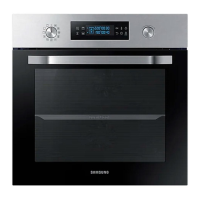
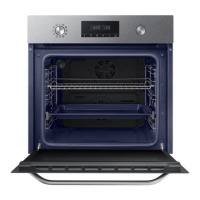
Samsung NV66M3531BS - User Manual

Samsung NV66M3531BS
40 pages
Print Icon
To Next Page IconTo Next Page
Loading...
Built-in Oven
User & Installation manual
NV66M3531BS
NV66M3531BS_EU_DG68-00892A-02_EN.indd 1 2018-04-11  6:58:36

Questions and Answers

  • F
    fschaeferJul 27, 2025
    Why is the Steam Cleaning not working on my Samsung NV66M3531BS Oven?
    • B
      becky79Jul 27, 2025
      If the steam cleaning function is not working on your Samsung oven, it may be because the temperature is too high. Cool the oven down before using the steam cleaning function.
  • T
    Taylor GonzalezAug 1, 2025
    What to do if dual cook mode does not work on Samsung Oven?
    • K
      Kristina EdwardsAug 1, 2025
      If the dual cook mode is not working on your Samsung oven, it might be because the divider is not properly assembled. Ensure the divider is correctly inserted before using the dual cook mode.
  • H
    Holly JonesAug 4, 2025
    What to do if my Samsung Oven displays S-01 error?
    • B
      Brandy MorrowAug 4, 2025
      The S-01 error code indicates that the safety shutoff has been activated because the oven has been operating at a set temperature for an extended period. This is not a system failure. Turn off the Samsung oven, remove the food, and then try again.
  • K
    Kelly WilliamsonAug 9, 2025
    What to do if my Samsung NV66M3531BS Oven displays C-d0 error?
    • R
      Randy TorresAug 9, 2025
      The C-d0 error indicates a button problem, usually occurring when a button is pressed and held for too long. Clean the buttons, ensuring there is no water on or around them. Turn off the Samsung oven and try again. If the problem continues, contact a local Samsung service center.
  • J
    John ReedAug 14, 2025
    What to do if my Samsung NV66M3531BS Oven displays C-F2 error?
    • A
      andrea69Aug 14, 2025
      The C-F2 error indicates a communication problem. Turn off the Samsung oven and then restart it. If the problem persists, turn off all power to the oven for 30 seconds or more, and then reconnect it. If the problem is still not fixed, contact a service center.
  • S
    Sandra SilvaAug 18, 2025
    What to do if my Samsung Oven displays C-d1 error?
    • B
      Brett AtkinsonAug 18, 2025
      The C-d1 error indicates a door lock malfunction. Turn off the Samsung oven and then restart it. If the problem continues, turn off all power for 30 seconds or more and then reconnect. If the problem is not fixed, please contact a service center.
  • C
    crystal77Aug 22, 2025
    What to do if single cook mode does not work on Samsung Oven?
    • Z
      ztaylorAug 22, 2025
      If single cook mode is not working on your Samsung oven, it may be because the divider is inserted in the oven. Remove the divider before using single cook mode.

Summary

Using this manual

Safety instructions

Important safety precautions

Details hazards and unsafe practices for safe operation, including precautions for children.

Installation

Whats included

Lists all parts and accessories included in the product package for initial setup.

Power connection

Instructions for connecting the oven to the main power supply safely.

Cabinet mount

Guidance on installing the oven within a built-in cabinet, including required dimensions.

Before you start

Initial settings

Steps for setting the oven's clock and initial time configuration.

New oven smell

Procedure to clean the oven and remove any new oven smell before first use.

Accessories

Details on cleaning and using various oven accessories like racks and trays.

Dual cook mode

Instructions for using the oven's dual compartments for cooking two dishes.

Operations

Control panel

Overview of the oven's control panel buttons and their functions.

Common settings

How to adjust temperature and cooking time for selected cooking modes.

Cooking modes (except for grill)

Detailed guide to various cooking modes excluding the grill function.

Cooking modes (grill)

Instructions and settings for using the oven's grill cooking modes.

Dual cook mode temperature setting range

Temperature limitations for dual cook mode based on compartment settings.

To stop cooking

Steps to stop the oven or individual compartments during cooking.

Special function

Details on using special functions to enhance the cooking experience.

Auto cook

Using pre-programmed auto cook recipes for convenience and time-saving.

Steam cleaning

Instructions for using the steam cleaning function to clean the oven interior.

Timer

How to set and use the oven's timer for cooking duration.

Sound On;Off

Instructions for muting or unmuting the oven's operational sounds.

Cooking smart

Manual cooking

Guidance on manual cooking methods and accessory tips.

Baking

Recommended preheating and cooking parameters for various baked goods.

Roasting

Cooking parameters for roasting different types of meat, poultry, and fish.

Grilling

Recommendations for preheating and cooking using the grill function.

Pro-Roasting

Specific mode for searing meat and poultry at high temp then low temp.

Dual cook

Guides for using dual cook for cooking, roasting and baking.

Auto cook programmes

Details of 15 auto programmes for cooking, roasting, and baking.

Test dishes

Recommended cooking parameters for standard test dishes according to EN 60350-1.

Collection of frequent auto cook recipes

Recipes for potato gratin, including ingredients and preparation steps.

Maintenance

Cleaning

Instructions for cleaning the oven interior, exterior, and accessories.

Door removal

Procedure for safely removing the oven door for cleaning purposes.

Door Glass Removal

Steps to remove oven door glass sheets for cleaning.

Water collector

Information on the water collector, its cleaning, and leak warnings.

Troubleshooting

Checkpoints

Table of common problems, their causes, and suggested solutions.

Information codes

Explanation of error codes displayed on the oven and troubleshooting steps.

Technical specifications

Product data sheet

Detailed technical specifications, including dimensions, volume, and energy efficiency.

Samsung NV66M3531BS Specifications

General IconGeneral
Oven Capacity66 L
Energy Efficiency ClassA
Thermostat Range30 - 250 °C
TimerYes
Frequency50 Hz
DoorTriple glazed
ConvectionYes
GrillYes
Oven TypeMultifunction
ColourBlack

Related product manuals