EasyManua.ls Logo

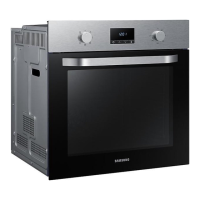
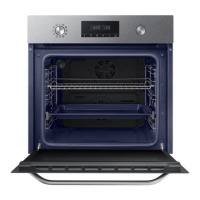
Samsung NV70K2340RS - User Manual

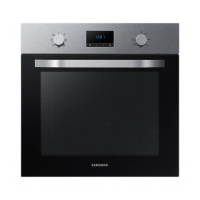
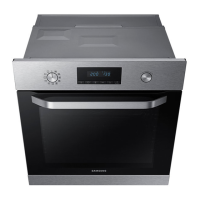
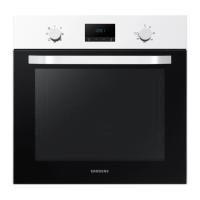
Samsung NV70K2340RS
32 pages
Print Icon
To Next Page IconTo Next Page
Loading...
Built-in Oven
User & installation manual
NV70K2340RS / NV70K2340RB
NV70K2340RS_EU_DG68-00758A-04_EN.indd 1 2018-04-27  12:21:42

Questions and Answers

  • B
    bridgetjohnsonSep 9, 2025
    What does C-F2 error mean on Samsung NV70K2340RS?
    • M
      monica57Sep 9, 2025
      The C-F2 error on your Samsung oven occurs when a communication problem is maintained between the Touch IC and the Main or Sub micom. Turn off the oven and then restart it. If the problem continues, turn off all power for 30 seconds or more and then reconnect. If the problem is not fixed, please contact a service center.
  • M
    Melanie ByrdAug 23, 2025
    What to do if my Samsung NV70K2340RS Oven does not heat?
    • A
      Amy GrantAug 23, 2025
      If your Samsung oven does not heat, make sure the door is closed and restart the oven. Also, verify that the oven controls are correctly set by referring to the chapter on oven operation and resetting the oven. Finally, check if the household fuse has blown or the circuit breaker has operated; replace the fuse or reset the circuit. If it happens repeatedly, call an electrician.
  • D
    Dylan NealAug 25, 2025
    Why does smoke come out of my Samsung NV70K2340RS Oven during operation?
    • C
      cummingsreneeAug 25, 2025
      Smoke may come from the heater when you first use the Samsung oven. This is not a malfunction, and it should stop happening if you run the oven 2-3 times. If there is food on the heater, let the oven cool sufficiently and remove the food.
  • L
    Laura SheppardAug 26, 2025
    What to do if my Samsung NV70K2340RS buttons cannot be pressed properly?
    • T
      Tony StantonAug 26, 2025
      If the buttons on your Samsung oven cannot be pressed properly, remove any foreign matter caught between the buttons and try again. For touch models, remove any moisture on the exterior. Also, check whether the lock function is set.
  • D
    Devon AguilarAug 27, 2025
    Why is there a burning or plastic smell when using my Samsung Oven?
    • T
      Tina HoustonAug 28, 2025
      If you notice a burning or plastic smell when using your Samsung oven, it could be due to using plastic or other containers that are not heat-resistant. Use glass containers suitable for hot temperatures instead.
  • C
    Christopher MorganAug 29, 2025
    What to do if my Samsung NV70K2340RS Oven door cannot be opened properly?
    • B
      brandimeyersAug 29, 2025
      If the door of your Samsung oven cannot be opened properly, check for food residue stuck between the door and the product interior. Clean the oven well and then try to open the door again.
  • B
    Brandon TylerSep 18, 2025
    How to fix electric shock from Samsung NV70K2340RS?
    • K
      Kimberly MitchellSep 18, 2025
      If you experience an electric shock from your Samsung Oven, immediately check whether the power supply is properly grounded.
  • A
    Ashley GeorgeSep 19, 2025
    Why is there no power to my Samsung NV70K2340RS?
    • S
      Stephanie HarrisonSep 22, 2025
      If your Samsung Oven has no power, verify that it is properly connected to a power source and that the power supply is active.
  • O
    owenskennethSep 7, 2025
    What does C-d1 error mean on Samsung NV70K2340RS Oven?
    • L
      Laurie RobinsonSep 8, 2025
      The C-d1 error on your Samsung oven indicates door lock malfunctions. Turn off the oven and then restart it. If the problem continues, turn off all power for 30 seconds or more and then reconnect. If the problem is not fixed, please contact a service center.
  • M
    Michael StantonSep 4, 2025
    What does S-01 error mean on Samsung NV70K2340RS Oven?
    • I
      iwardSep 4, 2025
      The S-01 error on your Samsung oven indicates a safety shutoff. This occurs when the oven has continued operating at a set temperature for an extended time. This is not a system failure. Turn off the oven, remove the food, and then try again normally.

Summary

Manual Usage Guide

User Manual Symbols Explained

Explains symbols used in the manual for hazards and tips.

Safety Guidelines

Key Safety Precautions

Outlines critical safety measures and warnings for appliance use and installation.

Product Disposal Instructions

Instructions for environmentally responsible disposal of the product and its accessories.

Energy Saving Features

Details on how the appliance conserves energy through automatic standby and lamp dimming.

Oven Installation

Package Contents

Lists the parts and accessories expected in the product package.

Oven Component Identification

Diagram identifying key external components of the oven.

Oven Accessories Guide

Describes the various accessories provided with the oven for cooking.

Electrical Power Connection

Instructions and guidelines for safely connecting the oven to the mains power supply.

Cabinet Installation Requirements

Specifies required dimensions and ventilation for installing the oven within cabinets.

Preparation Before First Use

Initial Oven Setup

Guide to setting the oven's clock and initial configuration upon first use.

Removing New Oven Smell

Instructions for cleaning the oven before first use to remove new appliance odors.

Accessory Usage Tips

Explains how to use the different oven accessories for optimal cooking results.

Oven Operations

Control Panel Layout

Identifies and explains the function of each button and display element on the control panel.

Adjusting Common Settings

Details how to adjust temperature and cooking time for various cooking modes.

Setting Cooking Duration

Guide on how to set the desired cooking duration for the oven.

Setting Delayed End Time

Instructions for programming the oven to finish cooking at a specific time.

Using the Delay End Feature

Explains how to schedule cooking to finish at a later, desired time.

Cancelling Cooking Time

How to cancel or stop an ongoing cooking process by clearing the set time.

Cancelling End Time

How to cancel or stop an ongoing cooking process by clearing the set end time.

How to Stop Cooking

Steps to manually stop the oven while it is in operation.

Overview of Cooking Modes

Overview of available cooking modes and their temperature ranges.

Guide to Auto Cook Programmes

Guide to using pre-programmed recipes for various dishes and serving sizes.

Steam Cleaning Procedure

Instructions for using steam to clean the oven interior.

Using the Oven Timer

How to set and use the oven's timer for cooking durations.

Adjusting Sound Settings

How to enable or disable the oven's audible alerts and sounds.

Smart Cooking Guide

Manual Cooking Advice

Advice on manual cooking, including warnings about acrylamide and pre-heating.

Tips for Using Cooking Accessories

Guidance on using oven accessories effectively for better cooking outcomes.

Baking Recipe Recommendations

Table of recipes for baking various items with recommended settings.

Roasting Recipe Recommendations

Table of recipes for roasting meats, poultry, and vegetables with settings.

Grilling Recipe Recommendations

Table of recipes for grilling various foods with recommended settings.

Frozen Meal Cooking Guide

Table of recipes for cooking frozen ready-meals with specific settings.

Pro-Roasting Mode Explanation

Explains the Pro-Roasting mode for searing and cooking meats and poultry.

Eco Convection Mode Explanation

Details the Eco Convection mode for energy-saving cooking.

List of Auto Cook Programmes

Comprehensive list of 20 auto cook programmes with food, weight, accessory, and level details.

EN 60350-1 Test Dishes

Standardized test recipes for baking, grilling, and roasting with specific oven settings.

Oven Maintenance

General Cleaning Procedures

Detailed steps for cleaning the oven interior, exterior, and accessories safely.

Oven Door Removal Guide

Step-by-step guide for safely removing and reattaching the oven door for cleaning.

Cleaning Oven Door Glass

Instructions for removing and cleaning the oven door's glass panes.

Water Collector Care

Guidance on regularly emptying and cleaning the water collector.

Cleaning the Oven Ceiling

Steps to clean the oven's ceiling, including lowering the grill heater.

Side Runner Removal

Instructions for removing the oven's side runners for cleaning or replacement.

Oven Bulb Replacement

Steps for safely replacing the oven light bulb, including warnings and bulb type.

Oven Troubleshooting

Troubleshooting Common Issues

Table listing common issues, their causes, and recommended actions for resolution.

Error Code Reference

Explains oven error codes displayed on the screen and how to resolve them.

Technical Appendix

Oven Product Specifications

Technical specifications and energy efficiency data for the oven model.

Samsung NV70K2340RS Specifications

General IconGeneral
GrillYes
Oven sizeMedium
Oven typeElectric
Cleaning typeCatalytic
Number of ovens1
Convection power1700 W
Total oven power- W
Microwave cooking-
Oven thermostat range30 - 250 °C
Auto programs quantity20
Total oven(s) interior capacity70 L
Energy consumption (conventional)0.99 kWh
Energy consumption (forced convection)0.79 kWh
Package depth645.3 mm
Package width682 mm
Package height656 mm
Package weight36500 g
Control typeRotary
Product colorStainless steel
Control positionTop front
Appliance placementBuilt-in
Timer typeDigital
Weight and Dimensions IconWeight and Dimensions
Depth566 mm
Width595 mm
Weight34200 g
Interior dimensions (W x D x H)560 x 545 x 572 mm

Related product manuals