EasyManua.ls Logo

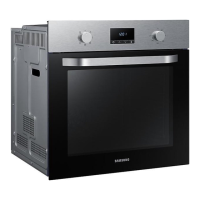
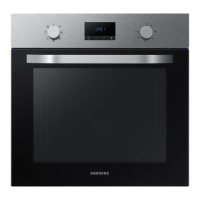
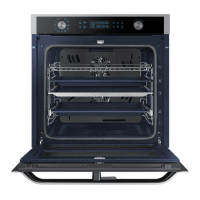
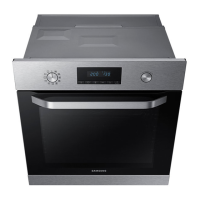
Samsung NV70K3370BS - User Manual

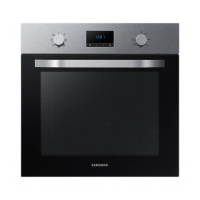
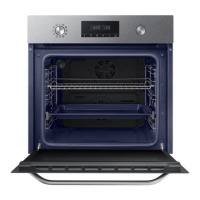
Samsung NV70K3370BS
32 pages
Print Icon
To Next Page IconTo Next Page
Loading...
Built-in Oven
User & installation manual
NV70K3370BS/NV70K3370BB/NV70K3370BM
NV70K3370BS_SA_DG68-00751E-00_EN.indd 1 2017-10-12  9:50:03

Questions and Answers

  • Z
    Zachary PerezSep 9, 2025
    Why is my Samsung NV70K3370BS cooling fan still running after cooking?
    • C
      Caleb ReedSep 9, 2025
      The cooling fan in your Samsung Oven automatically runs for a certain amount of time after cooking to ventilate the inside of the oven. This is normal, so there is no need to worry.
  • A
    Amy McleanAug 23, 2025
    What to do if my Samsung NV70K3370BS does not heat?
    • B
      Brian WashingtonAug 23, 2025
      If your Samsung oven isn't heating, first ensure the door is fully closed and restart. If the issue persists, review the oven operation instructions to confirm the controls are correctly set. Also, check your household fuse or circuit breaker; replace the fuse or reset the circuit if necessary. If this happens repeatedly, it is recommended to call an electrician.
  • J
    jason37Aug 25, 2025
    What to do if my Samsung Oven steam cleaning does not work?
    • T
      Tony SmithAug 25, 2025
      If the steam cleaning function on your Samsung Oven isn't working, it might be because the temperature is too high. Allow the oven to cool down before using the steam cleaning function.
  • K
    Kayla JohnsonAug 26, 2025
    Why is the time not displayed on my Samsung NV70K3370BS?
    • W
      wallacemichelleAug 26, 2025
      If the time isn't displayed on your Samsung oven, check whether there is power supplied.
  • G
    gracejohnsonAug 27, 2025
    Why is steam cleaning not working on my Samsung NV70K3370BS?
    • B
      bmillerAug 28, 2025
      If steam cleaning isn't working on your Samsung oven, it's likely because the temperature is too high. Cool the oven and then try again.
  • B
    Bradley GardnerAug 29, 2025
    Why is my Samsung NV70K3370BS exterior too hot during operation?
    • J
      John BowersAug 29, 2025
      If the exterior of your Samsung oven gets too hot during operation, it might be because the oven is installed in a place without good ventilation. Ensure you maintain the gaps specified in the product installation guide to allow for proper airflow.
  • E
    Erika RodriguezSep 18, 2025
    What does S-01 mean on my Samsung Oven?
    • A
      Austin RomeroSep 18, 2025
      S-01 on your Samsung oven indicates a safety shutoff, meaning the oven has been operating at a set temperature for too long. Turn off the oven, remove the food, and try again normally.
  • R
    Ryan HubbardSep 18, 2025
    Why is there a burning smell from my Samsung Oven?
    • A
      Adam SanchezSep 19, 2025
      If you notice a burning or plastic smell from your Samsung oven, you may be using plastic or other containers that aren't heat-resistant. Use glass containers suitable for hot temperatures instead.
  • J
    John AndersonSep 7, 2025
    Why is there water dripping from my Samsung NV70K3370BS?
    • C
      Colleen MorrisonSep 8, 2025
      Water or steam may appear in your Samsung Oven depending on the food being cooked. This is not a malfunction. Let the oven cool and then wipe it with a dry dish towel.
  • A
    Alexander BlackwellSep 4, 2025
    Why can't I open my Samsung NV70K3370BS Oven door properly?
    • M
      margaret40Sep 5, 2025
      If the door of your Samsung oven won't open properly, it might be due to food residue stuck between the door and the interior. Clean the oven thoroughly and try opening the door again.

Summary

Using this manual

Safety Instructions

Important safety precautions for oven operation and installation.

Oven Installation Guide

Package Contents

Lists all parts and accessories included with the oven.

Oven Component Diagram

Diagram showing the main components of the oven.

Oven Accessories List

Details various accessories provided with the oven for different cooking tasks.

Electrical Power Connection

Instructions for safely connecting the oven to the electrical power supply.

Cabinet Installation Requirements

Guidelines for installing the oven within a built-in cabinet.

Installation Space Dimensions

Specifies the required dimensions for oven installation in cabinets.

Getting Started with Your Oven

Initial Oven Setup

Steps for setting the initial time and other basic configurations.

Removing New Oven Smell

Procedure to remove the initial smell from a new oven.

Oven Safety Features

Explanation of the oven's safety features, like automatic shut-off.

Basic Accessory Use

Basic instructions on how to use different oven accessories effectively.

Oven Operations and Settings

Control Panel Functions

Explanation of the oven's control panel buttons and their functions.

Adjusting Cooking Settings

How to adjust temperature and cooking time for selected modes.

Setting Cooking Time

Setting and managing cooking duration and desired finish time.

Setting End Time

How to set a desired cooking end time.

Using Delay End Function

How to set a delayed start time for cooking convenience.

Clearing Cooking Timer

Steps to clear the set cooking time from the oven.

Clearing End Timer

Steps to clear the set cooking end time from the oven.

Stopping the Cooking Process

Instructions on how to manually stop the oven during cooking.

Understanding Cooking Modes

Overview of different heating modes and their applications.

Using Auto Cook Programmes

Using pre-programmed recipes for automated cooking.

Self-Cleaning Modes

Instructions for steam and pyrolytic self-cleaning cycles.

Using the Timer

How to set and use the oven timer.

Sound Notification Control

How to manage oven sound notifications.

Smart Cooking Features

Manual Cooking Guidelines

Recommendations and tips for manual cooking, including safety warnings.

Accessory Usage Tips

Advice on using accessories and general cooking tips.

Pro-Roasting Mode Details

Detailed usage guide for the Pro-Roasting cooking mode.

Eco Convection Mode Details

Detailed usage guide for the Eco Convection cooking mode.

Detailed Auto Cook Recipes

Detailed list and usage of 20 auto cooking programmes.

Standard Test Recipes

Baking Test Recipes

Standardized recipes for testing baking performance.

Grilling Test Recipes

Standardized recipes for testing grilling performance.

Roasting Test Recipes

Standardized recipes for testing roasting performance.

Oven Maintenance and Cleaning

Oven Cleaning Guide

Instructions for cleaning the oven interior, exterior, and accessories.

Catalytic Enamel Care

Maintenance for catalytic enamel surfaces, including self-cleaning.

Oven Door Removal

Steps for removing the oven door for cleaning or maintenance.

Oven Door Glass Cleaning

Instructions for removing and cleaning the oven door glass panels.

Water Collector Maintenance

How to clean the water collector and what to do if a leak occurs.

Side Runner Removal

Instructions for detaching and reattaching side runners.

Component Replacement

Oven Light Bulb Replacement

Guide for safely replacing the oven light bulb.

Oven Troubleshooting Guide

Troubleshooting Common Issues

A comprehensive table addressing common oven problems and their fixes.

Oven Technical Specifications

Error Code Reference

Explanations of error codes and troubleshooting steps.

Oven Specifications Summary

Key technical specifications including dimensions, volume, weight, and power.

Samsung NV70K3370BS Specifications

General IconGeneral
Oven sizeMedium
Oven typeElectric
Cleaning typePyrolytic + Steam
Number of ovens1
Total oven power- W
Microwave cooking-
Convection cookingYes
Oven thermostat range30 - 250 °C
Auto programs quantity20
Total oven(s) interior capacity70 L
AC input voltage230 V
AC input frequency50 Hz
Energy efficiency index (EEI)94
Energy consumption (conventional)0.99 kWh
Energy consumption (forced convection)0.79 kWh
Door hingedown
Control typeRotary
Display typeLED
Product colorBlack, Stainless steel
Control positionFront
Interior materialEnameled ceramic
Appliance placementBuilt-in
Number of glass door panels3
Clock typeElectronic
Timer typeDigital
Package depth646 mm
Package width682 mm
Package height656 mm
Package weight41000 g
Weight and Dimensions IconWeight and Dimensions
Depth566 mm
Width595 mm
Weight38800 g
Installation compartment depth545 mm
Installation compartment width560 mm
Installation compartment height572 mm
Interior dimensions (W x D x H)560 x 545 x 572 mm

Related product manuals