
 To Next Page
K
Kevin LuceroSep 9, 2025
What to do if there is no power to my Samsung Oven?
- JJeremy RamirezSep 9, 2025
If there is no power to your Samsung oven, ensure that it is properly connected to a power source.

What to do if there is no power to my Samsung Oven?
If there is no power to your Samsung oven, ensure that it is properly connected to a power source.
How to fix a Samsung NV70K1340BB that does not heat?
If your Samsung oven isn't heating, try the following: 1. Ensure the oven door is completely closed, then restart. 2. Check the oven operation settings and reset if needed. 3. Inspect the household fuse or circuit breaker; replace the fuse or reset the breaker. If the issue continues, contact an electrician.
Why is my Samsung NV70K1340BB Oven not heating up?
Your Samsung oven might not be heating due to several reasons. First, make sure the oven door is completely closed, and then restart it. Also, verify that the oven controls are correctly set by referring to the operation chapter. Finally, check your household fuse or circuit breaker; replace the fuse or reset the breaker if needed. If the issue persists, consult an electrician.
Why does my Samsung NV70K1340BB Oven power turn off during operation?
If your Samsung oven's power turns off during operation, consider these possible causes: * If cooking for extended periods, allow the oven to cool down afterward. * Check if the cooling fan is functioning correctly by listening for its sound. * Ensure proper ventilation around the oven, maintaining the gaps specified in the installation guide. * Avoid using multiple power plugs in the same socket; use a single plug instead.
How to fix Samsung NV70K1340BB Oven buttons that are not pressed properly?
If the buttons on your Samsung oven cannot be pressed properly, consider the following: * If there's foreign matter caught between the buttons, remove it. * For touch models, remove any moisture on the exterior. * Check if the lock function is enabled.
What to do if Samsung Oven light is dim?
If the interior light of your Samsung oven is dim or doesn't turn on, and the lamp turns on and off, it automatically turns off after a certain time to save power. You can turn it on again by pressing the lamp button. Also, if the lamp is covered by foreign matter during cooking, clean the inside of the oven and then check.
Why is the outside of my Samsung NV70K1340BB Oven so hot?
If the exterior of your Samsung oven gets too hot during operation, it may be due to poor ventilation. Ensure you maintain the gaps specified in the product installation guide to allow for proper airflow.
Why does my Samsung NV70K1340BB Oven smell like burning plastic?
If you notice a burning or plastic smell when using your Samsung oven, you might be using plastic or non-heat-resistant containers. Switch to using glass containers suitable for high temperatures.
What to do if Samsung NV70K1340BB Oven door cannot be opened?
If you are having trouble opening the door of your Samsung oven, food residue might be stuck between the door and the oven's interior. Clean the oven thoroughly and try opening the door again.
What to do if Samsung Oven gives electric shock?
If you experience an electric shock from your Samsung oven, the power supply may not be properly grounded. Check if the power supply is correctly grounded. Also, verify that you are not using a socket without grounding.
General safety guidelines and warnings for appliance usage, including child safety and power cord.
Instructions on how to properly connect the oven to the electrical power supply, including wiring details.
Specifies requirements for installing the oven in a built-in cabinet, including ventilation and dimensions.
Overview of the oven's control panel, explaining the function of each button and dial.
Explanation of different cooking modes available, including grill and other modes.
Guidelines for manual cooking, including warnings about acrylamide and tips for using accessories.
Recommendations and settings for various baking recipes, including food, accessory, temperature, and time.
Instructions for cleaning the oven interior, exterior, and accessories, including warnings.
Table of common oven problems, their causes, and suggested actions for troubleshooting.
List of error codes displayed on the oven, with their meanings and troubleshooting actions.
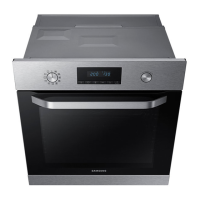
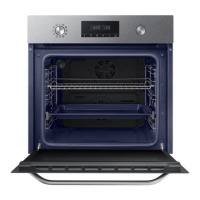

 General