EasyManua.ls Logo

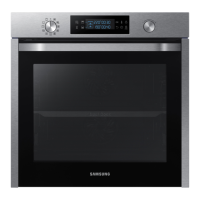
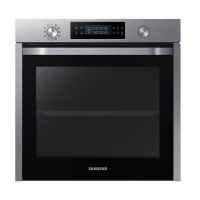
Samsung NV75K5541RB - User Manual

Samsung NV75K5541RB
48 pages
Print Icon
To Next Page IconTo Next Page
Loading...
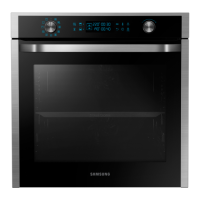
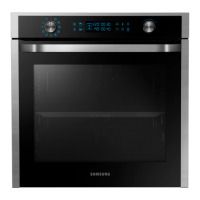
Built-in Oven
User & Installation manual
NV75K5541RS / NV75K5541RB / NV75K5541BS /
NV75K5541BB
NV75K5541RB_EU_ DG68-00745A-00_EN.indd 1 2016-01-26  6:50:49

Questions and Answers

  • C
    Christopher HopkinsSep 23, 2025
    What does C-d0 mean on my Samsung Oven?
    • S
      schmidtbreannaSep 23, 2025
      The 'C-d0' error on your Samsung Oven indicates a button problem, usually occurring when a button is pressed and held for too long. Clean the buttons, ensure they are dry, turn off the oven, and try again.
  • M
    Margaret GomezAug 25, 2025
    What to do if my Samsung Oven stops while in operation?
    • R
      Rebecca MillerAug 25, 2025
      If your Samsung oven stops during operation, make sure it is properly connected to the power socket. Reconnect the power if it has been unplugged.
  • M
    Michael WilliamsAug 25, 2025
    What to do if my Samsung NV75K5541RB is not heating up?
    • J
      Jason JacksonAug 26, 2025
      If your Samsung Oven isn't heating, make sure the door is fully closed and restart the oven. Also, check that the household fuse hasn't blown or the circuit breaker hasn't tripped. Replace the fuse or reset the circuit if needed; if this occurs repeatedly, call an electrician.
  • A
    aaron04Aug 27, 2025
    What to do if buttons on my Samsung NV75K5541RB Oven cannot be pressed properly?
    • A
      andrewmillsAug 27, 2025
      If the buttons on your Samsung oven aren't pressing properly, consider these possibilities: * There might be foreign matter caught between the buttons. Remove any debris and try again. * Moisture on the exterior can interfere with button function. Remove any moisture and try again. * The lock function may be enabled. Check the lock function setting.
  • T
    Tiffany Garcia PhDAug 27, 2025
    Why is the time not displayed on my Samsung Oven?
    • J
      jeffreyhollandAug 27, 2025
      If the time isn't displayed on your Samsung oven, verify that the oven is receiving power.
  • W
    warmstrongSep 14, 2025
    Why is the outside of my Samsung NV75K5541RB Oven so hot?
    • S
      Sabrina BurchSep 14, 2025
      If the exterior of your Samsung Oven gets too hot during operation, it might be due to poor ventilation. Ensure that you maintain the gaps specified in the product installation guide.
  • R
    Ricardo JenkinsSep 12, 2025
    Why does the brightness inside my Samsung NV75K5541RB vary?
    • A
      Angela MatthewsSep 12, 2025
      The brightness inside your Samsung oven changes depending on power output changes. These power output changes during cooking are normal, so there is no need to worry.
  • R
    Rebecca CastilloSep 13, 2025
    Why is the light in my Samsung NV75K5541RB Oven dim?
    • C
      Carl HoffmanSep 13, 2025
      The interior light in your Samsung Oven may be dim or not turn on for a couple of reasons. The lamp automatically turns off after a certain amount of time to save power; you can turn it on again by pressing the oven light button. Also, check if the lamp is covered by foreign matter during cooking and clean the inside of the oven.
  • J
    Jennifer OwensSep 4, 2025
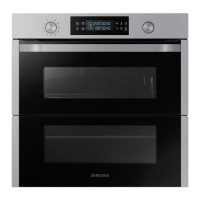
    Why isn't the dual cook mode working on my Samsung NV75K5541RB Oven?
    • P
      pharrisSep 5, 2025
      If the dual cook mode on your Samsung Oven isn't working, ensure that the divider is correctly inserted.
  • A
    angelabrownSep 2, 2025
    What to do if Samsung NV75K5541RB Oven door won't open?
    • T
      Tracy PinedaSep 2, 2025
      If the door of your Samsung Oven won't open properly, check for food residue stuck between the door and the interior. Clean the oven well and then try opening the door again.

Summary

Oven Safety Instructions

Important Safety Precautions

Details crucial safety information for using the appliance, including user capabilities and cord handling.

Oven Installation Guide

Power Connection Procedure

Built-in Oven Installation

Cabinet and Ventilation Requirements

Specifies the required dimensions and ventilation for installing the oven in a built-in cabinet or under a sink.

Oven Mounting Steps

Oven Operations Overview

Control Panel Functions

Introduces the oven's control panel, identifying each button and its function for operating the appliance.

Oven Control Functions

Adjusting Common Cooking Settings

Setting Cooking Duration

Setting Cooking Completion Time

Using Delay End Feature

Oven Cooking Modes (Excluding Grill)

Dual Cook Mode Operation

Detailed Cooking Mode Guide

Grill Cooking Mode Details

Pro-Roasting Cooking Mode Guide

Dual Cook Mode Usage

Dual Cook Temperature Settings

Stopping the Cooking Process

Stopping Individual Compartment Cooking

Auto Cook Programmes Guide

Dual Cook Programme Guide

Timer Functionality

Smart Cooking Guide

Baking Recommendations and Recipes

Baking Recipes Guide

Roasting Guide and Settings

Grilling Instructions and Tips

ECO Convection Mode Guide

Dual Cook Recipes and Usage

Auto Cook Programme Details

Auto Cook Programmes List

Dual Cook Programme List

Baking Test Dishes

Grilling Instructions

Roasting Instructions

Oven Maintenance and Cleaning

General Cleaning Guidelines

Provides essential warnings and instructions for cleaning the oven interior and exterior safely.

Oven Interior Cleaning

Details how to clean the inside of the oven, including door seals and enamelled surfaces.

Oven Door Removal for Cleaning

Oven Door Glass Cleaning Procedure

Oven Bulb Replacement

Oven Troubleshooting Guide

Troubleshooting Common Issues Checklist

Offers a troubleshooting table for common oven problems and their solutions.

Troubleshooting Oven Operation Problems

Oven Information Codes and Error Solutions

Samsung NV75K5541RB Specifications

General IconGeneral
Oven sizeMedium
Oven typeElectric
Cleaning typeCatalytic
Number of ovens1
Roaster functionYes
Total oven power- W
Microwave cookingNo
Top heating power1100 W
Oven thermostat range30 - 250 °C
Auto programs quantity40
Total oven(s) interior capacity75 L
Clock typeElectronic
Energy efficiency scaleA+++ to D
Energy efficiency index (EEI)95.4
Energy consumption (conventional)0.99 kWh
Energy consumption (forced convection)0.83 kWh
Door hingedown
Control typeRotary, Touch
Display typeLED
Product colorBlack
Control positionFront
Interior materialEnameled ceramic
Appliance placementBuilt-in
Bulb power25 W
Lamps quantity1 lamp(s)
Weight and Dimensions IconWeight and Dimensions
Depth566 mm
Width595 mm
Installation compartment depth545 mm
Installation compartment width560 mm
Installation compartment height572 mm

Related product manuals