EasyManua.ls Logo

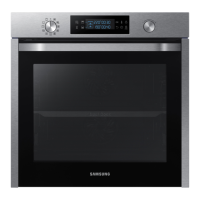
Samsung NV75K5541RS - User Manual

Samsung NV75K5541RS
48 pages
Print Icon
To Next Page IconTo Next Page
Loading...
Built-in Oven
User & Installation manual
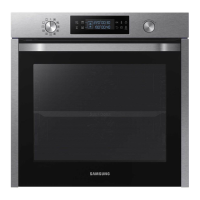
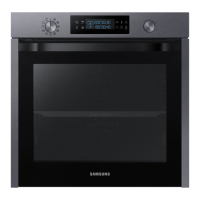
NV75K5541RS / NV75K5541RB / NV75K5541BS /
NV75K5541BB
NV75K5541RB_EU_ DG68-00745A-00_EN.indd 1 2016-01-26  6:50:49

Questions and Answers

  • E
    Evan ThompsonAug 21, 2025
    Why does my Samsung NV75K5541RS Oven power off while cooking?
    • E
      Evan AvilaAug 21, 2025
      Your Samsung Oven might turn off during operation due to several reasons. If cooking for a long time, allow the oven to cool down afterward. Check that the cooling fan is working and that the oven has good ventilation. Ensure you're using a single plug and not overloading the socket with multiple devices.
  • J
    John TerryAug 23, 2025
    Why are the buttons on my Samsung NV75K5541RS Oven not working?
    • J
      Jordan GonzalesAug 23, 2025
      If the buttons on your Samsung Oven aren't working, start by checking for any foreign matter caught between them and remove it. For touch models, make sure there's no moisture on the exterior. Also, verify that the lock function isn't enabled.
  • J
    Judith MillerAug 26, 2025
    Why is there smoke coming from my Samsung NV75K5541RS Oven?
    • B
      Beverly BarronAug 26, 2025
      If smoke comes out of your Samsung Oven during initial use, it may be from the heater. Run the oven 2-3 times to resolve this. If smoke appears later, let the oven cool and remove any food from the heater.
  • S
    Stephanie MartinAug 27, 2025
    What to do if Samsung Oven door won't open?
    • D
      David HolmesAug 27, 2025
      If the door of your Samsung Oven won't open properly, check for food residue stuck between the door and the interior. Clean the oven well and then try opening the door again.
  • D
    Daniel ReidAug 30, 2025
    Why is the steam cleaning function not working on my Samsung Oven?
    • D
      David Wagner DDSAug 30, 2025
      If the steam cleaning function isn't working on your Samsung Oven, it's likely because the temperature is too high. Allow the oven to cool down before using the steam cleaning feature.
  • S
    Stephanie SextonSep 1, 2025
    Why isn't the dual cook mode working on my Samsung Oven?
    • L
      Linda MclaughlinSep 1, 2025
      If the dual cook mode on your Samsung Oven isn't working, ensure that the divider is correctly inserted.
  • D
    Donald CrossSep 3, 2025
    Why is the light in my Samsung NV75K5541RS dim?
    • T
      Tina HowardSep 3, 2025
      The interior light in your Samsung Oven may be dim or not turn on for a couple of reasons. The lamp automatically turns off after a certain amount of time to save power; you can turn it on again by pressing the oven light button. Also, check if the lamp is covered by foreign matter during cooking and clean the inside of the oven.
  • M
    mhodgesSep 5, 2025
    Why is the outside of my Samsung Oven so hot?
    • S
      Sharon KerrSep 5, 2025
      If the exterior of your Samsung Oven gets too hot during operation, it might be due to poor ventilation. Ensure that you maintain the gaps specified in the product installation guide.
  • L
    Lisa MunozSep 7, 2025
    Why does my Samsung NV75K5541RS Oven smell like burning plastic?
    • J
      jasmine56Sep 7, 2025
      If you notice a burning or plastic smell when using your Samsung Oven, check if you're using plastic or other containers that aren't heat-resistant. Use glass containers suitable for hot temperatures instead.
  • Y
    ywashingtonSep 9, 2025
    What to do if I get shocked by my Samsung NV75K5541RS?
    • D
      David CarterSep 9, 2025
      If you experience an electric shock from your Samsung Oven, check whether the power supply is properly grounded. This is especially important if you're using a socket without grounding.

Summary

Safety Instructions

General Safety Precautions

Covers essential safety guidelines for oven operation, including user limitations and electrical safety.

Appliance Handling and Child Safety

Details safe practices for operating the oven, child safety, and handling hot components.

Installation and Electrical Safety

Provides critical safety information related to oven installation, power connection, and electrical precautions.

Operational Safety Warnings

Lists specific warnings for safe operation, such as avoiding flammable materials and alcohol fires.

Installation

Power Connection Requirements

Specifies requirements for connecting the oven to the mains power supply, including wire specifications.

Cabinet Mount Guidelines

Provides guidelines for installing the oven in a built-in cabinet, including material resistance and ventilation.

Installation Dimensions

Displays diagrams and dimensions for built-in and under-sink cabinet installations.

Oven Mounting Procedures

Instructions on ensuring proper gaps, fitting, and securing the oven during mounting.

Operations

Control Panel Overview

Identifies and describes the functions of each button on the oven's control panel.

Cooking Modes Overview (Excluding Grill)

Details on selecting and using various cooking modes other than Grill.

Dual Cook Mode Operation Guide

Step-by-step guide for using the Dual cook mode with the divider.

Grill Cooking Modes

Instructions for selecting and using the grill cooking modes.

Dual Cook Mode for Grilling

Explanation on using Dual cook mode for grilling.

Cooking Smart

Pro-Roasting Mode

Details on the Pro-Roasting mode, including its heating cycle and suitability for meats.

Dual Cook Function Guides

Presents 10 dual cook guides for cooking, roasting, and baking dishes simultaneously.

Auto Cook Programmes: Single Cook

Introduces 40 auto programmes for cooking, roasting, and baking.

Dual Cook Function for Upper;Lower Cavity

Presents 10 auto programmes for dual cook functions for upper/lower cavity use.

Test Dishes: Baking Standards

Baking recommendations according to EN 60350-1 standard, including preheating advice.

Maintenance

General Cleaning Warnings

Safety warnings and precautions before cleaning the oven and accessories.

Oven Door Removal and Glass Cleaning

Step-by-step guide for removing and cleaning the oven door and its glass panels.

Troubleshooting

Information Codes: System and Button Errors

Explains error codes for system malfunctions and button issues.

Information Codes: Safety Shutoff

Explains error code S-01 for safety shutoff conditions.

Samsung NV75K5541RS Specifications

General IconGeneral
Oven sizeMedium
Oven typeElectric
Cleaning typeCatalytic
Number of ovens1
Convection power1200 W
Total oven power- W
Microwave cooking-
Convection cookingYes
Oven thermostat range30 - 250 °C
Auto programs quantity50
Total oven(s) interior capacity75 L
Energy efficiency index (EEI)95.4
Energy consumption (conventional)0.99 kWh
Energy consumption (forced convection)0.83 kWh
Door hingedown
Control typeRotary, Touch
Display typeLED
Door materialGlass
Product colorBlack, Stainless steel
Control positionFront
Appliance placementBuilt-in
Number of glass door panels3
Clock typeElectronic
Timer typeDigital
Package depth645.3 mm
Package width682 mm
Package height656 mm
Package weight43700 g
Weight and Dimensions IconWeight and Dimensions
Depth566 mm
Width595 mm
Weight41000 g
Installation compartment depth550 mm
Installation compartment width560 mm
Installation compartment height600 mm

Related product manuals