EasyManua.ls Logo

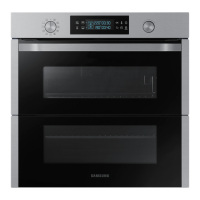
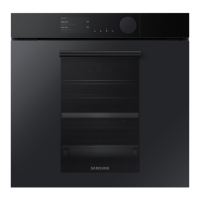
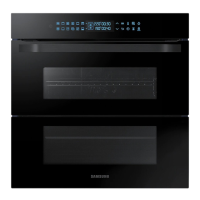
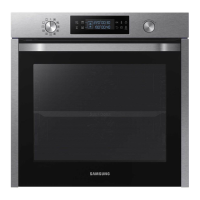
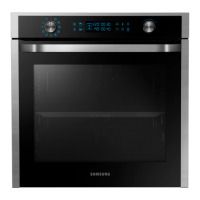
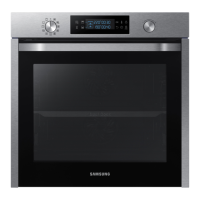
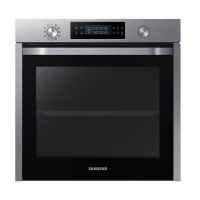
Samsung NV75N7677RS - User Manual

Samsung NV75N7677RS
52 pages
Print Icon
To Next Page IconTo Next Page
Loading...
Built-in Oven
User & Installation manual
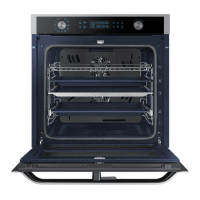
NV75N7677RS / NV75N7678RS
NV75N7677RS_EU_DG68-01054C-00_EN+DE.indb 1 2018-02-12  3:44:58

Questions and Answers

  • M
    Martha WilliamsSep 23, 2025
    Why is there water dripping from my Samsung Oven?
    • C
      Caroline DavisSep 23, 2025
      Water or steam may appear in your Samsung oven depending on the food being cooked. This is normal. Let the oven cool down, then wipe it with a dry dish towel.
  • A
    Amanda WilliamsAug 23, 2025
    Why is my Samsung NV75N7677RS not heating up?
    • S
      Steven MillerAug 23, 2025
      If your Samsung oven isn't heating, ensure the door is fully closed and restart it. Double-check the oven settings according to the operation instructions. Also, inspect your household fuse or circuit breaker; replace the fuse or reset the breaker if needed. If the issue persists, contact an electrician.
  • P
    Paige WalkerAug 25, 2025
    Why does my Samsung oven smoke when I use it?
    • M
      Mrs. Natalie BondAug 25, 2025
      Smoke may appear during the initial operation of your Samsung oven due to the heater. This is normal and should stop after running the oven 2-3 times. Alternatively, if there is food on the heater, allow the oven to cool and then remove the food.
  • T
    Tony WatsonAug 27, 2025
    Why is there a burning smell from my Samsung NV75N7677RS Oven?
    • C
      caleb42Aug 27, 2025
      A burning or plastic smell from your Samsung oven typically indicates the use of plastic or non-heat-resistant containers. Switch to using glass containers suitable for high temperatures.
  • M
    Matthew WebbAug 27, 2025
    Why Samsung oven steam cleaning doesn't work?
    • J
      Jared WallaceAug 27, 2025
      If the steam cleaning function on your Samsung oven isn't working, it's likely because the oven temperature is too high. Allow the oven to cool down before attempting to use the steam clean function.
  • K
    Kelly SnowSep 18, 2025
    Why is the light in my Samsung NV75N7677RS Oven not working?
    • G
      Garrett SmithSep 18, 2025
      If the interior light of your Samsung oven is dim or not turning on, note that the lamp automatically turns off after some time to save power. Press the oven light button to turn it back on. Also, if the lamp is covered by foreign matter during cooking, clean the inside of the oven.
  • L
    Lacey MoraSep 15, 2025
    Why is the cooling fan still running after my Samsung NV75N7677RS is done?
    • H
      houstonmauriceSep 15, 2025
      The cooling fan in your Samsung oven may continue to run for a while after cooking is complete. This is a normal function to ventilate the oven's interior, so there is no need to be concerned.
  • A
    Amanda TaylorSep 16, 2025
    Why does my Samsung NV75N7677RS Oven smell like burning plastic?
    • S
      Stephanie CastroSep 16, 2025
      If you detect a burning or plastic smell when using your Samsung oven, it may be due to using plastic or other containers that aren't heat-resistant. Switch to using glass containers suitable for hot temperatures.
  • S
    Sarah GambleSep 6, 2025
    What to do if Samsung NV75N7677RS Oven shows error code C-d1?
    • J
      Javier LittleSep 6, 2025
      Turn off the Samsung oven and then restart it. If the problem continues, turn off all power for 30 seconds or more and then reconnect. If the problem is not fixed, please contact a service centre.
  • D
    Danny WilliamsSep 3, 2025
    Why does Samsung NV75N7677RS fan keep running?
    • C
      craigalecSep 3, 2025
      The cooling fan in your Samsung oven automatically runs for a period after cooking to ventilate the interior. This is a normal operation, so there is no need to be concerned.

Summary

Safety Instructions

Important Safety Precautions

Details critical safety warnings for appliance use, children, and installation.

Installation Guide

Preparation and Mounting

Covers installation preparation, power connection, and cabinet mounting requirements.

Mechanical Lock and Dual Cook

Oven Operations

Control Panel Overview

Identifies and describes the functions of each button and dial on the control panel.

Cooking Modes Overview

Advanced Cooking Modes

Grilling and Dual Cook Grilling

Dual Cook Temperature Limits

Auto Cook Programmes

Pyro Cleaning Procedure

Smart Control Setup

Manual Cooking Techniques

Cooking Smart - Poultry, Fish & Grilling

Cooking Smart - Frozen Meals & Pro-Roasting

Cooking Smart - Dual Cook

Cooking Smart - ECO Convection

Cooking Smart - Auto Cook & Dual Cook

Oven Maintenance

Cleaning Procedures

Instructions for cleaning the oven interior, exterior, door, and water collector.

Troubleshooting Guide

Checkpoints and Solutions

A table listing common problems, their causes, and suggested actions.

Technical Specifications

Samsung NV75N7677RS Specifications

General IconGeneral
AC input voltage230 V
AC input frequency50 Hz
Energy consumption (conventional)1.05 kWh
Energy consumption (forced convection)0.71 kWh
GrillYes
Oven sizeMedium
Oven typeElectric
Cleaning typePyrolytic
Steam cookingNo
Number of ovens1
Convection power1200 W
Total oven power- W
Keep warm function-
Oven thermostat range40 - 250 °C
Auto programs quantity50
Total oven(s) interior capacity75 L
Maximum temperature (convection)275 °C
Door hingedown
Control typeRotary, Touch
Display typeLED
Product colorBlack, Stainless steel
Control positionFront
Housing materialStainless steel
Appliance placementBuilt-in
Number of glass door panels2
Timer typeDigital
Lamp typeHalogen
Package depth660 mm
Package width694 mm
Package weight53700 g
Weight and Dimensions IconWeight and Dimensions
Depth570 mm
Width595 mm
Weight49000 g
Installation compartment depth549 mm
Installation compartment width560 mm
Installation compartment height572 mm

Related product manuals