EasyManua.ls Logo

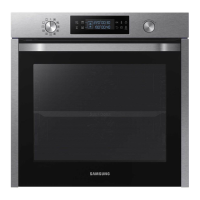
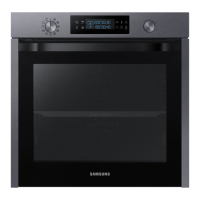
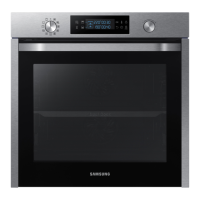
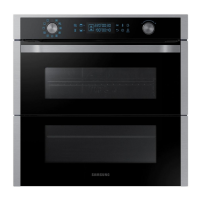
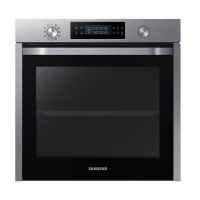
Samsung NV75K5571RS-OL - User Manual

Samsung NV75K5571RS-OL
96 pages
Go to English
Print Icon
To Next Page IconTo Next Page
Loading...
Cuptor încorporabil
Manual de utilizare şi instalare
NV75K5571RS / NV75K5571BS
NV75K5571RS_OL_DG68-00740A-00_BG+HR+MK+RO+SQ+SR+SL+EN.indb 1 2/2/2016 4:01:43 PM

Table of Contents

Questions and Answers

  • J
    jennifer95Sep 23, 2025
    What does C-d0 mean on my Samsung NV75K5571RS-OL Oven?
    • A
      Andrew DouglasSep 23, 2025
      If you are getting a C-d0 error on your Samsung Oven, clean the buttons and make sure there is no water on or around them. Turn off the oven and try again. If the problem continues, contact a local Samsung service centre.
  • M
    Melanie JonesAug 23, 2025
    Why does my Samsung NV75K5571RS-OL power off during operation?
    • P
      Patrick SmithAug 23, 2025
      If your Samsung oven's power turns off during operation, consider these potential causes: 1. If you've been cooking for an extended period, allow the oven to cool down after cooking. 2. Check if the cooling fan is functioning correctly by listening for its sound. 3. Ensure the oven has adequate ventilation by maintaining the clearances specified in the installation guide. 4. If using multiple power plugs in one socket, switch to using a single plug.
  • P
    Patrick CraigAug 25, 2025
    Why does my Samsung Oven emit smoke during operation?
    • A
      Amy Rocha MDAug 25, 2025
      If smoke comes out of your Samsung oven during operation: * During the initial operation, smoke may come from the heater. This is normal; run the oven 2-3 times, and it should stop. * If there is food on the heater, let the oven cool and remove the food.
  • J
    Jeffrey LawrenceAug 27, 2025
    Why is the time not displayed on my Samsung Oven?
    • M
      Matthew SmithAug 27, 2025
      If the time is not displayed on your Samsung oven, check whether there is power supplied to the oven.
  • J
    James RodriguezAug 27, 2025
    Why is my Samsung NV75K5571RS-OL Oven not heating up?
    • R
      Russell EnglishAug 27, 2025
      If your Samsung Oven is not heating, ensure the door is fully closed and restart the oven. If the oven controls are not correctly set, refer to the operation chapter in the manual and reset the oven. Also, check your household fuse or circuit breaker; replace the fuse or reset the breaker. If this happens repeatedly, call an electrician.
  • H
    hughesjohnSep 18, 2025
    Why do I get an electric shock from my Samsung NV75K5571RS-OL Oven?
    • J
      Jennifer CarterSep 18, 2025
      If you experience an electric shock from your Samsung Oven, ensure the power supply is properly grounded. Check if you are using a socket without grounding.
  • E
    Elizabeth BushSep 15, 2025
    Why is the interior light dim on my Samsung NV75K5571RS-OL?
    • R
      Raymond NortonSep 15, 2025
      If the interior light of your Samsung Oven is dim or does not turn on, and the lamp turns on and off, it may be automatically turning off to save power. Press the oven light button to turn it on again. If the lamp is covered by foreign matter, clean the inside of the oven.
  • A
    Anthony WilliamsSep 16, 2025
    Why does the cooling fan keep running after cooking in my Samsung NV75K5571RS-OL?
    • J
      James MurphySep 17, 2025
      If the cooling fan in your Samsung Oven continues to run after cooking is finished, it is automatically ventilating the inside of the oven. This is normal.
  • T
    Teresa PughSep 6, 2025
    Why is the interior light of my Samsung NV75K5571RS-OL Oven dim?
    • B
      bjonesSep 6, 2025
      If the interior light of your Samsung oven is dim or not turning on, consider the following: * If the lamp turns on and then off, it automatically turns off after a certain amount of time to save power. You can turn it on again by pressing the oven light button. * If the lamp is covered by foreign matter during cooking, clean the inside of the oven and then check.
  • S
    Sabrina SmithSep 3, 2025
    How to fix Samsung NV75K5571RS-OL buttons that cannot be pressed properly?
    • M
      Michelle AllenSep 4, 2025
      If the buttons on your Samsung Oven cannot be pressed properly, first remove any foreign matter caught between the buttons. If it is a touch model, remove any moisture from the exterior. Also, check whether the lock function is enabled.

Samsung NV75K5571RS-OL Specifications

General IconGeneral
Capacity75 L
Energy ClassA
ColorStainless Steel
Number of ovens1
Oven 1 interior capacity75 L
Built-in displayYes
TimerYes
Energy consumption (conventional)0.99 kWh
Voltage220-240 V
Frequency50 Hz
ConvectionYes
Self-CleaningYes
Door Cooling SystemYes
Child LockYes
Number of Cooking Levels5
TypeElectric
Oven typeElectric
Oven FunctionsConvection, Grill, Defrost, Keep Warm
Control TypeTouch
Dimensions (H x W x D)595 x 595 x 570 mm

Related product manuals