EasyManua.ls Logo

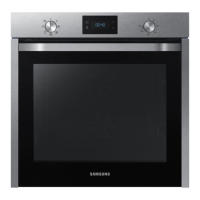
Samsung NV75K5571RG - User Manual

Samsung NV75K5571RG
48 pages
Print Icon
To Next Page IconTo Next Page
Loading...
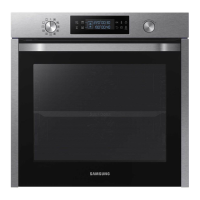
Built-in Oven
User & Installation manual
NV75K5571RS / NV75K5571BS /
NV75K5571RG / NV75K5571RM
NV75K5571RM_EU_DG68-00738B-00_EN.indd 1 3/11/2016 4:45:37 PM

Questions and Answers

  • D
    Derrick HopkinsSep 23, 2025
    What does C-d0 mean on my Samsung Oven?
    • Z
      Zachary GrahamSep 23, 2025
      If you are getting a C-d0 error on your Samsung Oven, clean the buttons and make sure there is no water on or around them. Turn off the oven and try again. If the problem continues, contact a local Samsung service centre.
  • B
    Brian RoblesAug 23, 2025
    Why does my Samsung NV75K5571RG power off during operation?
    • G
      gabriellemarquezAug 23, 2025
      If your Samsung oven's power turns off during operation, consider these potential causes: 1. If you've been cooking for an extended period, allow the oven to cool down after cooking. 2. Check if the cooling fan is functioning correctly by listening for its sound. 3. Ensure the oven has adequate ventilation by maintaining the clearances specified in the installation guide. 4. If using multiple power plugs in one socket, switch to using a single plug.
  • A
    Alexandra PerezAug 25, 2025
    Why does my Samsung Oven emit smoke during operation?
    • L
      Lisa RoachAug 25, 2025
      If smoke comes out of your Samsung oven during operation: * During the initial operation, smoke may come from the heater. This is normal; run the oven 2-3 times, and it should stop. * If there is food on the heater, let the oven cool and remove the food.
  • R
    Rachael MarquezAug 27, 2025
    Why is the time not displayed on my Samsung Oven?
    • C
      Charles BurkeAug 27, 2025
      If the time is not displayed on your Samsung oven, check whether there is power supplied to the oven.
  • D
    Donna MatthewsAug 27, 2025
    Why is my Samsung Oven not heating up?
    • J
      Jennifer ForbesAug 28, 2025
      If your Samsung Oven is not heating, ensure the door is fully closed and restart the oven. If the oven controls are not correctly set, refer to the operation chapter in the manual and reset the oven. Also, check your household fuse or circuit breaker; replace the fuse or reset the breaker. If this happens repeatedly, call an electrician.
  • T
    Thomas PerrySep 18, 2025
    Why do I get an electric shock from my Samsung NV75K5571RG Oven?
    • K
      Kristopher ForbesSep 18, 2025
      If you experience an electric shock from your Samsung Oven, ensure the power supply is properly grounded. Check if you are using a socket without grounding.
  • M
    matthew87Sep 15, 2025
    Why is the interior light dim on my Samsung Oven?
    • J
      Julie BraunSep 15, 2025
      If the interior light of your Samsung Oven is dim or does not turn on, and the lamp turns on and off, it may be automatically turning off to save power. Press the oven light button to turn it on again. If the lamp is covered by foreign matter, clean the inside of the oven.
  • A
    Amanda RodriguezSep 16, 2025
    Why does the cooling fan keep running after cooking in my Samsung Oven?
    • R
      Richard JohnsonSep 16, 2025
      If the cooling fan in your Samsung Oven continues to run after cooking is finished, it is automatically ventilating the inside of the oven. This is normal.
  • D
    Daniel ParkerSep 6, 2025
    Why is the interior light of my Samsung Oven dim?
    • K
      Kimberly MarshallSep 6, 2025
      If the interior light of your Samsung oven is dim or not turning on, consider the following: * If the lamp turns on and then off, it automatically turns off after a certain amount of time to save power. You can turn it on again by pressing the oven light button. * If the lamp is covered by foreign matter during cooking, clean the inside of the oven and then check.
  • S
    Stephanie MillsSep 3, 2025
    How to fix Samsung NV75K5571RG Oven buttons that cannot be pressed properly?
    • E
      eroseSep 4, 2025
      If the buttons on your Samsung Oven cannot be pressed properly, first remove any foreign matter caught between the buttons. If it is a touch model, remove any moisture from the exterior. Also, check whether the lock function is enabled.

Samsung NV75K5571RG Specifications

General IconGeneral
TypeElectric
Capacity75 L
Oven sizeLarge
Number of ovens1
Energy Class/RatingA
Self-cleaningYes
Cleaning TypePyrolytic
Built-in hobNo
Thermostat Range30 - 250 °C
TimerYes
LightYes
CleaningPyrolytic self-cleaning
ColorStainless Steel
Oven FunctionsGrill, Keep Warm
Control TypeTouch Control
Dimensions (H x W x D)59.5 x 59.5 x 57 cm

Related product manuals