EasyManua.ls Logo

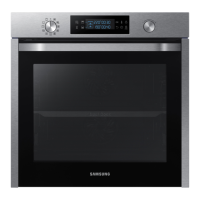
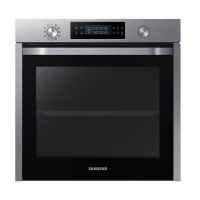
Samsung NV75K5541RG - User Manual

Samsung NV75K5541RG
48 pages
Print Icon
To Next Page IconTo Next Page
Loading...
Built-in Oven
User & Installation manual
NV75K5541RS / NV75K5541RB / NV75K5541BS /
NV75K5541BB / NV75K5541RG / NV75K5541RM
NV75K5541RS_EG_DG68-00815A-03_EN.indd 1 4/26/2018 7:33:05 PM

Questions and Answers

  • A
    Aaron AndrewsSep 23, 2025
    What does C-d0 mean on my Samsung Oven?
    • A
      amyfloresSep 23, 2025
      The 'C-d0' error on your Samsung Oven indicates a button problem, usually occurring when a button is pressed and held for too long. Clean the buttons, ensure they are dry, turn off the oven, and try again.
  • W
    William EspinozaAug 25, 2025
    What to do if my Samsung NV75K5541RG stops while in operation?
    • A
      Anne CarlsonAug 25, 2025
      If your Samsung oven stops during operation, make sure it is properly connected to the power socket. Reconnect the power if it has been unplugged.
  • J
    James StevensAug 25, 2025
    What to do if my Samsung NV75K5541RG is not heating up?
    • K
      Katrina WeberAug 26, 2025
      If your Samsung Oven isn't heating, make sure the door is fully closed and restart the oven. Also, check that the household fuse hasn't blown or the circuit breaker hasn't tripped. Replace the fuse or reset the circuit if needed; if this occurs repeatedly, call an electrician.
  • D
    Dawn CarpenterAug 27, 2025
    What to do if buttons on my Samsung NV75K5541RG Oven cannot be pressed properly?
    • C
      cgonzalesAug 27, 2025
      If the buttons on your Samsung oven aren't pressing properly, consider these possibilities: * There might be foreign matter caught between the buttons. Remove any debris and try again. * Moisture on the exterior can interfere with button function. Remove any moisture and try again. * The lock function may be enabled. Check the lock function setting.
  • S
    Samuel HallAug 27, 2025
    Why is the time not displayed on my Samsung NV75K5541RG Oven?
    • R
      Ruth GallagherAug 27, 2025
      If the time isn't displayed on your Samsung oven, verify that the oven is receiving power.
  • S
    schultzalexisSep 14, 2025
    Why is the outside of my Samsung NV75K5541RG Oven so hot?
    • S
      scott34Sep 14, 2025
      If the exterior of your Samsung Oven gets too hot during operation, it might be due to poor ventilation. Ensure that you maintain the gaps specified in the product installation guide.
  • R
    Ricardo HaasSep 12, 2025
    Why does the brightness inside my Samsung NV75K5541RG Oven vary?
    • M
      Michael WhiteSep 12, 2025
      The brightness inside your Samsung oven changes depending on power output changes. These power output changes during cooking are normal, so there is no need to worry.
  • J
    Jennifer MillsSep 13, 2025
    Why is the light in my Samsung Oven dim?
    • A
      Amy FletcherSep 13, 2025
      The interior light in your Samsung Oven may be dim or not turn on for a couple of reasons. The lamp automatically turns off after a certain amount of time to save power; you can turn it on again by pressing the oven light button. Also, check if the lamp is covered by foreign matter during cooking and clean the inside of the oven.
  • S
    simmonsrobertSep 5, 2025
    Why isn't the dual cook mode working on my Samsung NV75K5541RG Oven?
    • K
      Kelly WallsSep 5, 2025
      If the dual cook mode on your Samsung Oven isn't working, ensure that the divider is correctly inserted.
  • W
    Wendy PhillipsSep 2, 2025
    What to do if Samsung NV75K5541RG door won't open?
    • J
      Jessica BanksSep 2, 2025
      If the door of your Samsung Oven won't open properly, check for food residue stuck between the door and the interior. Clean the oven well and then try opening the door again.

Samsung NV75K5541RG Specifications

General IconGeneral
BrandSamsung
ModelNV75K5541RG
CategoryOven
LanguageEnglish

Related product manuals