EasyManua.ls Logo

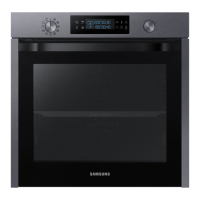
Samsung NV75J5540RS - User Manual

Samsung NV75J5540RS
76 pages
Print Icon
To Next Page IconTo Next Page
Loading...
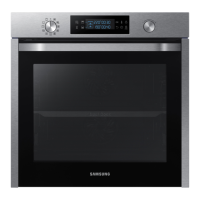
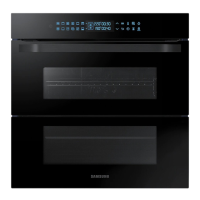
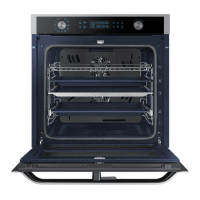
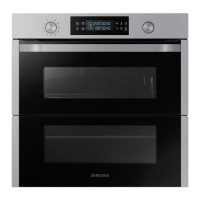
Built-in Oven
User & installation manual
NV75J5540RS
NV75J5540RS_EU_DG68-00616E-00_EN.indd 1 2015-05-20 �� 11:03:09

Questions and Answers

  • B
    Beth AdkinsAug 19, 2025
    Why is my Samsung NV75J5540RS Oven not heating?
    • E
      Erin CastroAug 19, 2025
      If your Samsung Oven is not heating, make sure the door is fully closed and restart the oven. Double-check the oven control settings against the manual and reset if needed. Also, inspect your household fuse or circuit breaker; replace the fuse or reset the breaker. If this continues, contact an electrician.
  • P
    Pamela RomeroAug 21, 2025
    What to do if the Samsung Oven door cannot be opened properly?
    • M
      Marcus IrwinAug 21, 2025
      If the door of your Samsung Oven won't open properly, it might be due to food residue. Thoroughly clean the oven, paying special attention to the area between the door and the interior. Once cleaned, try opening the door again.
  • K
    Kevin Wright MDAug 23, 2025
    Why does the power turn off during Samsung NV75J5540RS operation?
    • J
      Jessica KimAug 23, 2025
      If the power to your Samsung Oven turns off during operation, several factors could be at play. If you've been cooking for a long time, allow the oven to cool down afterward. Ensure the cooling fan is running; listen for its sound. Check that the oven has proper ventilation according to the installation guide. Avoid using multiple power plugs in the same socket; use a single plug instead.
  • M
    Michelle RodriguezAug 26, 2025
    Why does smoke come out during Samsung Oven operation?
    • B
      benjamin12Aug 26, 2025
      If smoke comes out of your Samsung Oven during initial use, this is normal as the heater burns off residue. Run the oven a few times, and the smoke should dissipate. If smoke appears during regular use, let the oven cool and remove any food from the heater.
  • L
    Lauren ShahAug 27, 2025
    Why is there a burning or plastic smell when using the Samsung NV75J5540RS Oven?
    • S
      stephaniesmithAug 28, 2025
      If you notice a burning or plastic smell when using your Samsung Oven, it's likely due to using containers that aren't heat-resistant. Switch to using glass containers designed for high temperatures.
  • T
    Tammy OliverAug 30, 2025
    Why is my Samsung Oven not cooking properly?
    • P
      Phillip DeleonAug 30, 2025
      If your Samsung Oven is not cooking properly, avoid opening the door frequently during cooking, unless turning is required. Opening the door lowers the interior temperature, which can affect cooking results.
  • J
    Julia PhillipsAug 31, 2025
    Why is the interior light dim or does not turn on in my Samsung NV75J5540RS?
    • M
      Matthew RogersSep 1, 2025
      If the interior light in your Samsung Oven appears dim or doesn't turn on, remember that the lamp automatically turns off after some time to save power. Press the oven light button to turn it back on. Also, check for any foreign matter covering the lamp inside the oven and clean if necessary.
  • L
    Lisa ReedSep 3, 2025
    Why is the time not displayed on my Samsung Oven?
    • S
      Scott GlennSep 3, 2025
      If the time is not displayed on your Samsung Oven, ensure that the oven is receiving power.
  • E
    Erin RussellSep 5, 2025
    Why is the Samsung Oven exterior too hot during operation?
    • K
      katrinatranSep 5, 2025
      If you find that the exterior of your Samsung Oven gets too hot during operation, ensure that the oven is installed with sufficient ventilation. Maintain the clearances specified in the product installation guide.
  • P
    popewandaSep 7, 2025
    Why does electric shock occur on the Samsung Oven?
    • R
      Richard OrtizSep 7, 2025
      If you experience an electric shock from your Samsung Oven, ensure the power supply is properly grounded. Check that you are not using a socket without grounding.

Summary

Safety instructions

Important safety precautions

Key safety measures for using the oven, including warnings and general precautions.

Power connection

Cabinet mount

Before you start

Initial settings

Guide to setting the oven's current time upon first use.

Operations

Control panel

Overview of the oven's control panel buttons and their functions.

Cooking modes (except for Grill)

Cooking modes (Grill)

Cooking Smart

Manual cooking

General guidelines and tips for manual cooking with the oven.

Roasting

Maintenance

Cleaning

Guidance on cleaning the oven interior, exterior, accessories, and catalytic enamel.

Troubleshooting

Checkpoints

Table of common oven problems, their causes, and suggested actions.

Information codes

Samsung NV75J5540RS Specifications

General IconGeneral
Oven sizeMedium
Oven typeElectric
Number of ovens1
Convection power1200 W
Total oven power- W
Oven thermostat range30 - 275 °C
Auto programs quantity50
Top and bottom heatingYes
Total oven(s) interior capacity75 L
Maximum temperature (conventional)275 °C
Lamp typeHalogen
Lamps quantity2 lamp(s)
Door hingedown
Noise level- dB
Control typeRotary, Touch
Product colorBlack, Stainless steel
Control positionFront
Appliance placementBuilt-in
Number of glass door panels3
Clock typeElectronic
Timer typeDigital
Energy consumption (conventional)0.99 kWh
Energy consumption (forced convection)0.83 kWh
Package depth645 mm
Package width682 mm
Package height656 mm
Package weight44100 g
Weight and Dimensions IconWeight and Dimensions
Depth566 mm
Width595 mm
Weight41300 g
Installation compartment depth545 mm
Installation compartment width560 mm
Installation compartment height572 mm

Related product manuals