
 To Next Page
E
Emily JenkinsSep 16, 2025
What does S-01 error mean on my Samsung NV75J3140RS Oven?
- JJoann SmithSep 16, 2025
This is not a system failure. Turn off the Samsung oven and remove food. Then, try again normally.

What does S-01 error mean on my Samsung NV75J3140RS Oven?
This is not a system failure. Turn off the Samsung oven and remove food. Then, try again normally.
Why is my Samsung NV75J3140RS Oven not heating up?
If your Samsung oven isn't heating, first ensure the door is fully closed, as the oven won't heat if the door is open. If the door is closed, double-check that the oven controls are correctly set according to the oven operation instructions. Lastly, inspect your household fuse or circuit breaker; a blown fuse or tripped breaker can prevent the oven from heating. Replace the fuse or reset the breaker. If the issue persists, it's recommended to call an electrician.
Why does my Samsung Oven power off during cooking?
If your Samsung oven's power turns off during operation, several factors could be at play. If you've been cooking for an extended period, the oven might need to cool down. Also, check if the cooling fan is running. Ensure the oven has proper ventilation according to the installation guide. Avoid using multiple power plugs in the same socket; use a single plug instead.
Why is my Samsung NV75J3140RS Oven not heating?
If your Samsung Oven is not heating, make sure the door is fully closed and restart the oven. Also, check the oven control settings and refer to the oven operation chapter to reset the oven correctly. Finally, inspect your household fuse or circuit breaker and replace or reset it if necessary. If the issue persists, contact an electrician.
Why is the interior light dim or does not turn on in my Samsung NV75J3140RS Oven?
If the interior light in your Samsung Oven is dim or does not turn on, and the lamp turns on and then off, it automatically turns off after a certain time to save power. Press the lamp button to turn it on again. If the lamp is covered by foreign matter during cooking, clean the inside of the oven.
Why is the cooling fan still running after cooking in my Samsung Oven?
If the cooling fan continues to run after cooking is finished in your Samsung Oven, it is automatically ventilating the oven. This is normal and not a malfunction, so there is no need to worry.
What to do if electric shock occurs on Samsung NV75J3140RS Oven?
If an electric shock occurs on your Samsung Oven, check whether the power supply is properly grounded. This is especially important if you're using a socket without grounding.
Why is there water dripping from my Samsung NV75J3140RS Oven?
There may be water or steam in some cases depending on the food. This is not a product malfunction. Cool the oven and then wipe with a dry dish towel.
What to do if my Samsung NV75J3140RS door won't open?
If the door of your Samsung oven cannot be opened properly, check for any food residue stuck between the door and the interior of the oven. If you find any, clean the oven thoroughly and try opening the door again.
How to fix Samsung Oven buttons that are not working?
If the buttons on your Samsung oven aren't pressing properly, start by checking for any foreign matter caught between the buttons and remove it. For touch model ovens, ensure there's no moisture on the exterior. If the lock function is enabled, disable it.
Covers essential safety rules for appliance use and handling.
Details electrical connection requirements for safe and proper oven installation.
Provides required dimensions and guidelines for fitting the oven into cabinets.
Explains the function of each control panel dial, button, and display element.
Details how to set cooking duration and utilize the fast preheat function.
Outlines steps for cleaning the oven's parts and accessories, including catalytic surfaces.
Addresses frequent problems with buttons, time display, oven operation, and door opening.
Explains specific error codes and conditions that trigger automatic safety shutoffs.
 General
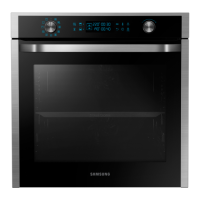
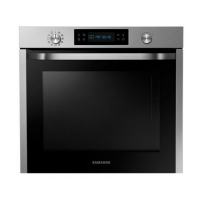
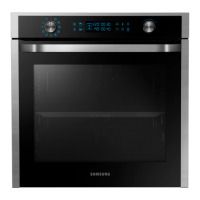
| Oven Capacity | 75 L |
|---|---|
| Energy Efficiency Class | A |
| Colour | Stainless Steel |
| Number of Cooking Levels | 4 |
| Voltage | 220-240 V |
| Frequency | 50/60 Hz |
| Door | Triple Glazed |
| Cleaning | Catalytic |
| Dimensions (H x W x D) | 595 x 595 x 570 mm |
| Cooking Modes | Convection, Grill |
| Type | Built-in |