EN-14
English
EN-15
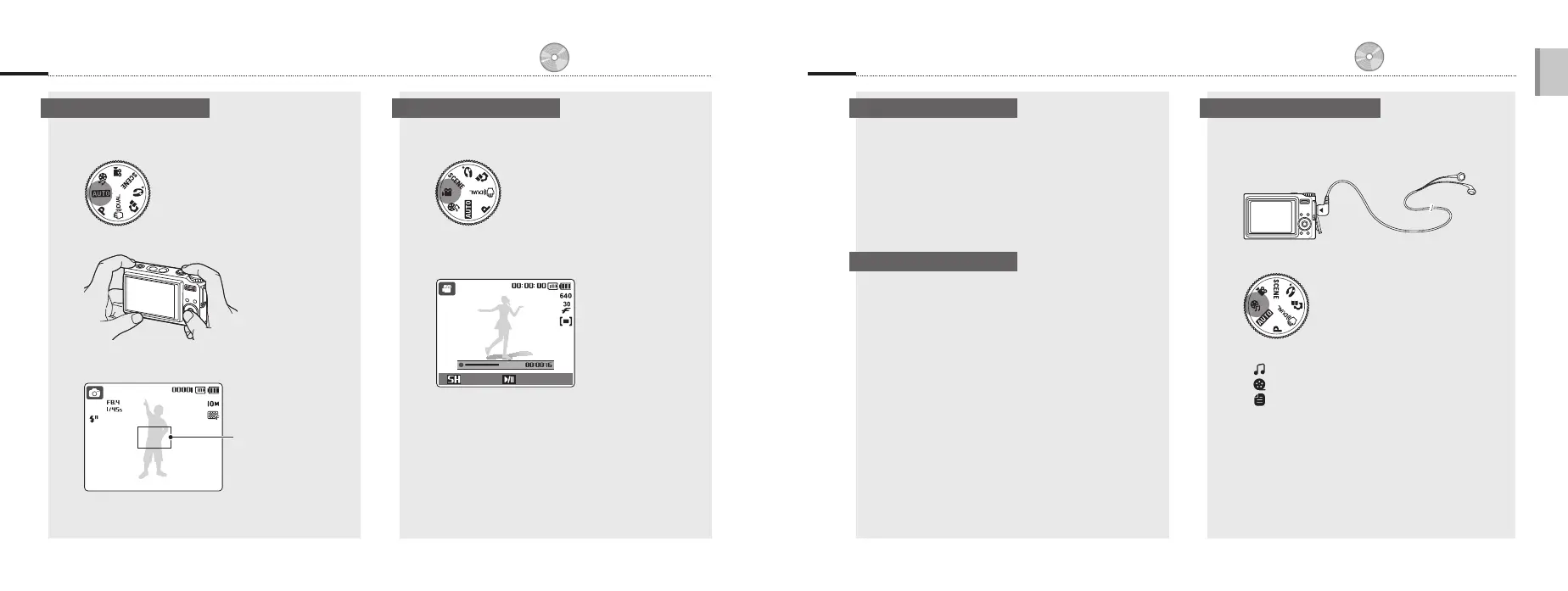
1
Plug the supplied earphones into the
Multifunction jack (optional).
2
Select 6.
3
Press [e] or [t] to select a mode.
: MP3
: PMP
: Text Viewer
4
Select Open to select a file to play.
Select Resume to open the last file played (in the
MP3 mode) or resume the last video or text file.
5
Press [MENU/OK].
▪
▪
▪
▪
1
Select 3.
2
Align your subject in the frame.
3
Press [Shutter].
Press [r] to pause or resume.
▪
Stop Pause
4
Press [Shutter] again to stop the recording.
Capture photos or videos Play files
1
Select 2.
2
Align your subject in the frame.
3
Press [Shutter] halfway down to focus
automatically.
Green: In focus
Red: Out of focus
▪
▪
4
Press [Shutter] all the way down to take the
photo.
1
Press [y].
If the camera is off, it will turn on.
2
Press [e] or [t] to scroll through files.
Press and hold to view files quickly.
▪
▪
1
Press [y].
2
Press [e] or [t] to scroll through files.
Press and hold to view files quickly.
3
Press [r].
4
Use the following buttons to control playback:
Press [e] or [t] to skip forward or backward.
Press [r] to pause or resume playback.
Press [Zoom] up or down to adjust volume.
▪
▪
▪
▪
p. 54 ‘Playback/Editing’
p. 68 ‘Multimedia’
p. 27 ‘Extended functions’
Take a photo Record a video View photos
Play a video
Play multimedia files



 To Next Page