EasyManua.ls Logo

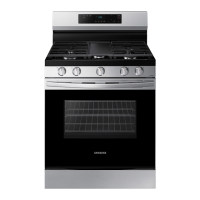
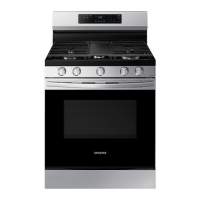
Samsung NX60BB871112AA - User Manual

Samsung NX60BB871112AA
58 pages
Print Icon
To Next Page IconTo Next Page
Loading...
Gas Slide-in Range
User manual
NX60*87**** / NX60**87******

Questions and Answers

  • S
    shelleyhayesAug 7, 2025
    Why won't any of the burners light on my Samsung NX60BB871112AA?
    • C
      Cynthia GreeneAug 7, 2025
      If none of the burners light, first ensure that the power cord is securely plugged into a working, grounded electrical outlet. Check your home's fuse box or circuit breaker to see if a fuse has blown or a breaker has tripped, and replace or reset as necessary. Consult the Installation Instructions that came with your range to verify that the gas supply is properly connected and turned on.
  • K
    kathrynramirezAug 15, 2025
    How to fix surface burners that won't light on Samsung NX60BB871112AA?
    • B
      Brett AllenAug 16, 2025
      If the surface burners do not light, make sure that you are pushing in the control knob and turning it to the Lite position. Also, check that the burner caps are correctly placed and the burner base is properly aligned. Clean the electrodes.
  • F
    Fernando YangAug 22, 2025
    What to do if I smell gas from my Samsung Ranges?
    • M
      Maurice Woods IIIAug 23, 2025
      If you smell gas, immediately clear the area of all people. Then, use a neighbor's phone to call your gas supplier for instructions, avoiding the use of your own phone due to potential electrical sparks. If you cannot reach your gas supplier, contact the fire department. Also, ensure that all surface burner knobs are in the OFF position when not in use.
  • E
    Elizabeth TorresAug 29, 2025
    Why does the surface burner click during operation on my Samsung NX60BB871112AA?
    • A
      Amanda VegaAug 29, 2025
      If a surface burner clicks during operation, it might be because the control knob is left in the Lite position. After the burner lights, turn the control knob to your desired setting. If clicking persists, contact a service technician.

Summary

ANTI-TIP DEVICE

Regulatory Notice

FCC Notice

Details FCC compliance requirements and conditions for operation.

IC Notice

General safety instructions

Bigger is better

Highlights the oven's large capacity for better cooking experience.

A cooktop with 5 burners

Describes the cooktop with flexible burners for various cookware.

Enhanced convenience with easy maintenance

Combines multiple appliances for user convenience and stylish design.

Important safety information

Symbols used in this manual

Explains warning icons and symbols for injury prevention.

General safety

Provides crucial precautions to reduce fire, shock, and injury risks.

Fire safety

Gas safety

Electrical and grounding safety

Installation safety

Location safety

Cooktop safety

Oven safety

Storage drawer safety

Self-cleaning oven safety

Overview

Layout

Illustrates the different parts of the range with numbered labels.

Whats included

Lists all the accessories and parts that come with the appliance.

Control panel

How to use dial knob

Details the operation of the dial knob for navigation and setting adjustments.

Before you start

Clock

Instructions for setting the clock and time format for automatic features.

Cooktop

Gas burners

Details the different gas burners, their BTU, purpose, and food types.

Ignition

Cookware

Wok grate

Griddle

Gas oven

Cooking mode

Explains how to select and use different cooking modes for the oven.

Using the oven racks

Rack and Pan placement

Recipe guide

Convection cooking

Convection roasting

Suitable for large cuts of meat, ensuring even browning and cooking.

Convection baking

Ideal for cookies, cakes, and large batches, ensuring consistent results.

Broiling

Broiling guide

Air Fry mode

Temperature probe

Cooking options

Cook Time

Details how to set a specific cooking time for oven operations.

Delay Start

Special features

The Sabbath Option (Single mode only)

Instructions for using the Sabbath option for religious observances.

More Functions

System Setting

Calibarate Temperature

Guides on recalibrating the oven temperature for accuracy.

Smart Control

Voice Control

Bixby

Details voice commands for controlling the range using Bixby.

Amazon Alexa & Google Assistant

Explains how to link and use voice commands with Alexa or Google Assistant.

Maintenance

Cleaning

General guidelines and precautions for cleaning the oven and its components.

Control panel

Specific steps for cleaning the control panel safely.

Stainless steel surface

Racks

Guidance on cleaning and maintaining the oven racks.

Air fry tray

Instructions for cleaning the air fry tray.

Door outer side

Burner controls

Steps for removing, cleaning, and reattaching burner control knobs.

Cooktop surface

Burner grates and components

Detailed steps for removing, cleaning, and reassembling burner grates and components.

Burner reinstall guide

Oval burner

Self-cleaning

To perform the self-cleaning cycle

Step-by-step guide on how to initiate the self-cleaning cycle.

Removing and reinstalling the oven door

How to remove and reinstall the Storage drawer

Troubleshooting

Checkpoints

Initial checks and common problems like gas safety and surface burner issues.

Gas safety

Troubleshooting steps for gas-related safety concerns.

Surface burner

Solutions for issues related to surface burner operation and ignition.

Oven

Information codes

Warranty (U.S.A)

Warranty (CANADA)

Open Source Announcement

Provides a URL for open source license information included with the product.

Samsung NX60BB871112AA Specifications

General IconGeneral
TypeFreestanding
Oven Capacity6.0 cu. ft.
Number of Burners5
Self-CleaningYes
Wi-Fi ConnectivityYes
Fuel TypeGas
ConvectionYes
ColorStainless Steel
Width30 in

Related product manuals