EasyManua.ls Logo

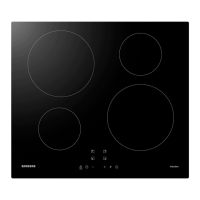
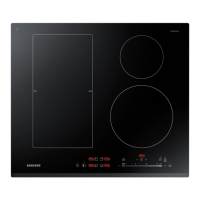
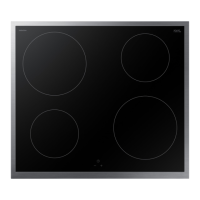
Samsung NZ84C5047 Series - User Manual

Samsung NZ84C5047 Series
34 pages
Print Icon
To Next Page IconTo Next Page
Loading...
Induction Hob
User manual
NZ84C5047** / NZ85C5047** / NZ84C6057** /
NZ84C6058** / NZ85C6057** / NZ85C6058**

Table of Contents

Questions and Answers

  • N
    Nancy GarciaAug 11, 2025
    Why won't my Samsung NZ84C5047 Hob cooking zones switch on?
    • C
      Carlos BrownAug 11, 2025
      If the cooking zones on your Samsung Hob won't switch on, there are a couple of potential reasons. First, the On/Off key might have been accidentally activated, so ensure the appliance is properly switched on. Second, the control panel might be partially covered by a damp cloth or liquid; if so, clean the control panel.
  • K
    Kim DominguezAug 21, 2025
    What to do if the display disappears on my Samsung Hob?
    • J
      janetvelazquezAug 21, 2025
      If the display on your Samsung Hob suddenly disappears (except for the residual heat indicator), it could be due to a couple of reasons. The On/Off key might have been accidentally activated, so ensure the appliance is properly switched on. Alternatively, the control panel might be partially covered by a damp cloth or liquid; if this is the case, clean the control panel.
  • J
    Jordan MillerAug 30, 2025
    Why is residual heat not indicated on my Samsung NZ84C5047 Hob display?
    • A
      Ana Jimenez DDSAug 31, 2025
      If residual heat is not indicated on the display of your Samsung Hob after the cooking zones have been switched off, it may be because the cooking zone was only briefly used and therefore did not become hot enough. If the cooking zone is hot, please call a local service centre.

Samsung NZ84C5047 Series Specifications

General IconGeneral
TypeInduction
Number of Cooking Zones4
Control TypeTouch
Power Levels9
Installation TypeBuilt-in
ColorBlack
Boost FunctionYes
Voltage220-240 V
Frequency50/60 Hz
Safety FeaturesChild Lock, Overheat Protection
Frame TypeBevelled Edge

Related product manuals