EasyManua.ls Logo

Samsung OH75F - Page 18

Samsung OH75F
123 pages
Print Icon
To Next Page IconTo Next Page
To Previous Page IconTo Previous Page
Loading...
18
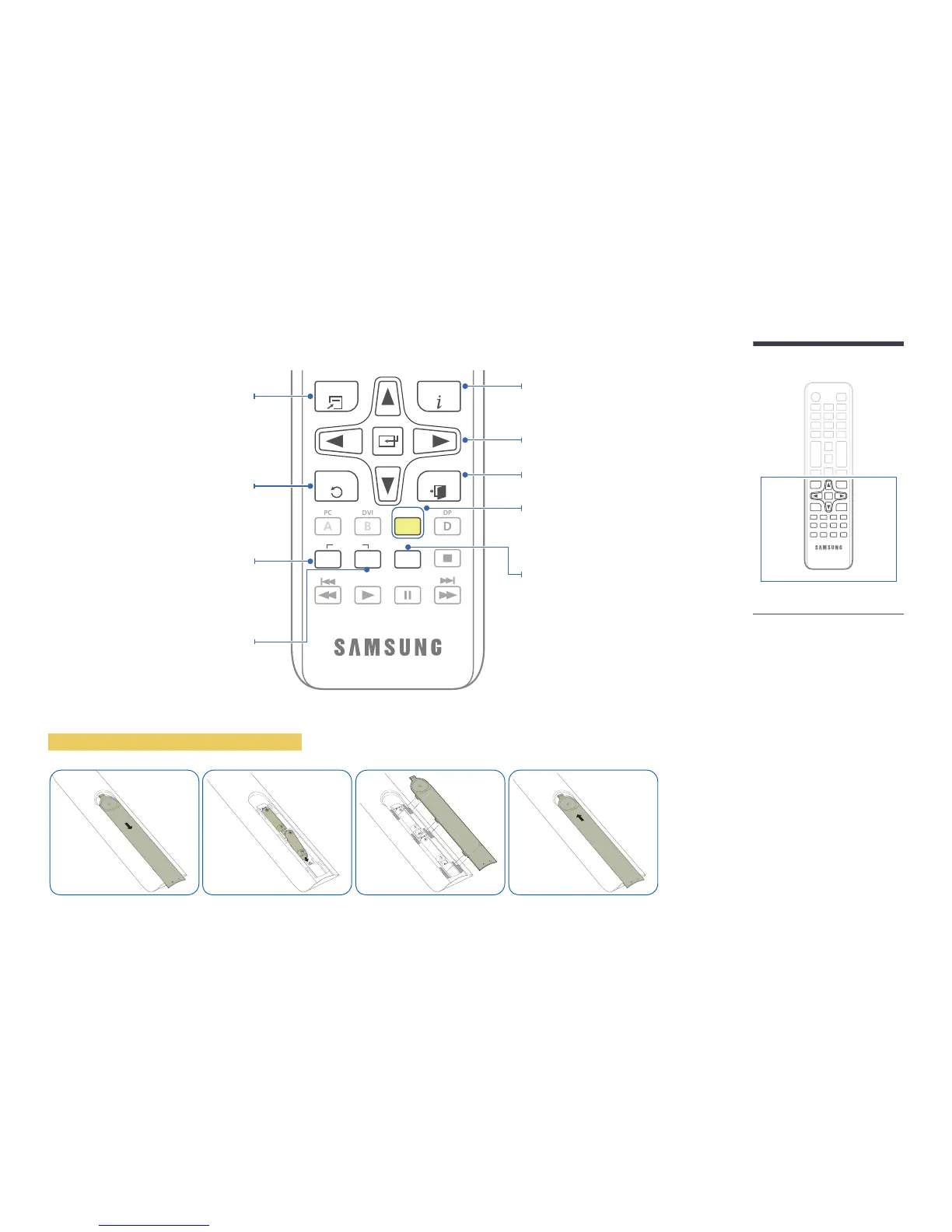
TOOLS INFO
SET
UNSET
LOCK
PC
A
DVI
B
HDMI
C
DP
D
EXITRETURN
IR control

source.


Confirm a menu selection.
Exit the current menu.
Manually select a connected input source
from HDMI 1, HDMI 2 or HDBT.
Quickly select frequently used functions.

If multiple products are connected through the
Video Wall feature, press the SET

Control the product using the remote control.
SET

using the remote control.

may differ for different products.


extended period of time.
To place batteries in the remote control
It sets safe lock function.

Table of Contents

Other manuals for Samsung OH75F

Related product manuals