18
EN
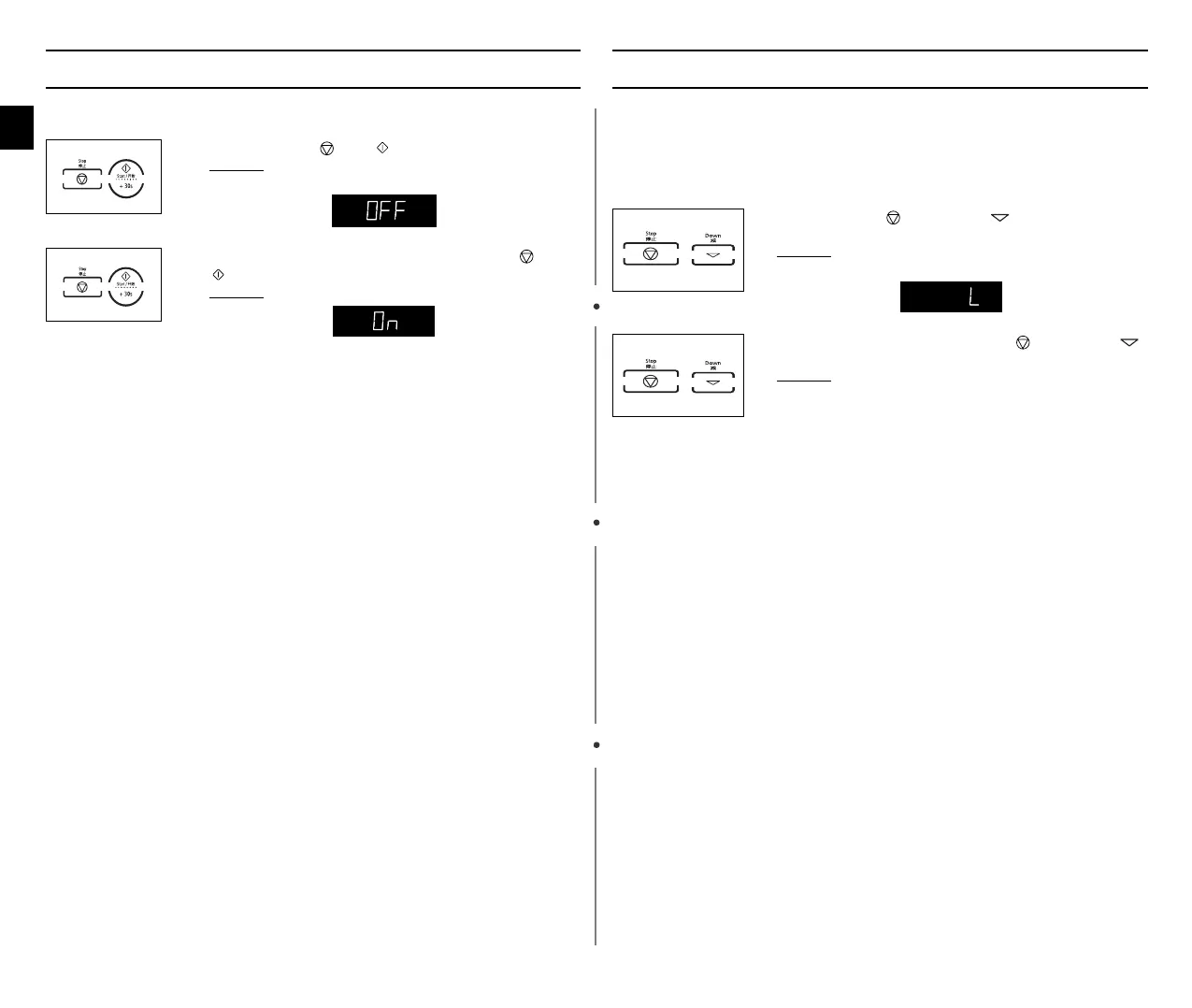
Switching the Beeper Off
You can switch the beeper off whenever you want.
Safety-Locking Your Microwave Oven
Your microwave oven is fitted with a special Child Safety programme,
which enables the oven to be “locked” so that children or anyone
unfamiliar with it cannot operate it accidentally.
The oven can be locked at any time.
1. Press the Stop ( ) and buttons at the same time.
Result :
The oven will not beep each time you press a
button.
2. To switch the beeper back on, press the Stop ( ) and
buttons again at the same time.
Result :
The oven operates with the beeper on again.
1. Press the Stop ( ) and Down ( ) buttons at the same
time.
Result :
The oven is locked (no functions can be
selected).
2. To unlock the oven, press the Stop ( ) and Down ()
buttons again at the same time.
Result :
The oven can be used normally.
wn_Z_ztTWZZ[WlluUGGwGX_GG~SGtGX[SGYWW_GG\aYZGwt



 To Next Page