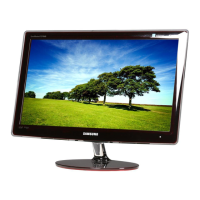
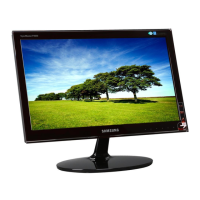
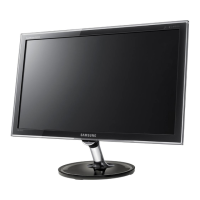
This document is a service manual for the Samsung COLOR MONITOR models PN17KT/KO and PN17JT/JO. It provides comprehensive information for servicing, including product specifications, disassembly and reassembly procedures, alignment and adjustments, troubleshooting, exploded views, parts lists, block diagrams, and wiring diagrams.
Function Description:
The Samsung COLOR MONITOR models PN17KT/KO and PN17JT/JO are computer display monitors designed to present computer-generated video signals. They support various IBM and VESA timing modes, offering flexibility for different computer systems. The monitors are equipped with features for image adjustment, color calibration, and troubleshooting to ensure optimal performance and longevity.
Important Technical Specifications:
General:
- Models: PN17KT/KO, PN17JT/JO
- Input Signal: Analog, 0.7 Vp-p positive at 75 Ω, internally terminated
- Input Sync Signal: Separate Sync: TTL level positive/negative
- Input Voltage: AC 90 – 264 Volts, 60 Hz / 50 Hz ± 3 Hz
- Power Consumption: PN17K*: 90 Watt (max), PN17J*: 100 Watt (max)
- Dimensions (W x D x H) (With Base): 15.67 x 16.22 x 15.75 Inches (398 x 412 x 400 mm)
- Weight: 41.22 lbs (18.7 kg)
- Environmental Considerations:
- Operating Temperature: 32°F - 104°F (0°C - 40°C)
- Humidity: 10 % - 80 %
- Storage Temperature: -4°F - 113°F (-20°C - 45°C)
- Humidity: 5 % - 95 %
- Compliance: Above models comply with SWEDAC MPR II / TCO99 recommendations for reduced electromagnetic fields.
PN17K (PN17KT/KO):*
- Picture Tube: 17-Inch (43 cm); 16-Inch (40.6 cm) viewable, Perfect Flatness, 90° Deflection, Semi-tint, Invar shadow mask, Anti-static silica coating, 0.26 mm Dot pitch
- Scanning Frequency:
- Horizontal: 30 kHz – 70 kHz (Automatic)
- Vertical: 50 Hz – 160 Hz (Automatic)
- Display Colors: Unlimited colors
- Maximum Resolution:
- Horizontal: 1280 Dots
- Vertical: 1024 Lines
- Maximum Pixel Clock rate: 110 MHz
- Active Display (Horizontal/Vertical): 312 mm ± 4 mm / 234 mm ± 4 mm
PN17J (PN17JT/JO):*
- Picture Tube: 17-Inch (43 cm); 16-Inch (40.6 cm) viewable, Perfect Flatness, 90° Deflection, Semi-tint, Invar shadow mask, Anti-static silica coating, 0.26 mm Dot pitch
- Scanning Frequency:
- Horizontal: 30 kHz – 85 kHz (Automatic)
- Vertical: 50 Hz – 160 Hz (Automatic)
- Display Colors: Unlimited colors
- Maximum Resolution:
- Horizontal: 1600 Dots
- Vertical: 1200 Lines
- Maximum Pixel Clock rate: 135 MHz
- Active Display (Horizontal/Vertical): 312 mm ± 4 mm / 234 mm ± 4 mm
Pin Assignments (D-Sub Connector):
The manual details pin assignments for both Separate Sync and Macintosh configurations. Key pins include:
- Pin 1 (Red): Red video signal (Separate Sync), GND-R (Macintosh)
- Pin 2 (Green): Green video signal (Separate Sync), Red video signal (Macintosh)
- Pin 3 (Blue): Blue video signal (Separate Sync), H/V Sync (Macintosh)
- Pin 5 (GND (DDC)): Green (Macintosh)
- Pin 10 (GND-Sync./Self-raster): Sense 2 (Macintosh)
- Pin 13 (H-Sync.): H-Sync (Separate Sync), GND-B (Macintosh)
- Pin 14 (V-Sync.): V-Sync (Separate Sync), GND (Macintosh)
- Pin 15 (DDC Clock): DDC Clock (Separate Sync), H-Sync (Macintosh)
Usage Features:
The manual primarily focuses on service and maintenance rather than end-user usage. However, it implicitly highlights features that contribute to the user experience:
- Automatic Scanning Frequency: The monitors automatically adjust to horizontal and vertical scanning frequencies within their specified ranges, ensuring compatibility with various video sources.
- Image Adjustment: Users (or service technicians) can adjust various display parameters such as horizontal/vertical position, size, linearity, trapezoid, pinbalance, parallelogram, and tilt to optimize the image.
- Color Adjustment: The monitors support color temperature adjustments (e.g., 9300K and 6500K) and color purity adjustments for accurate color reproduction.
- Degaussing: An internal degaussing circuit helps maintain color purity by demagnetizing the CRT, though it should not be used more than once every 30 minutes.
Maintenance Features:
The service manual is a comprehensive guide for technicians, detailing numerous maintenance and repair procedures:
- Safety Precautions: Emphasizes critical safety measures, including disconnecting power, handling high voltage, proper capacitor polarity, and electrostatic discharge (ESD) precautions.
- Disassembly and Reassembly: Step-by-step instructions for safely disassembling and reassembling the monitor cabinet, CRT socket PCB, and main PCB, including the use of specialized tools like an opening jig.
- Alignment and Adjustments: Detailed procedures for making permanent adjustments using a "Softjig" software and specialized equipment. This includes:
- Display Control Adjustment: High voltage, screen voltage, center raster, centering, horizontal/vertical position, horizontal/vertical linearity, trapezoid, pinbalance, parallelogram, and tilt adjustments.
- Color Adjustments: Color coordinates (temperature), RGB gain, white balance, and color purity adjustments.
- Focus Adjustment: Adjusting the Focus VR on the FBT for the sharpest image.
- Troubleshooting: Extensive flowcharts and diagrams for diagnosing and resolving various failures, including:
- No Power Supply
- DPMS Failure (Display Power Management Signaling)
- H_Deflection Failure (Horizontal Deflection)
- S Correction Failure
- H_Lin. Failure (Horizontal Linearity)
- Invariable H_Size (Horizontal Size)
- Abnormal H_Size
- Side Pin or Trap Failure
- Para. or Pin Balance Failure
- Tilt Failure
- V Deflection Failure (Vertical Deflection)
- V Size or Position Variation Failure
- High Voltage Failure
- ABL Failure (Automatic Brightness Limiter)
- Dynamic Focus Failure
- No Video
- Micom Failure (Microcontroller)
- OSD Failure (On-Screen Display)
- User Control Failure
- Degaussing Failure
- No Picture
- Shut Down
- Missing Color
- Visible Retrace
- Unsynchronized Image
- Misconvergence
- Poor Focus
- Purity Failure
- Parts Lists: Detailed lists of electrical and mechanical components, including code numbers, descriptions, specifications, and quantities, for both main and video PCBs, as well as chassis and cover assemblies.
- Block Diagrams: Visual representations of the monitor's internal circuitry, showing the interconnections and signal flow between major components like the video board, main PCB, and CRT socket.
- Wiring Diagrams: Detailed diagrams illustrating the wiring connections within the monitor, including the main PCB, CRT socket, degaussing coil, and signal cable.
The manual emphasizes the importance of using a signal generator and/or PC with the "Softjig" software for accurate adjustments, especially for factory timings. It also provides specific instructions for handling electrostatically sensitive devices (ESD) to prevent damage during servicing.

 Need help?

 To Next Page
 General