EasyManua.ls Logo

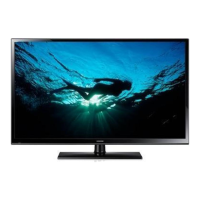
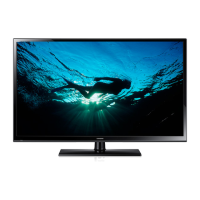
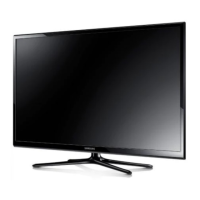
Samsung PN51F4500 - User Manual

Samsung PN51F4500
24 pages
Print Icon
To Next Page IconTo Next Page
Loading...
Plasma TV
user manual
E-MANUAL
© 2014 Samsung Electronics Co., Ltd. All rights reserved.
Contact SAMSUNG WORLD WIDE
If you have any questions or comments relating to Samsung products, please contact the SAMSUNG customer care
center.
Country Customer Care
Center
Web Site Address
CANADA 1-800-SAMSUNG
(726-7864)
www.samsung.com/ca (English)
www.samsung.com/ca_fr (French)
Samsung Electronics Canada Inc., Customer
Service 55 Standish Court Mississauga,
Ontario L5R 4B2 Canada
U.S.A 1-800-SAMSUNG
(726-7864)
www.samsung.com/us Samsung Electronics America, Inc. 85
Challenger Road Ridgefield Park, NJ 07660
Thank you for purchasing this Samsung product.
To receive more complete service, please register
your product at
www.samsung.com/register
Model ____________ Serial No. _____________
If you have any questions, please call us at 1-800-SAMSUNG (1-800-726-7864) for assistance.
This Nanum Gothic Eco font is provided by NAVER.
BN68-05661A-00
[PH4500-5000-ZA]BN68-05661A-00ENG.indb 1 2014-01-03  10:30:38

Questions and Answers

Summary

Important Safety Instructions

Risk of Electric Shock

Warning about opening the cover and referring servicing to qualified personnel.

General Safety Precautions

Covers ventilation, placement near water, power cord handling, battery disposal, and electrical overload.

Providing Proper Ventilation for Your TV

Installation Clearance

Maintain a minimum of 4 inches clearance around the TV for proper ventilation.

Using Genuine Parts

Use only Samsung-provided parts for installation to ensure safety and product integrity.

Important User Information

Screen Image Retention

Avoid displaying static images for extended periods to prevent screen burn-in.

Heat and Noise

Normal heat dissipation and cracking noise due to environmental changes.

Pixel Defects

Minor bright or dark pixels are normal and do not affect product performance.

Handling and Warranty

Careful handling of the glass screen and warranty exclusions for image retention.

List of Features

Media Play and e-Manual

Description of Media Play for media access and e-Manual for on-screen TV guidance.

Accessories and Cables

Included Accessories

Lists essential accessories like remote control, owner's instructions, and power cord.

Input Cables and Connections

Guidance on connecting various input cables and proper plug insertion.

Making Connections

General Connection Guide

Steps for connecting TV to antenna/cable and external devices.

HDMI and DVI Connection Advice

Specific instructions for HDMI, DVI, and PC connections, including audio.

Display Modes for HDMI Input

Optimal Resolution Settings

Recommendations for video output resolutions when connecting devices via HDMI.

The Remote Control Buttons

Remote Control Functions

Detailed explanation of buttons for power, source, channels, volume, and menu navigation.

Installing the Batteries Into the Remote

Battery Installation Guide

Step-by-step guide for inserting AAA batteries into the remote control.

Changing the Input Source

Source Selection and Naming

How to select input sources, edit names, and configure basic initial setup.

How to Navigate Menus

On-Screen Display (OSD) Navigation

Guide to navigating main menus, submenus, and adjusting settings using remote buttons.

Using the TVs Controller and Standby Mode

Operating the TV using the panel controller and best practices for standby mode.

How to View the e-Manual

Accessing and Navigating the e-Manual

Instructions for viewing the e-Manual via remote or menu, and navigating its content.

Using e-Manual Features

Details on screen display, operation buttons, and methods to link to TV settings.

Viewing the Contents

e-Manual Navigation Tools

Explains using Zoom mode and the Index page for efficient e-Manual searching.

Troubleshooting

Picture and Power Issues

Solutions for flickering, dimming, screen brightness, and power-off problems.

Connection and Channel Issues

Guidance on color issues, component connections, and finding channels.

Picture Quality Troubleshooting

Image Distortion and Color Issues

Resolving picture distortion, incorrect colors, brightness, and dotted lines.

Channel and Sound Issues

Troubleshooting picture freezing, sound problems, and speaker noise.

Troubleshooting Common Issues

Power and Display Problems

Solutions for TV not turning on, turning off automatically, or no picture/video.

Connection and Captioning Issues

Troubleshooting antenna, channel reception, captions, and picture distortion.

Specific Audio and Noise Issues

Addressing component cable noise and normal plasma TV humming sounds.

Advanced Troubleshooting Scenarios

Picture Display and Remote Issues

Resolving full-screen display problems, image retention, and remote control malfunctions.

Settings and Connectivity Problems

Troubleshooting mode messages, caption issues, plastic smell, and signal information.

Menu and Operational Issues

Addressing lost settings, intermittent loss, unavailable menus, and file playback errors.

Installing the Wall Mount (Optional)

Wall Mounting Safety and Guidelines

Safety precautions and recommendations for wall or ceiling mounting the TV.

Wall Mount Kit Specifications

Details on VESA specifications, screw types, and dimensions for wall mount kits.

Securing the TV to the Wall

TV-Holder Kit Installation

Step-by-step instructions for installing the TV-Holder kit to prevent tipping.

Anti-theft Kensington Lock

Using the Kensington Lock

Guide on how to use a Kensington Lock to secure the TV in public places.

Storage and Maintenance

Cleaning and Care

Instructions for cleaning the TV screen and exterior to prevent scratches and damage.

Specifications

Environmental and Model Specifications

Details on operating conditions, model names, display resolution, and dimensions.

Jack Panel Detail; Rear View

Port Identification and Dimensions

Diagrams and measurements of the TV's rear panel connection ports.

Supported Video Formats

Video and Audio Codec Compatibility

List of supported file extensions, containers, video codecs, and audio codecs.

Supported Media Formats

Subtitle, Photo, and Music Format Support

Details on supported subtitle, photo, and music file formats and codecs.

Important Warranty Information

Television Format Viewing and PDP Aging

Guidelines on viewing formats to prevent uneven aging and burned-in images on PDP displays.

Samsung Limited Warranty

Warranty Coverage and Terms

Details on warranty periods for different TV categories and terms for original purchasers.

Warranty Details and Disclaimers

Warranty Exclusions and Limitations

Information on what is not covered by the warranty and legal disclaimers.

Samsung PN51F4500 Specifications

General IconGeneral
Screen Size51 inches
Display TypePlasma
3DNo
Clear Image PanelNo
Subfield Motion600Hz
HDMI Ports2
USB Ports1
Component Video Input1
Composite Video Input1
Digital Audio Output (Optical)1
Smart TVNo
Aspect Ratio16:9
Viewing Angle178 degrees
RF Input1
Sound Output20W
Wi-FiNo
Ethernet PortNo
Audio Output Power20W
Speaker TypeDown Firing
Refresh Rate60 Hz
Contrast RatioDynamic Contrast Ratio

Related product manuals