EasyManua.ls Logo

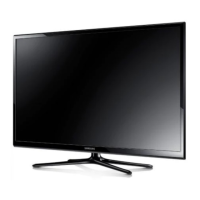
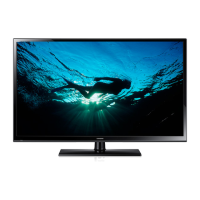
Samsung PN51F5350 - User Manual

Samsung PN51F5350
24 pages
Print Icon
To Next Page IconTo Next Page
Loading...
Plasma TV
user manual
E-MANUAL
© 2014 Samsung Electronics Co., Ltd. All rights reserved.
Contact SAMSUNG WORLD WIDE
If you have any questions or comments relating to Samsung products, please contact the SAMSUNG customer care
center.
Country Customer Care
Center
Web Site Address
CANADA 1-800-SAMSUNG
(726-7864)
www.samsung.com/ca (English)
www.samsung.com/ca_fr (French)
Samsung Electronics Canada Inc., Customer
Service 55 Standish Court Mississauga,
Ontario L5R 4B2 Canada
U.S.A 1-800-SAMSUNG
(726-7864)
www.samsung.com/us Samsung Electronics America, Inc. 85
Challenger Road Ridgefield Park, NJ 07660
Thank you for purchasing this Samsung product.
To receive more complete service, please register
your product at
www.samsung.com/register
Model ____________ Serial No. _____________
If you have any questions, please call us at 1-800-SAMSUNG (1-800-726-7864) for assistance.
This Nanum Gothic Eco font is provided by NAVER.
BN68-05661A-00
[PH4500-5000-ZA]BN68-05661A-00ENG.indb 1 2014-01-03  10:30:38

Questions and Answers

Summary

Important Safety Instructions

General Safety Precautions

Essential safety guidelines for installation and operation, including electrical shock, fire prevention, and ventilation warnings.

Providing Proper Ventilation for Your TV

Ventilation Requirements and Installation

Guidelines for maintaining adequate TV ventilation and instructions for stand and wall-mount installations.

Important User Information

Screen Performance and Characteristics

Information on image retention, heat dissipation, cracking noises, pixel defects, and operating temperature limits.

Handling and Warranty Cautions

Covers safe handling practices, warranty exclusions for screen damage, and general user precautions.

List of Features

Key Features Overview

Highlights Media Play functionality and the built-in e-Manual for user guidance and content access.

Accessories and Cables

Included and Optional Components

Lists included accessories like remote control and stand, and optional input cables for connectivity.

Making Connections

Connecting External Devices and Signals

Guides for connecting devices via HDMI, DVI, and other inputs, including signal and interference notes.

Display Modes for HDMI Input

HDMI Resolution and Format Support

Details on optimal resolutions, supported display modes, and video formats for HDMI input.

The Remote Control Buttons

Remote Control Functions and Navigation

Explains the operation of remote control buttons for navigation, menu access, and special features.

Remote Control and Setup

Battery Installation and Input Source Management

Instructions for remote battery installation and changing/naming input sources.

Initial TV Setup

Guide for configuring basic TV settings during the initial setup process.

Navigating TV Menus and Controls

Menu Navigation and Controller Usage

Explains how to navigate TV menus using the remote and the physical TV controller, including standby mode.

How to View the e-Manual

Accessing and Using the e-Manual

Guides on viewing the e-Manual, navigating topics, and interacting with OSD menus.

Using e-Manual Methods

Explains two methods for interacting with e-Manual topics and the TV's on-screen menus.

e-Manual Navigation Techniques

Zooming and Searching in the e-Manual

Instructions on using zoom mode and searching for topics via the index page within the e-Manual.

Troubleshooting Common Issues

Picture, Power, and Channel Problems

Solutions for flickering, dimming, powering issues, and channel reception problems.

Troubleshooting Picture and Sound

Picture Quality and Distortion Issues

Addresses problems like poor picture, distortion, incorrect color, and static display.

Sound and Audio Problems

Solutions for issues related to no sound, low volume, or speaker noise.

Troubleshooting: Additional Issues

No Picture;Video and Reception Problems

Solutions for no picture/video, poor reception, and caption display issues.

Picture Distortion and Noise

Addresses picture distortion, and specific noise issues like buzzing and humming.

Troubleshooting: Advanced Issues

Display, Remote, and Signal Problems

Solutions for display issues, remote control not working, and signal reception problems.

Video;Audio Interruption and PIP

Troubleshooting intermittent video/audio loss and PIP functionality issues.

Installing the Wall Mount (Optional)

Wall Mount Kit Specifications and Safety

Details on VESA specifications, screw requirements, and safety precautions for wall mounting.

Securing the TV to the Wall

Installing the TV-Holder Kit

Instructions for installing the TV-Holder kit to secure the TV to a wall or cabinet for safety.

Anti-theft Kensington Lock

Kensington Lock Usage and Storage

Information on using a Kensington lock for security and general storage and maintenance tips.

Licenses and Trademarks

Technology Licenses and Notices

Details on licenses for Dolby, DTS, HDMI, DivX technologies, and open source notices.

Specifications

Environmental and Model Specifications

Provides environmental considerations and detailed specifications for various TV models.

JACK PANEL DETAIL; REAR VIEW

Connection Ports and Video Format Support

Diagram of rear panel connections and a list of supported video file formats.

Supported File Formats

Subtitle, Photo, and Music Format Compatibility

Lists supported subtitle, photo, and music file formats and their codecs.

Important Warranty Information

Television Format Viewing and Limited Warranty

Discusses warranty terms for viewing formats and the SAMSUNG limited warranty statement.

Samsung PN51F5350 Specifications

General IconGeneral
Screen Size51 inches
Resolution1920 x 1080
Display TypePlasma
HDMI Ports3
USB Ports1
Refresh Rate600Hz Subfield Motion
3DNo
WirelessNo
Smart TVNo
Built-in Wi-FiNo

Related product manuals