ENG - 13
Connecting using an Optical Cable
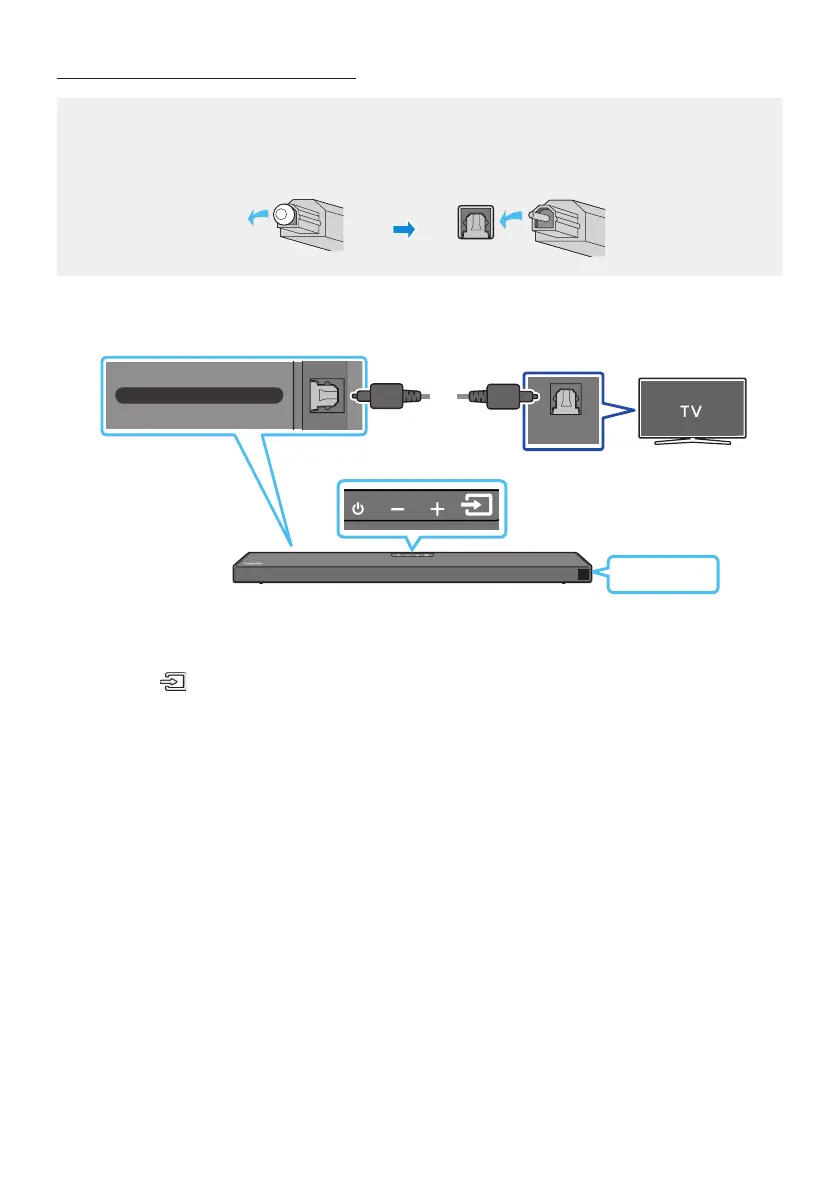
Pre-connection Checklist
When you use an optical cable and the terminals have covers, be sure to remove the covers.
OPTICAL OUT
DIGITAL AUDIO IN (OPTICAL)
Bottom of the Soundbar
Top of the Soundbar
Optical Cable
(not supplied)
D.IN
1. Connect the DIGITAL AUDIO IN (OPTICAL) port on the Soundbar to the OPTICAL OUT port of the
TV with a digital Optical Cable (not supplied).
2. Press the (Source) button on the top panel or remote control, and then select the “D.IN” mode.



 To Next Page