Need help?
Do you have a question about the Samsung QB24R-B and is the answer not in the manual?
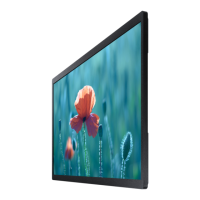
This document is a user manual for Samsung Smart Signage displays, specifically models QBR (QB13R, QB13R-T) and QB24R (QB24R-B, QB24R-T, QB24R-TB). These devices are designed for commercial use, offering various functionalities as smart signage displays, with some models featuring touchscreen capabilities.
The Samsung Smart Signage displays serve as versatile digital signage solutions. They are designed to display content effectively in commercial environments. Certain models, specifically QB13R-T, QB24R-T, and QB24R-TB, incorporate touchscreen functionality, allowing for interactive user experiences.
The displays support various input sources, including HDMI, USB, and RJ45 for network connectivity. Audio output is also available. The touchscreen models can connect to a PC or laptop via a TOUCH OUT cable, enabling touch interaction with the connected device.
Model Name and Size:
Panel Display Area:
Resolution:
Power Supply:
Environmental Considerations:
Wireless Network:
VESA Wall Mount Specifications:
Touchscreen Compatibility (for touchscreen models):
Preparations and Setup:
Control and Interaction:
Connectivity:
Preset Timing Modes:
Safety Precautions:
Component Handling:
Troubleshooting and Warranty:
Plug-and-Play:
 General
| Brand | Samsung |
|---|---|
| Model | QB24R-B |
| Category | Digital Signage |
| Language | English |

 To Next Page