EasyManua.ls Logo

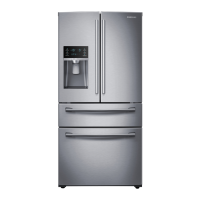
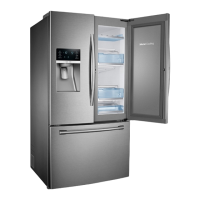
Samsung RF28K9070SR - User Manual

Samsung RF28K9070SR
78 pages
Print Icon
To Next Page IconTo Next Page
Loading...
Refrigerator
User manual
Free Standing Appliance
Untitled-1 1 2016-03-30  1:11:09

Questions and Answers

  • J
    Justin BurnsJul 29, 2025
    Why is my Samsung Refrigerator not cooling?
    • D
      Dawn HuynhJul 29, 2025
      If your Samsung Refrigerator isn't cooling, first ensure the power cord is properly connected. Then, check the temperature control and try setting it to a lower temperature. Also, make sure the refrigerator isn't exposed to direct sunlight or near a heat source, and that it has enough space away from walls or cabinets for proper ventilation. Overpacking the fridge can also block internal ventilation, so avoid putting too much food inside.
  • C
    Chad TaylorAug 7, 2025
    What to do if food freezes in my Samsung RF28K9070SR?
    • A
      alvaradojosephAug 7, 2025
      If food is freezing in your Samsung Refrigerator, check if the temperature control is set to the lowest setting and adjust it to a higher temperature. Also, ensure the room temperature isn't too low. Move any food with a high water content from the coldest areas or near the cooling vent to other shelves.
  • R
    Robert CalderonAug 17, 2025
    How to fix unusual noises coming from my Samsung Refrigerator?
    • R
      Rachel KellyAug 17, 2025
      If your Samsung Refrigerator is making unusual noises, ensure it's on a stable, flat surface and has enough space away from walls and cabinets for ventilation. Check for any foreign objects like coins or cutlery inside or underneath it. A ticking sound can also occur due to temperature changes inside, which is normal.

Summary

Refrigerator Safety Information

General Safety Precautions

Outlines safety symbols, general warnings, and precautions for safe operation.

Installation and Usage Safety

Details critical warnings for installation, usage, and handling the appliance.

Disposal and Regulatory Notices

Covers safe disposal procedures and regulatory information (FCC, IC).

Refrigerator Installation Guide

Refrigerator Components Overview

Identifies and illustrates the main parts of the refrigerator.

Door Removal and Re-installation

Step-by-step guide for removing and re-attaching refrigerator doors for access.

Step-by-Step Installation Process

Guides through site selection, leveling, door gap adjustment, and water line connection.

Refrigerator Operations

Control Panel and Basic Functions

Explains the feature panel and basic controls like temperature, ice maker, and alarms.

Advanced Features and Settings

Details FlexZone, lighting, ice options, special cooling modes, and wine rack use.

Smart Home and Connectivity

Covers network connection, Smart Home app, SMART GRID, and energy management.

Refrigerator Maintenance

Component Handling and Care

Instructions for removing and caring for internal parts like ice maker, shelves, bins, and drawers.

Cleaning and Filter Replacement

Guides on cleaning the interior/exterior and replacing the water filter.

Troubleshooting and Support

General Refrigerator Issues

Addresses common problems like cooling, freezing, noises, condensation, and frost formation.

Smart Features Troubleshooting

Solves issues related to the Smart Home app, connectivity, and Smart Grid functions.

Warranty and Customer Care

Details warranty terms for USA/Canada and provides customer care contact information.

Samsung RF28K9070SR Specifications

General IconGeneral
Typefreestanding
Stylefrench door
Colorstainless steel
Number of Doors4
Total Capacity28.1 cubic feet
Refrigerator Capacity16.6 cubic feet
Freezer Capacity5.75 cubic feet
Humidity Controlled Crispersno
Minimum Refrigerator Temperature50 degrees fahrenheit
Maximum Refrigerator Temperature110 degrees fahrenheit
Defrost Systemautomatic
Quick Freezeyes
Number of Refrigerator Shelves3
Number of Refrigerator Door Binsyes
Temperature Controltouchpad
Interior Lightled
Dispenserice and water
Ice Makeryes
Water Filteryes
Door Alarmyes
Smart Homeno
Wi-Fiwi-fi
Annual Energy Consumption780 kilowatt hours
Voltage115 volts
Current5.3 amperes
Weight and Dimensions IconWeight and Dimensions
Depth34 1/4 inches
Height71 7/8 inches
Width35 3/4 inches
Net Weight337 pounds

Videos

How to Troubleshoot Samsung RF28K9070SR Ice Maker

Related product manuals