EasyManua.ls Logo

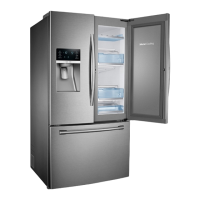
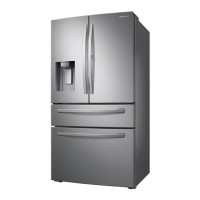
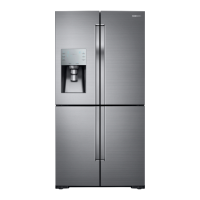
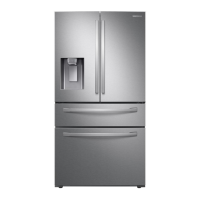
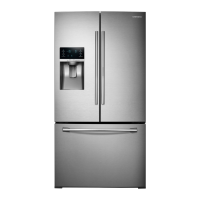
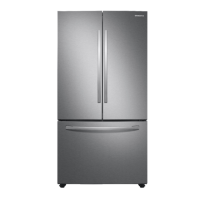
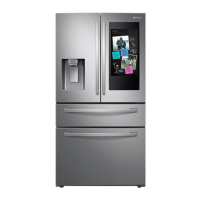
Samsung RF28R Series - User Manual

Samsung RF28R Series
88 pages
Print Icon
To Next Page IconTo Next Page
Loading...
Refrigerator
User manual
Free Standing Appliance
Untitled-13 1 2021-06-08  6:24:49

Questions and Answers

  • M
    mcintyrejohnAug 18, 2025
    How to troubleshoot a Samsung RF28R that is not cooling properly?
    • A
      Adam YoungAug 18, 2025
      If your Samsung Refrigerator is not operating or the temperature is too warm, first, ensure the power cord is properly plugged in. Then, check the temperature control and set it lower if needed. Also, ensure the refrigerator isn't near a heat source or direct sunlight. Maintain at least 2.5 inches (5 cm) of clearance between the refrigerator and nearby walls or cabinets. Deactivate Energy Saver mode, and avoid overloading the refrigerator, making sure food does not block the vents.
  • F
    fcarpenterAug 20, 2025
    What to do if water is not dispensing from my Samsung RF28R Refrigerator?
    • P
      Pamela JamesAug 21, 2025
      If your Samsung Refrigerator water is not dispensing, check if the water line is correctly installed and the water supply is on. Deactivate the Dispenser Panel Lock. If you've installed a third-party water filter, replace it with a Samsung-provided or approved filter to prevent leaks and damage. Finally, if the water filter indicator is on or blinking, replace the water filter and reset the filter indicator sensor.
  • G
    Gina FieldsAug 23, 2025
    Why is my Samsung Refrigerator ice maker not working?
    • J
      Joshua VargasAug 23, 2025
      If your Samsung Refrigerator ice maker is not making ice, wait 12 hours after installation for ice production to begin. Ensure the freezer temperature is set below 0 °F (-18 °C), or -4 °F (-20 °C) in warm environments. Deactivate the dispenser panel lock, and make sure the ice maker is turned on.
  • K
    kennethbenjaminAug 26, 2025
    How to eliminate bad odors from my Samsung RF28R Refrigerator?
    • J
      Joseph ShepherdAug 26, 2025
      To address odors in your Samsung Refrigerator, clean the refrigerator thoroughly and remove any spoiled food. Ensure that food with strong odors is wrapped airtight.
  • P
    Peter NorrisAug 28, 2025
    What to do if my Samsung RF28R is too cold?
    • J
      johnsonkaylaAug 28, 2025
      If your Samsung Refrigerator is over-cooling, adjust the temperature control to a higher setting.
  • B
    bellangelaAug 30, 2025
    Why is ice not dispensing from my Samsung RF28R Refrigerator?
    • D
      Destiny MoyerAug 30, 2025
      If ice is not dispensing from your Samsung Refrigerator, and the ice dispenser hasn't been used for about 3 weeks, empty the ice bucket and turn off the ice maker if you won't be using it for a while. Make sure the ice bucket is properly inserted. Check that the water line is correctly installed and the water supply is turned on.
  • S
    Samantha AdamsSep 2, 2025
    Why are my fruits and vegetables freezing in my Samsung Refrigerator?
    • T
      Tammy DixonSep 2, 2025
      If fruits or vegetables are freezing in your Samsung Refrigerator, avoid storing most kinds of fruit or vegetables in the FlexZone™.
  • T
    Thomas WrightSep 4, 2025
    Why is the water flow weak in my Samsung RF28R?
    • J
      Joseph WaltersSep 4, 2025
      If the water flow in your Samsung Refrigerator is weaker than normal, ensure the water pressure is between 20 and 120 psi (138 and 827 kPa).
  • B
    burnettsarahSep 7, 2025
    Why does my Samsung RF28R Refrigerator ice maker make a buzzing sound?
    • C
      carolinerichardsonSep 7, 2025
      If your Samsung Refrigerator ice maker is making a buzzing sound, and the water supply hasn't been connected, press the Ice Maker button to resolve the issue.
  • A
    Austin FryeSep 9, 2025
    Why is the SmartThings app not working with my Samsung RF28R Refrigerator?
    • A
      Ashley SuarezSep 9, 2025
      To resolve issues with the SmartThings app failing to operate with your Samsung Refrigerator, first ensure you're using a compatible refrigerator model. Also, the old Samsung Smart Refrigerator app cannot connect with Samsung Smart Home models, so use the correct SmartThings app.

Summary

Safety Information

Installation Warnings and Cautions

Critical Installation Precautions

Highlights essential precautions to prevent electrical shock, fire, and damage during installation.

Electrical Safety and Grounding

Details on proper electrical connections, grounding, and avoiding hazards like shock and fire.

Installation and Usage Cautions

Essential precautions for installing and operating the refrigerator safely.

Usage and Cleaning Guidelines

General Usage Cautions

Further cautions on safe usage, preventing injury, product damage, and avoiding hazardous substances.

Refrigerator Installation Process

Site Selection Criteria

Provides criteria for selecting an appropriate installation location for the refrigerator.

Installation Steps and Components

Door Removal for Entrance

Guides on how to remove refrigerator doors to facilitate passage through narrow entrances.

Detaching and Reattaching Refrigerator Doors

Detaching the Left Door

Step-by-step instructions for detaching the left refrigerator door.

Detaching the Right Door

Step-by-step instructions for detaching the right refrigerator door.

Drawer and Basket Removal Procedures

Final Installation Adjustments

Levelling the Refrigerator

Detailed steps on how to level the refrigerator using its adjustable feet for stability.

Adjusting Door Height and Gap

Instructions on how to adjust refrigerator door height and gap using snap rings.

Attaching Refrigerator Handles

Step-by-step guide to attaching the refrigerator handles.

Water Line Connection and Initial Setup

Connecting the Water Dispenser Line

Instructions for connecting the refrigerator's water line to the water supply.

Connecting Water Supply Line Details

Details on the required components and connections for the refrigerator's water supply line.

Initial Settings and Final Checks

Steps to perform initial settings and confirm proper installation and setup.

Refrigerator Operations

Smart Connectivity and Features

SmartThings App Installation

Guidance on downloading and installing the SmartThings app for refrigerator control.

SMART GRID Function Explained

Explanation of how the Smart Grid function manages energy usage based on utility signals.

Energy Management and Smart Features

Energy Management Function Usage

Guide to monitoring and controlling the refrigerator using the Energy Management function via the app.

Dispenser and Special Features

Dispenser Panel Operation

Details on operating the water and ice dispenser panel buttons and lock feature.

Water;Ice Dispenser Functionality

How to dispense water and ice from the refrigerator's dispenser.

Maintenance and Troubleshooting

Internal Component Maintenance

Cleaning Interior and Exterior

Guidelines and warnings for cleaning the refrigerator's interior and exterior surfaces.

Replacement Procedures

Water Filter Replacement

Detailed steps for replacing the water filter and resetting the filter indicator.

Troubleshooting Common Issues

Temperature Related Problems

Solutions for problems like the refrigerator not operating or temperature issues.

Advanced Troubleshooting

Smart Grid and Connectivity Issues

Samsung RF28R Series Specifications

General IconGeneral
BrandSamsung
ModelRF28R Series
CategoryRefrigerator
LanguageEnglish

Related product manuals