EasyManua.ls Logo

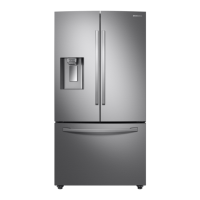
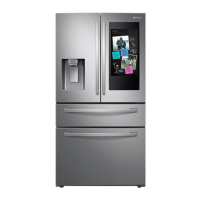
Samsung RF28R7551SG - User Manual

Samsung RF28R7551SG
88 pages
Print Icon
To Next Page IconTo Next Page
Loading...
Refrigerator
User manual
Free Standing Appliance
Untitled-13 1 2021-06-08  6:24:49

Questions and Answers

  • V
    Victoria HernandezAug 18, 2025
    How to troubleshoot a Samsung Refrigerator that is not cooling properly?
    • M
      mercermariaAug 18, 2025
      If your Samsung Refrigerator is not operating or the temperature is too warm, first, ensure the power cord is properly plugged in. Then, check the temperature control and set it lower if needed. Also, ensure the refrigerator isn't near a heat source or direct sunlight. Maintain at least 2.5 inches (5 cm) of clearance between the refrigerator and nearby walls or cabinets. Deactivate Energy Saver mode, and avoid overloading the refrigerator, making sure food does not block the vents.
  • M
    mayerstanleyAug 20, 2025
    What to do if water is not dispensing from my Samsung RF28R7551SG Refrigerator?
    • J
      John AndersonAug 20, 2025
      If your Samsung Refrigerator water is not dispensing, check if the water line is correctly installed and the water supply is on. Deactivate the Dispenser Panel Lock. If you've installed a third-party water filter, replace it with a Samsung-provided or approved filter to prevent leaks and damage. Finally, if the water filter indicator is on or blinking, replace the water filter and reset the filter indicator sensor.
  • Z
    zreyesAug 23, 2025
    Why is my Samsung RF28R7551SG Refrigerator ice maker not working?
    • R
      rgriffithAug 23, 2025
      If your Samsung Refrigerator ice maker is not making ice, wait 12 hours after installation for ice production to begin. Ensure the freezer temperature is set below 0 °F (-18 °C), or -4 °F (-20 °C) in warm environments. Deactivate the dispenser panel lock, and make sure the ice maker is turned on.
  • J
    Joseph ByrdAug 26, 2025
    How to eliminate bad odors from my Samsung Refrigerator?
    • K
      Keith WoodardAug 27, 2025
      To address odors in your Samsung Refrigerator, clean the refrigerator thoroughly and remove any spoiled food. Ensure that food with strong odors is wrapped airtight.
  • M
    Melissa GomezAug 28, 2025
    What to do if my Samsung Refrigerator is too cold?
    • K
      Kenneth RodriguezAug 28, 2025
      If your Samsung Refrigerator is over-cooling, adjust the temperature control to a higher setting.
  • K
    Keith NolanAug 30, 2025
    Why is ice not dispensing from my Samsung RF28R7551SG Refrigerator?
    • J
      Jessica LeeAug 31, 2025
      If ice is not dispensing from your Samsung Refrigerator, and the ice dispenser hasn't been used for about 3 weeks, empty the ice bucket and turn off the ice maker if you won't be using it for a while. Make sure the ice bucket is properly inserted. Check that the water line is correctly installed and the water supply is turned on.
  • S
    Sean MarshallSep 2, 2025
    Why are my fruits and vegetables freezing in my Samsung RF28R7551SG Refrigerator?
    • P
      Patricia HarmonSep 2, 2025
      If fruits or vegetables are freezing in your Samsung Refrigerator, avoid storing most kinds of fruit or vegetables in the FlexZone™.
  • T
    timothy51Sep 4, 2025
    Why is the water flow weak in my Samsung RF28R7551SG?
    • C
      christopher72Sep 4, 2025
      If the water flow in your Samsung Refrigerator is weaker than normal, ensure the water pressure is between 20 and 120 psi (138 and 827 kPa).
  • A
    Amanda HansonSep 7, 2025
    Why does my Samsung RF28R7551SG Refrigerator ice maker make a buzzing sound?
    • S
      Stephanie MccoySep 7, 2025
      If your Samsung Refrigerator ice maker is making a buzzing sound, and the water supply hasn't been connected, press the Ice Maker button to resolve the issue.
  • S
    stephanie20Sep 9, 2025
    Why is the SmartThings app not working with my Samsung Refrigerator?
    • A
      aaron44Sep 9, 2025
      To resolve issues with the SmartThings app failing to operate with your Samsung Refrigerator, first ensure you're using a compatible refrigerator model. Also, the old Samsung Smart Refrigerator app cannot connect with Samsung Smart Home models, so use the correct SmartThings app.

Summary

Safety Information

Critical Safety Warnings

Covers symbols, precautions, California Prop 65, flammable gas, and electrical hazards.

Installation and Usage Safety

Warnings for transport, installation, cord safety, and general usage precautions.

Installation

Site Selection and Clearance

Criteria for selecting an installation location and required clearance dimensions.

Levelling and Door Adjustment

Procedures for leveling the refrigerator and adjusting door height/gap.

Handle Attachment and Water Line Connection

Steps for attaching handles and connecting the water dispenser line.

Initial Settings and Final Check

Guide for initial setup, temperature setting, and final installation verification.

Maintenance

Water Filter Replacement

Step-by-step guide for replacing the water filter and resetting the indicator.

Troubleshooting

Temperature and Odor Issues

Solutions for common temperature problems, hot walls, and refrigerator odors.

Warranty and Regulatory Information

Samsung RF28R7551SG Specifications

General IconGeneral
Total Capacity28 cu. ft.
Ice MakerYes
Water DispenserYes
ColorStainless Steel
Counter DepthNo
Energy Star CertifiedYes
Door-in-DoorYes
FlexZone DrawerYes
Twin Cooling PlusYes
FinishFingerprint Resistant
TypeFrench Door
Width35.75 in.
Smart FeaturesWi-Fi Enabled

Related product manuals