EasyManua.ls Logo

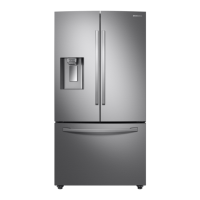
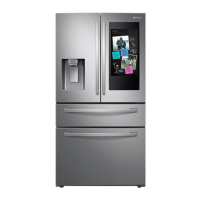
Samsung RF28R7551SR - User Manual

Samsung RF28R7551SR
88 pages
Print Icon
To Next Page IconTo Next Page
Loading...
Refrigerator
User manual
Free Standing Appliance
Untitled-13 1 2021-06-08  6:24:49

Questions and Answers

  • D
    dbrooksAug 18, 2025
    How to troubleshoot a Samsung Refrigerator that is not cooling properly?
    • K
      Kelly JonesAug 18, 2025
      If your Samsung Refrigerator is not operating or the temperature is too warm, first, ensure the power cord is properly plugged in. Then, check the temperature control and set it lower if needed. Also, ensure the refrigerator isn't near a heat source or direct sunlight. Maintain at least 2.5 inches (5 cm) of clearance between the refrigerator and nearby walls or cabinets. Deactivate Energy Saver mode, and avoid overloading the refrigerator, making sure food does not block the vents.
  • S
    Sheila HughesAug 21, 2025
    What to do if water is not dispensing from my Samsung RF28R7551SR Refrigerator?
    • D
      deborah78Aug 21, 2025
      If your Samsung Refrigerator water is not dispensing, check if the water line is correctly installed and the water supply is on. Deactivate the Dispenser Panel Lock. If you've installed a third-party water filter, replace it with a Samsung-provided or approved filter to prevent leaks and damage. Finally, if the water filter indicator is on or blinking, replace the water filter and reset the filter indicator sensor.
  • S
    susanwilsonAug 23, 2025
    Why is my Samsung RF28R7551SR ice maker not working?
    • S
      Stephen PerkinsAug 23, 2025
      If your Samsung Refrigerator ice maker is not making ice, wait 12 hours after installation for ice production to begin. Ensure the freezer temperature is set below 0 °F (-18 °C), or -4 °F (-20 °C) in warm environments. Deactivate the dispenser panel lock, and make sure the ice maker is turned on.
  • S
    Stephanie WatsonAug 26, 2025
    How to eliminate bad odors from my Samsung RF28R7551SR Refrigerator?
    • T
      troystephensAug 26, 2025
      To address odors in your Samsung Refrigerator, clean the refrigerator thoroughly and remove any spoiled food. Ensure that food with strong odors is wrapped airtight.
  • R
    Renee BenjaminAug 28, 2025
    What to do if my Samsung RF28R7551SR is too cold?
    • R
      Robin EdwardsAug 28, 2025
      If your Samsung Refrigerator is over-cooling, adjust the temperature control to a higher setting.
  • D
    Daniel MooneyAug 30, 2025
    Why is ice not dispensing from my Samsung RF28R7551SR?
    • J
      jerrybakerAug 30, 2025
      If ice is not dispensing from your Samsung Refrigerator, and the ice dispenser hasn't been used for about 3 weeks, empty the ice bucket and turn off the ice maker if you won't be using it for a while. Make sure the ice bucket is properly inserted. Check that the water line is correctly installed and the water supply is turned on.
  • H
    hartbenjaminSep 2, 2025
    Why are my fruits and vegetables freezing in my Samsung RF28R7551SR?
    • J
      Jonathan ChurchSep 2, 2025
      If fruits or vegetables are freezing in your Samsung Refrigerator, avoid storing most kinds of fruit or vegetables in the FlexZone™.
  • M
    Matthew YorkSep 4, 2025
    Why is the water flow weak in my Samsung RF28R7551SR Refrigerator?
    • J
      Jeff HallSep 4, 2025
      If the water flow in your Samsung Refrigerator is weaker than normal, ensure the water pressure is between 20 and 120 psi (138 and 827 kPa).
  • J
    Jasmine KhanSep 7, 2025
    Why does my Samsung RF28R7551SR Refrigerator ice maker make a buzzing sound?
    • K
      Keith FreySep 7, 2025
      If your Samsung Refrigerator ice maker is making a buzzing sound, and the water supply hasn't been connected, press the Ice Maker button to resolve the issue.
  • J
    John JohnsonSep 9, 2025
    Why is the SmartThings app not working with my Samsung RF28R7551SR Refrigerator?
    • D
      Donna JohnsonSep 9, 2025
      To resolve issues with the SmartThings app failing to operate with your Samsung Refrigerator, first ensure you're using a compatible refrigerator model. Also, the old Samsung Smart Refrigerator app cannot connect with Samsung Smart Home models, so use the correct SmartThings app.

Summary

Safety Information

Safety Symbols and Precautions

Explanation of warning symbols and general safety precautions.

Flammable Materials and Fire Safety

Precautions regarding flammable materials and risk of fire.

Transportation and Site Safety

Warnings related to safely transporting and placing the refrigerator.

Installation Safety Warnings

Critical warnings to follow during the installation process.

Usage and Handling Cautions

Cautions related to general usage, handling, and specific warnings.

Cleaning Safety Precautions

Warnings and precautions to follow during cleaning.

Disposal Safety Warnings

Critical warnings regarding the safe disposal of the refrigerator and packaging.

Installation Guide

Step-by-Step Installation Process

Detailed guide for installing the refrigerator.

Step 1: Site Selection

Guidelines for choosing an appropriate location for installation.

Step 4: Levelling the Refrigerator

Instructions on how to level the refrigerator for proper operation.

Step 5: Adjust Door Height and Gap

How to adjust door height and gaps using snap rings.

Step 6: Attach Handles

Instructions for attaching the refrigerator handles securely.

Step 7: Connect Water Dispenser Line

Guide to connecting the water line for the dispenser and ice maker.

Step 8: Initial Settings

Steps to perform initial setup and power on the refrigerator.

Step 9: Final Check

Checklist to confirm proper installation and functionality.

Refrigerator Operations

Maintenance and Cleaning

Component Replacement: Water Filter

Instructions for replacing the refrigerator's water filter.

Troubleshooting Guide

Samsung RF28R7551SR Specifications

General IconGeneral
Typefreestanding
Stylefrench door; 4 door
Colorstainless steel
Total Capacity27.7 cu. ft.
Refrigerator Capacity19.4 cu. ft.
Freezer Capacityyes; 8.3 cu. ft.
Humidity Controlled Crispers2
Defrost Systemautomatic
Cooling Systemtwin cooling plus
Quick Freezeyes
Number of Refrigerator Shelves5 tempered glass shelves (2 fixed, 1 foldable, 1 slide-in, 1 slide-out)
Number of Refrigerator Door Bins6
Number of Refrigerator Adjustable Shelves2
Number of Freezer Drawers1
Temperature Zones4 meat/fish (29°f), cold drinks (33°f), deli/snacks (37°f), wine/party dishes (42°f).; dual
Temperature Controlyes
Wine Rackno
Interior Lighthigh efficiency led
Dispenserexternal
Ice Makeryes
Water Filteryes
Smart Homeyes; bixby voice 2.0
Remote Controlyes
Wi-Fiyes
Voltage115 volts
Current15
Weight and Dimensions IconWeight and Dimensions
Depth36 1/2 inch
Height70 inch
Width35 3/4 inch
Net Weight346 lbs

Related product manuals