4-28 Samsung Electronics
No Parts Procedure Remark
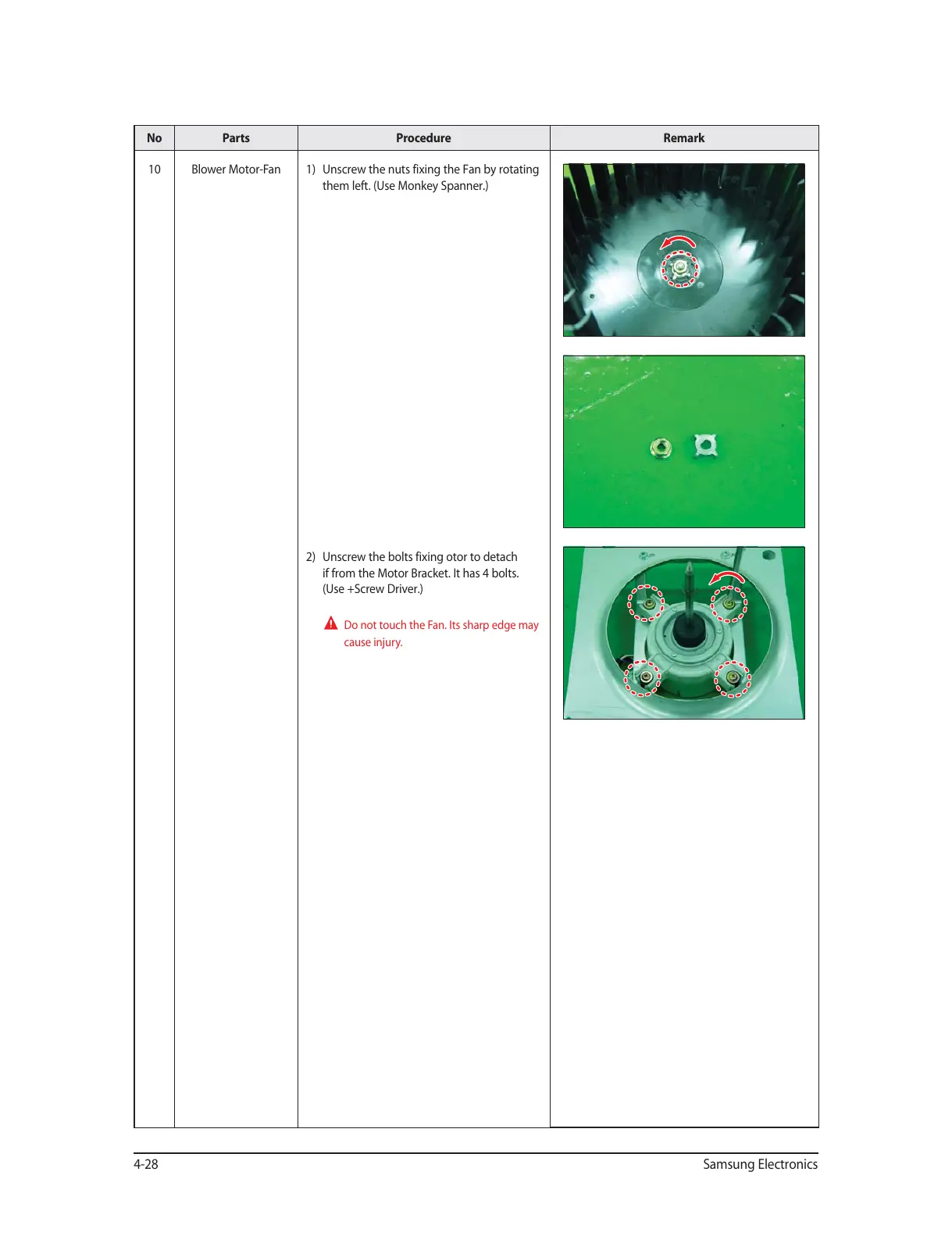
10 Blower Motor-Fan 1) Unscrew the nuts fixing the Fan by rotating
them left. (Use Monkey Spanner.)
2) Unscrew the bolts fixing otor to detach
if from the Motor Bracket. It has 4 bolts.
(Use +Screw Driver.)
Do not touch the Fan. Its sharp edge may
cause injury.




 To Next Page