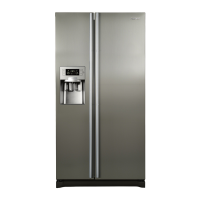
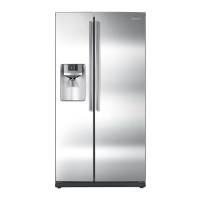
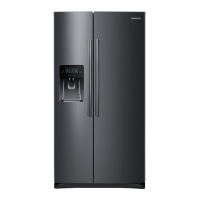
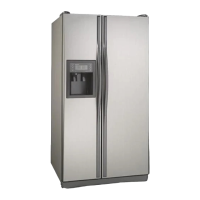
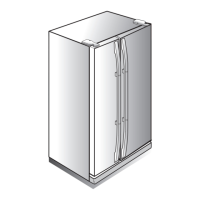
This document is a user manual for the Samsung RS28A5F61** Refrigerator, a free-standing appliance. It provides comprehensive information on safety, installation, operation, and maintenance.
Function Description
The Samsung RS28A5F61** is a refrigerator designed for household and similar applications. It features a user interface, SmartThings integration, Samsung Family Hub functionalities, and a SMART GRID function for energy management (on applicable models). The refrigerator includes an auto ice maker that dispenses filtered cubed ice. The Family Hub allows for integrated control, monitoring, and various smart features like calendar sharing, to-do lists, memos, whiteboards, photo sharing, and a "View Inside" function to check food items remotely. The Smart Grid function enables the refrigerator to control energy usage or delay certain operations to save money during peak energy demand, responding to Delay Appliance Load (DAL) and Temporary Appliance Load Reduction (TALR) signals from the utility company.
Important Technical Specifications
- Refrigerant: R-600a (isobutane), a flammable gas. The room size for installation must be at least 35.3 ft³ for every 8 g of R-600a refrigerant.
- Electrical Requirements: 3-wire grounding plug, 3-slot receptacle. Extension cords must be 3-wire, AC 115-120 V, 10 A or more.
- Installation Temperature Range: Between 50 °F (10 °C) and 109 °F (43 °C).
- Water Pressure for Ice Maker/Dispenser: 30 to 120 psi (206 to 827 kPa). For reverse osmosis systems, the water pressure to the refrigerator's cold water line must be at least 40 psi (276 kPa).
- USB Memory Support: FAT32 or exFAT file systems (NTFS not supported).
- Wi-Fi Protocols: IEEE 802.11 b/g/n (2.4 GHz) and 802.11 a/n/ac (5 GHz) (802.11 n and 802.11 ac recommended).
- SmartThings App Compatibility: Android OS 6.0 or higher (minimum 2 GB RAM) or iOS 10.0 or higher/iPhone 6 or higher.
- Samsung Smart TV Compatibility (for Family Hub): Samsung Smart TV models launched in 2015-2017 (J/K/MU6400 series or above) and 2018 (NU7400 series or above, Q60R series or above).
- Minimum Clearance: More than 2" (50 mm) recommended between the refrigerator and nearby walls/cabinets.
- Dimensions:
- Depth "A": 33 1/2" (851 mm)
- Width "B": 35 7/8" (912 mm)
- Height "C": 68 5/8" (1744 mm)
- Overall Height "D": 70 1/16" (1780 mm)
Usage Features
- User Interface: The refrigerator features a Home screen with apps and widgets, and soft buttons for Bixby, Task Manager, Home, Return, Notification, and Hide/Show. The status bar displays Bluetooth, USB, Remote Management, Network, and Software Update status.
- Fridge Manager App: Allows setting desired temperatures and modes for each compartment.
- Auto Ice Maker: Automatically dispenses filtered cubed ice. Initial ice production requires 24 hours for optimal performance, followed by specific dispensing intervals to ensure the ice bucket is properly filled. A "Test" button on the ice maker can be used for diagnosis.
- Water Dispenser: Provides filtered water. Water may appear misty or cloudy temporarily due to oxygen and nitrogen saturation during filtration, which is normal.
- Storage Optimization: Upper and lower drawers and the lower drawer cover can be removed to secure more storage space in the freezer.
- Voice Recognition: Built-in microphone for voice commands. Optimal use requires speaking loudly and clearly within 3 feet (1 meter) of the refrigerator, at a regular pace, and with reduced ambient noise.
- Samsung Family Hub Apps:
- Calendar: Share schedules with family.
- To Do: Create and edit to-do lists.
- Memo: Send memos between the refrigerator and a smartphone.
- White Board: Send whiteboard messages between the refrigerator and a smartphone.
- Photo: Send photos from a smartphone to the refrigerator.
- View Inside: Check the refrigerator's interior, register item-specific storage periods, and track use-by dates.
- Shopping List: Create and edit shopping lists.
- Smart Grid Function (Demand Response): When activated, the refrigerator can adjust energy consumption during peak demand times, displaying DAL (L3) for moderate load reduction or TALR (L4) for aggressive load reduction. This function requires a contract with an electric utility company that supports an EMS (Energy Management System) with SEP (Smart Energy profile). The "Peak Demand Off" (Override mode) can be activated to ignore Smart Grid signals.
- Energy Management Function: Allows control and monitoring of the refrigerator's energy usage via the SmartThings app, including operational status (DR and Peak Demand Off), energy consumption reporting (updated every 10 minutes), and Delay Defrost Capability to save energy by delaying defrost operations.
Maintenance Features
- Cleaning:
- Interior and Exterior: Unplug the power cord. Use a moistened, soft, lint-free cloth or paper towel with a mild detergent in warm water. Dry thoroughly. Avoid benzene, thinner, Clorox™, abrasive cleaners, window sprays, scouring cleansers, flammable fluids, muriatic acid, cleaning waxes, concentrated detergents, bleaches, or petroleum products. Do not spray water directly on the display or the appliance.
- Inner-view Camera: Clean with a cotton swab or microfiber cloth.
- Ice/Water Dispenser: Remove residual ice chips from the chute with a soft, clean cloth when crushed ice is selected.
- Rubber Seals: Clean with a mild detergent and damp cloth, then dry well.
- Rear Panel: Vacuum once or twice a year to keep cords and exposed parts free of dirt.
- Component Removal for Cleaning/Access:
- Shelves (Fridge/Freezer): Pull out as far as possible, then lift up and remove.
- Door Bins: Hold front sides and gently lift up to remove.
- Drawers: Pull out as far as possible, then lift up slightly and pull to remove.
- Drawer Cover: Push left and right hooks underneath, then pull to remove.
- Water Filter Replacement:
- The "Filter Reset" indicator turns red when replacement is needed.
- Shut off the water supply line.
- Turn the filter cartridge knob 90 degrees counterclockwise to unlock and pull out.
- Insert a new Samsung-provided or approved filter cartridge and turn the knob clockwise to lock.
- Reset the filter indicator sensor via Fridge Manager > Fridge Settings > Water Filter > RESET.
- Flush 1 gallon of water through the dispenser for about 7 minutes after replacement.
- LED Lamps: Not user-serviceable. Contact a Samsung service center for replacement to avoid electric shock.
- Ice Maker Reset: Press and hold the "Ice Maker" button for 3 seconds. If not using ice for a long period, remove and empty the ice bucket.

 Need help?
 General

 To Next Page