EasyManua.ls Logo

Samsung RS28A500A Series - User Manual

Samsung RS28A500A Series
196 pages
Print Icon
To Next Page IconTo Next Page
Loading...
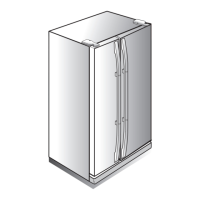
Refrigerator
User manual
RS28A500A**/RS23A500A**
Free Standing Appliance
Untitled-1 1 2020-12-31  2:29:10

Table of Contents

Questions and Answers

  • M
    Michelle WrightAug 17, 2025
    Why is my Samsung RS28A500A not cold enough?
    • S
      Sara DuncanAug 17, 2025
      If your Samsung Refrigerator is not cooling properly, there are several potential causes. First, ensure the power cord is correctly plugged in. Next, check the temperature control and set it to a lower setting if needed. Also, make sure that the refrigerator isn't near a heat source or direct sunlight. Ensure there's enough clearance (more than 2" or 50 mm) between the refrigerator and nearby walls or cabinets. Finally, avoid overloading the refrigerator and ensure that food isn't blocking the vents.
  • M
    Matthew JohnsonAug 20, 2025
    Why is my Samsung Refrigerator ice maker not working?
    • T
      Thomas WatsonAug 20, 2025
      If your Samsung Refrigerator's ice maker isn't producing ice, consider these possibilities: If the refrigerator was just installed, allow 12 hours for ice production to begin. Ensure the freezer temperature is set below 0 °F (-18 °C), or even -4 °F (-20 °C) in warmer environments. Also, verify that the ice maker is turned on.
  • A
    Angela MillerAug 22, 2025
    Why won't my Samsung Refrigerator dispense water?
    • D
      David AguilarAug 23, 2025
      If water isn't dispensing from your Samsung Refrigerator, first check if the water line is properly connected and the water supply is turned on. If you've installed a third-party water filter, replace it with a Samsung-provided or approved filter to prevent leaks and damage. If the water filter indicator is on or blinking, replace the water filter and reset the filter indicator sensor.
  • J
    Janet GouldAug 25, 2025
    What to do if ice won't dispense from my Samsung RS28A500A?
    • L
      linkimAug 26, 2025
      If ice is not dispensing from your Samsung Refrigerator, the ice may be jammed due to infrequent use; if you won't be using the refrigerator for about three weeks, empty the ice bucket and turn off the ice maker. Check that the ice bucket is correctly inserted. Verify that the water line is properly connected and the water supply is on.
  • N
    nicholasroseAug 28, 2025
    Why is my Samsung RS28A500A Refrigerator freezing food?
    • K
      kristendawsonAug 28, 2025
      If your Samsung Fridge/Freezer is over-cooling, the temperature control may not be set correctly. Try setting the temperature higher.
  • R
    Rebecca PriceAug 30, 2025
    How to get rid of odors in my Samsung Refrigerator?
    • J
      Jeffrey JonesAug 31, 2025
      To eliminate odors in your Samsung Refrigerator, start by cleaning the refrigerator and removing any spoiled food. Additionally, ensure that any strong-smelling food is wrapped airtight.
  • D
    duncanmirandaSep 2, 2025
    Why is there condensation in my Samsung RS28A500A?
    • D
      dwashingtonSep 2, 2025
      Condensation on the interior walls of your Samsung Refrigerator can occur if the door is left open, allowing moisture to enter. Remove the moisture and avoid leaving the door open for extended periods. Also, ensure food with high moisture content is wrapped airtight.
  • A
    Abigail VincentSep 5, 2025
    Why is there frost on the inside of my Samsung RS28A500A?
    • M
      Matthew DavisSep 5, 2025
      If you notice frost on the interior walls of your Samsung Refrigerator, it may be caused by the door not closing properly. Make sure food isn't blocking the door and clean the door gasket.
  • H
    Hailey ButlerSep 7, 2025
    Why is the water flow weak in my Samsung RS28A500A?
    • T
      Tiffany SmithSep 7, 2025
      If the water flow from your Samsung Refrigerator is weaker than normal, the water pressure may be too low. Ensure that the water pressure is between 20 and 125 psi (138 and 862 kPa).
  • A
    Angela AlexanderSep 12, 2025
    Why is there frost around the vents in my Samsung RS28A500A?
    • C
      carteraaronSep 12, 2025
      If you see frost around the vents in your Samsung Refrigerator, it's likely due to food blocking the vents. Ensure that no food is obstructing the refrigerator vents.

Summary

Safety Information

Important Safety Symbols and Precautions

Explanation of warning symbols (Warning, Caution, Note) and general precautions.

Critical Installation Warnings

Essential safety warnings specific to the installation process.

Critical Usage Warnings

Vital safety warnings to observe during normal operation.

Installation

Step-by-Step Installation Guide

Detailed instructions for installing the refrigerator, including site selection.

Detaching and Reattaching Doors

Procedures for safely removing and reassembling refrigerator doors.

Connecting Water Dispenser Line

Detailed steps for connecting the water supply line.

Initial Settings and Final Check

Final setup steps and post-installation checks.

Operations

Feature Panel Overview

Description of the refrigerator's control panel and its functions.

Temperature Control Settings

How to set and adjust temperatures for fridge, freezer, and special cooling modes.

SmartThings App Integration

Guide on downloading and connecting the SmartThings app for remote control.

Maintenance

Water Filter Replacement

Step-by-step guide on replacing the water filter and resetting the indicator.

Troubleshooting

General Temperature Issues

Solutions for problems like the refrigerator not operating or temperature issues.

Odour, Frost, and Condensation Issues

Guidance on resolving common interior problems.

Water and Ice Dispenser Problems

Troubleshooting steps for water/ice related faults.

LIMITED WARRANTY (U.S.A.)

Warranty Information (CANADA)

Samsung RS28A500A Series Specifications

General IconGeneral
TypeSide-by-Side
Total Capacity28 cu. ft.
Ice MakerYes
Water DispenserYes
Energy Star CertifiedYes
Defrost TypeFrost Free
Door AlarmYes
Adjustable ShelvesYes
Convertible CompartmentNo
Digital Inverter CompressorYes
Wi-Fi EnabledNo
SmartThings CompatibleNo
ColorFingerprint Resistant Stainless Steel

Related product manuals