EasyManua.ls Logo

Samsung RS52 series - User Manual

Samsung RS52 series
60 pages
Print Icon
To Next Page IconTo Next Page
Loading...
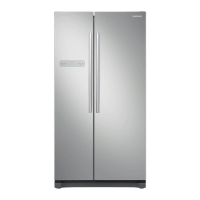
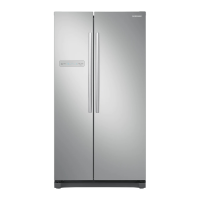
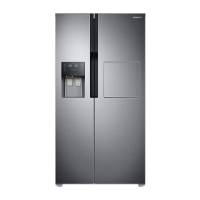
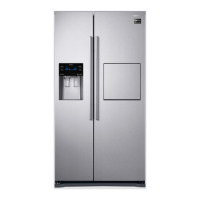
Refrigerator
User Manual
Model:
RS50*/RS52*/RS54*
Free Standing Appliance

Other manuals for Samsung RS52 series

Questions and Answers

  • T
    tlutzAug 14, 2025
    Why is my Samsung RS52 Refrigerator not cooling enough?
    • E
      Eric HowardAug 14, 2025
      Your Samsung Refrigerator might not be cooling sufficiently because the power plug isn't properly connected. Also, check if the temperature control on the display panel is set correctly; try lowering the temperature. Ensure the refrigerator isn't in direct sunlight or near a heat source, and that the back of the unit has enough space for air to circulate.
  • R
    Ronnie MatthewsAug 17, 2025
    Why is my Samsung RS52 water dispenser not working?
    • T
      Tiffany LongAug 17, 2025
      If the water dispenser on your Samsung Refrigerator isn't working, first check if the water line is connected and the shut-off valve is open. Inspect the water supply line tubing for any crushing or kinks that might be obstructing the water flow. If the refrigerator temperature is set too low, the water tank may be frozen; try selecting a warmer setting on the main display panel.
  • J
    John Patton MDAug 20, 2025
    What to do if my Samsung RS52 ice maker is not dispensing ice?
    • J
      Jessica WilsonAug 20, 2025
      If your Samsung Refrigerator isn't dispensing ice, ensure that you waited 12 hours after installing the water supply line before making ice. Check that the water line is connected and the shut-off valve is open. Verify that the ice-making function wasn't manually stopped, and that 'Ice Type' is set to 'Cubed' or 'Crushed'. Also, check the ice storage unit for any blockages and ensure the freezer temperature isn't too warm; try setting it lower.
  • K
    Karen JohnsonAug 25, 2025
    Why is food freezing in my Samsung RS52?
    • D
      Dr. Hannah SaundersAug 25, 2025
      If food is freezing in your Samsung Refrigerator, the temperature control on the display panel may be set too low; try setting it to a warmer temperature. Also, consider if the room temperature is very low. If you've stored food with a high water content in the coldest part of the fridge, such as the CoolSelect Duo™ drawer, try moving those items to a different part of the fridge.
  • A
    Amanda FarmerAug 27, 2025
    How to get rid of bad smell in Samsung RS52?
    • N
      nhartAug 27, 2025
      To eliminate bad smells in your Samsung Refrigerator, check for any spoiled food items. Ensure that strong-smelling foods, like fish, are wrapped airtight. Periodically clean out your freezer, discarding any spoiled or suspect food.
  • P
    Paula Robinson MDAug 30, 2025
    Why are the sides of my Samsung Refrigerator hot and have condensation?
    • S
      stevenbakerAug 30, 2025
      Some heat is normal on the front corners and sides of your Samsung Refrigerator because anti-condensators are installed to prevent condensation. Condensation can also occur if the refrigerator door is left ajar for an extended period.
  • L
    Lindsey SpencerSep 3, 2025
    What to do if my Samsung Refrigerator is making unusual noises?
    • A
      Albert CooperSep 3, 2025
      If your Samsung Refrigerator is making unusual noises, first ensure that the refrigerator is level and stable. Check the back of the refrigerator to make sure it is not too close to the wall, preventing proper air circulation. Also, check behind and under the refrigerator for any items that may have fallen. A 'ticking' sound is normal, caused by the accessories contracting or expanding in relation to the temperature of the refrigerator interior.
  • E
    Eric WilliamsSep 6, 2025
    Why does frost form on the walls of my Samsung Refrigerator freezer?
    • R
      Robert SnyderSep 6, 2025
      Frost can form on the walls of your Samsung Refrigerator's freezer if the air vent is blocked; remove any obstructions to allow free air circulation. Ensure sufficient space between stored foods for efficient air circulation. Also, verify that the freezer door is closed properly.
  • A
    Adrian OneillSep 9, 2025
    Why doesn't the alarm sound when the door is open on my Samsung RS52?
    • B
      Brian EstesSep 9, 2025
      The door alarm on your Samsung Refrigerator will only sound if the door is open at an angle greater than 15 degrees for more than 2 minutes. Initially, the alarm will sound with 10 consecutive rings, then repeat 10 consecutive times every minute.

Summary

Safety Information

Safety Symbols and Precautions

Explains safety symbols (Warning, Caution, Note) used throughout the manual for user guidance.

Transportation and Site Safety Warnings

Critical safety guidelines for moving and positioning the appliance.

Critical Installation Safety Warnings

Essential warnings to ensure safe and correct installation of the refrigerator.

Installation Cautions

Provides important advice and precautions for the installation process.

Critical Usage Safety Warnings

Highlights crucial safety precautions for operating the refrigerator.

Usage Cautions

Offers cautionary advice for the regular and safe use of the refrigerator.

Cleaning Cautions

Important safety precautions to follow when cleaning the appliance.

Installation

Preparing for Refrigerator Installation

Covers initial steps and considerations before setting up the appliance.

Best Location for Refrigerator Installation

Guides on choosing the optimal placement for proper appliance function.

Installation Clearance Requirements

Specifies the necessary space around the unit for ventilation and door operation.

Operations

Initial Refrigerator Setup

Outlines the first steps to set up and operate the appliance post-installation.

Temperature Control Guide

Details how to adjust and manage the freezer and refrigerator compartment temperatures.

Troubleshooting

Refrigerator Not Cooling or Working

Troubleshooting steps for issues where the appliance is not functioning or cooling.

Samsung RS52 series Specifications

General IconGeneral
Display TypeLED
RefrigerantR600a
Defrost SystemFrost Free
Ice MakerYes
Water DispenserYes

Related product manuals