
 Need help?
Do you have a question about the Samsung RS552NRUA Series and is the answer not in the manual?
Explains the inverter compressor's benefits like reduced power consumption and lower noise.
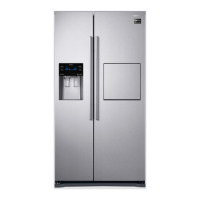
Describes the optional home bar for convenient access and fashionable living.
Details the system with separate evaporators for efficient cooling of fridge and freezer.
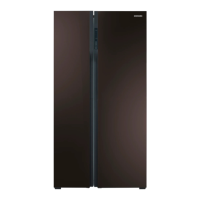
Highlights the optional tempered glass door for luxury.
Crucial guidelines covering manual reading, model variations, and symbol meanings.
Explains the meaning of warning, caution, and other symbols used in the manual.
Addresses safety measures for specific refrigerants, including combustibility risks.
Covers critical warnings for installation, placement, and electrical safety.
Details safe handling, inspection, and replacement of the power cord to prevent hazards.
Emphasizes proper grounding and warns against unauthorized self-repair for safety.
Covers rules for children, long storage, leveling, and general cautions.
Provides specific cautions regarding leveling, food storage, bottle placement, and carbonated drinks.
Advises on safe storage of food, flammable substances, and handling of glass.
Outlines safe practices for cleaning the appliance and its plug.
Provides warnings for safe disposal, focusing on trapping hazards and refrigerant handling.
Offers tips for optimal performance, including installation, food placement, and power outages.
Provides guidance on energy efficiency, installation environment, and usage habits.
Guides on choosing the best location, considering sunlight, leveling, and space.
Provides specific dimensions and required clearances for proper installation and operation.
Step-by-step instructions for safely removing and reinstalling the freezer door.
Step-by-step instructions for safely removing and reinstalling the fridge door.
Covers leveling the unit and making minor adjustments for perfect door alignment.
Details final setup steps, including checking interior lights and initial temperature setting.
Explains the purpose and operation of each button on the control panel.
Guides on understanding the digital display and managing compartment temperatures.
Instructions for operating the twist ice maker and producing ice.
Advice on maximizing freezer space and keeping food fresh.
Details how to use specific compartments in both freezer and fridge sections.
Instructions for removing interior freezer shelves, drawers, and bins for cleaning.
Instructions for removing interior fridge shelves, drawers, and bins for cleaning.
Covers cleaning procedures for interior, exterior, home bar, and rubber door seals.
Explains the door closing feature and ensures doors remain securely sealed.
Solves issues related to cooling performance and food freezing.
Addresses common operational noises, heat, condensation, and odors.
Helps resolve frost formation, display errors, and other operational problems.
Defines the operational temperature ranges for different climate classifications.
Provides guidelines for the correct and safe disposal of the appliance.
Lists contact details for customer support and website information.
This document describes the Samsung Side-By-Side Refrigerator, a free-standing appliance designed for household use and similar applications such as staff kitchen areas, farmhouses, hotels, motels, bed and breakfast establishments, and catering services. It emphasizes safety, proper installation, and efficient operation to ensure a long lifespan and optimal performance.
The Samsung Side-By-Side Refrigerator is equipped with various innovative storage and energy-efficient features. Its core function is to provide separate cooling for the refrigerator and freezer compartments, thanks to a Twin Cooling System with independent evaporators. This design ensures more efficient cooling and helps maintain optimal conditions for different types of food.
A key component of its energy efficiency is the Inverter compressor. This imported, high-effective compressor reduces power consumption, lowers operational noise, and operates at different frequencies to optimize freezing capacity and cooling speed.
The refrigerator offers precise temperature control for both compartments. Users can set the freezer temperature between -14°C and -23°C and the fridge temperature between 1°C and 7°C using the digital display. The appliance also features a Power Freeze function to rapidly freeze items, which is particularly useful for quickly freezing perishable goods or making large quantities of ice. Similarly, a Power Cool function is available to quickly cool fresh food in the fridge or to restore temperature after the door has been open for an extended period.
For periods of absence, the refrigerator includes a Vacation function. When activated, this function optimizes energy consumption by adjusting the fridge temperature. It is recommended to remove all food from the fridge and keep the door closed when this function is in use.
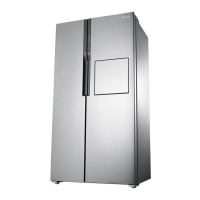
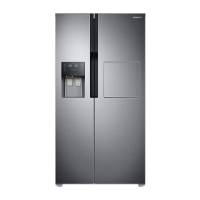
An optional Home bar feature provides convenient access to frequently used items without opening the main refrigerator door. This soft-touch bar opens and closes with a latch and damping system, adding a touch of modern convenience.
The appliance also incorporates a Child Lock button to prevent accidental changes to settings or unauthorized access, enhancing safety in households with children.
The refrigerator's design focuses on maximizing space and convenience. The interior includes various compartments tailored for different food types:
When storing food, it is advised to wrap items properly in airtight containers to prevent odor penetration and maintain freshness. To maximize space, some freezer drawers (except the bottom one) can be removed without affecting thermal or mechanical characteristics. Users should also ensure that stored foods do not block the cool air outlet in the freezer to maintain efficient cooling.
Regular cleaning and maintenance are crucial for prolonging the life of the Samsung refrigerator and keeping it odor and germ-free.
Safety Precautions for Maintenance:
The refrigerator is designed to be frost-free, eliminating the need for manual defrosting. The appliance handles defrosting automatically. If there is a power failure lasting more than 24 hours, it is recommended to remove all frozen food to prevent spoilage. For shorter power outages, minimize door openings.
 General
| Cooling System | Twin Cooling Plus |
|---|---|
| Energy Efficiency Class | A+ |
| Defrost Type | Frost Free |
| Ice Maker | Yes |
| Climate Class | SN-T |
| Freezer Compartment Star Rating | 4 Star |
| Display Type | LED |
| Refrigerant | R600a |


 To Next Page